WiFi / Network / Fiber Installer in Kuching, Sarawak
Whole-premise WiFi 6 coverage so your CCTV, smart lock and other connected devices actually stay online — plus structured cabling and fiber-ready network infrastructure for offices, factories and multi-floor buildings.
Network Infrastructure, Not Just a Router
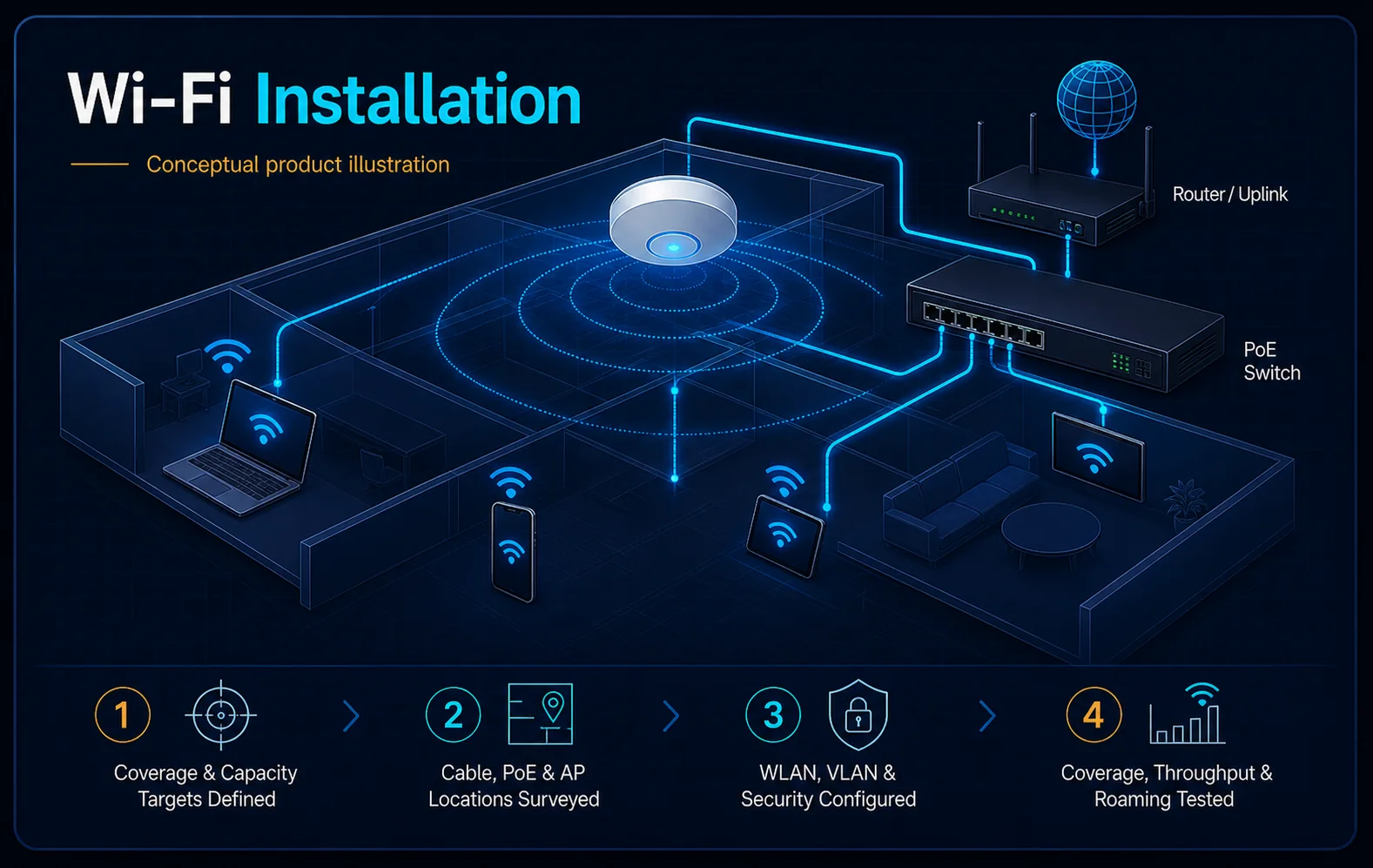
WiFi and network installation covers access-point placement, structured cabling, and PoE switching — the underlying network that everything else, including your CCTV and door access systems, depends on. We treat this as infrastructure to plan properly, not an afterthought.
- Coverage survey and access-point placement
- Access point and PoE router/switch installation
- Structured cabling for offices and multi-floor buildings
- Smart lock and smart-home device integration
Who Needs This
- Homes and shops with WiFi dead spots or unreliable coverage
- Offices needing structured cabling across multiple rooms or floors
- Anyone installing CCTV or door access that depends on stable network connectivity
Cat6 Copper vs. Fiber Optic
The right cable type depends on distance and how much data needs to move through it.
Cat6 Structured Cabling
Standard for most office and home network runs within a building — cost-effective, easy to terminate, and sufficient for typical CCTV, access control and WiFi access point connections.
Fiber Optic Cabling
Used for longer runs between buildings, or where higher bandwidth and interference resistance matter — common in larger commercial and industrial sites.
PoE Switches
Power-over-Ethernet switches carry both data and power over the same cable, simplifying installation for cameras and access points that don't need a separate power source nearby.
Sized to Your Building's Coverage Needs
We deploy access points and networking gear from TP-Link, Ubiquiti, Aruba and D-Link, sized to your building's coverage needs. Because so much of what we install — CCTV, door access, video intercom — depends on network stability, we plan connectivity as part of the same job rather than treating it as a separate IT project.
System Design Considerations
- Building size, wall materials and floor count
- Number of connected devices, including security systems
- PoE requirements for cameras and access terminals
- Structured cabling routes for new or existing buildings
Installation Process
Free Site Survey
We map coverage needs and identify dead spots on-site.
Network Design
Access-point placement and cabling plan for your building.
Installation
Cabling, access points and switches installed by our technicians.
Testing
Coverage and speed tested across the whole property.
Handover
Network setup explained, including any connected security devices.
After Installation: Keep It Working
Networks need occasional firmware updates and equipment checks, especially when supporting security systems. Our maintenance (AMC) plans can include your network alongside your other systems.
Looking for Published Package Pricing?
For ready-made packages with published starting prices, browse our online quotation catalog at hikvisionhj.com, or WhatsApp us your requirements for a custom quote.
WiFi / Network / Fiber Questions
Do I need a network installer, or can I just buy a router myself?
Will WiFi installation help my CCTV or door access system perform better?
Which networking brands do you install?
Do I need fiber, or is Cat6 copper cabling enough?
Can you fix an existing weak WiFi setup instead of starting over?
Can you run structured cabling in an existing building?
Ready for Reliable Coverage?
Book a free site survey and get a network plan that supports your whole property, including your security systems.