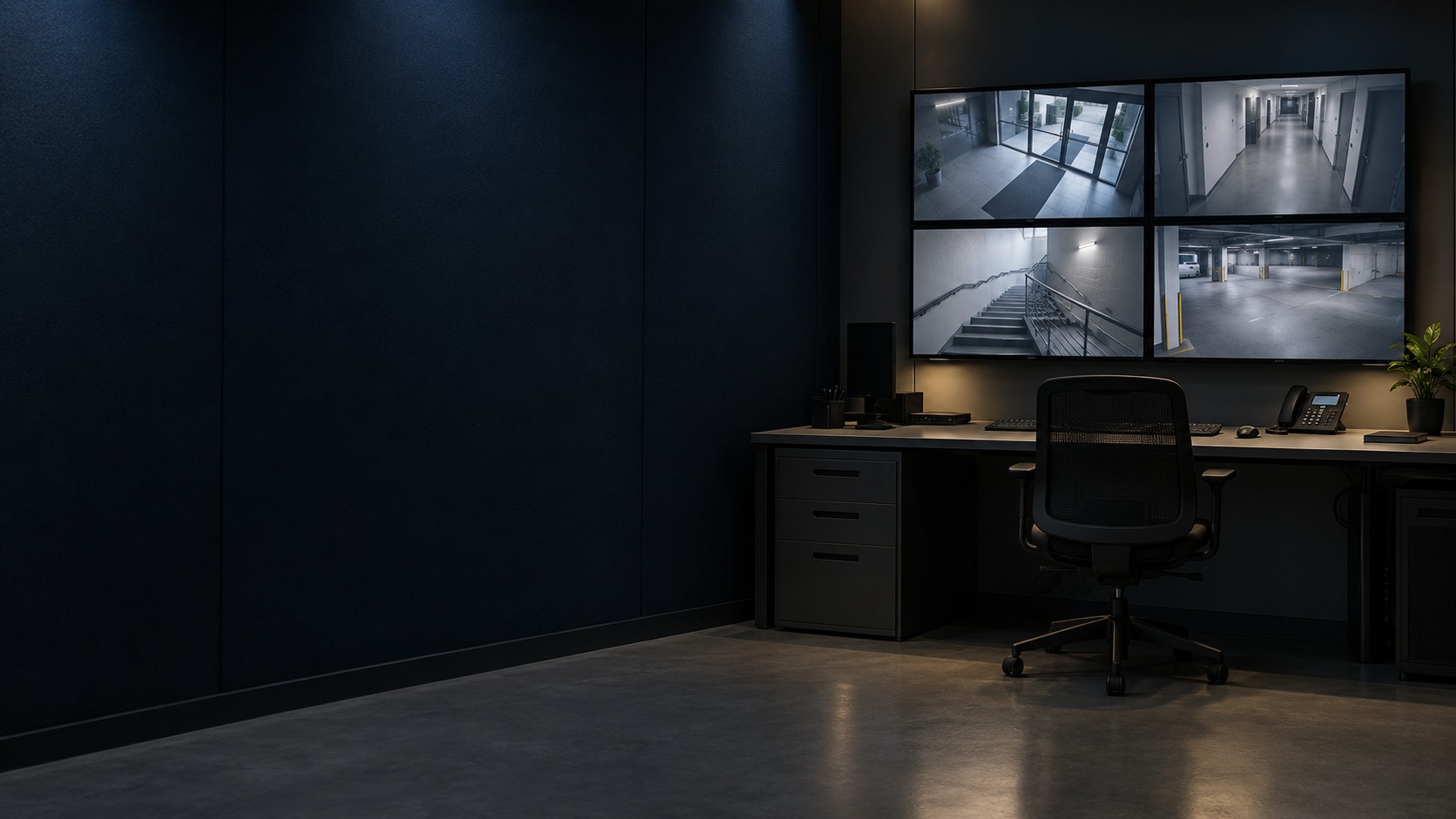
Operator workstation and four-view monitoring display (illustration)
Enterprise Monitoring

Security Command Centre & HikCentral Installation in Kuching

Build a central monitoring workflow for the supported sites, cameras and selected security events. HJ plans platform licensing, network links, operator displays and recording responsibilities, with playback, incident export and outage behaviour verified on the approved architecture.

  1. 01Survey
  2. 02Design
  3. 03Install
  4. 04Commission
  5. 05Maintain

Specialist system

Command Centre & Multi-Site VMS

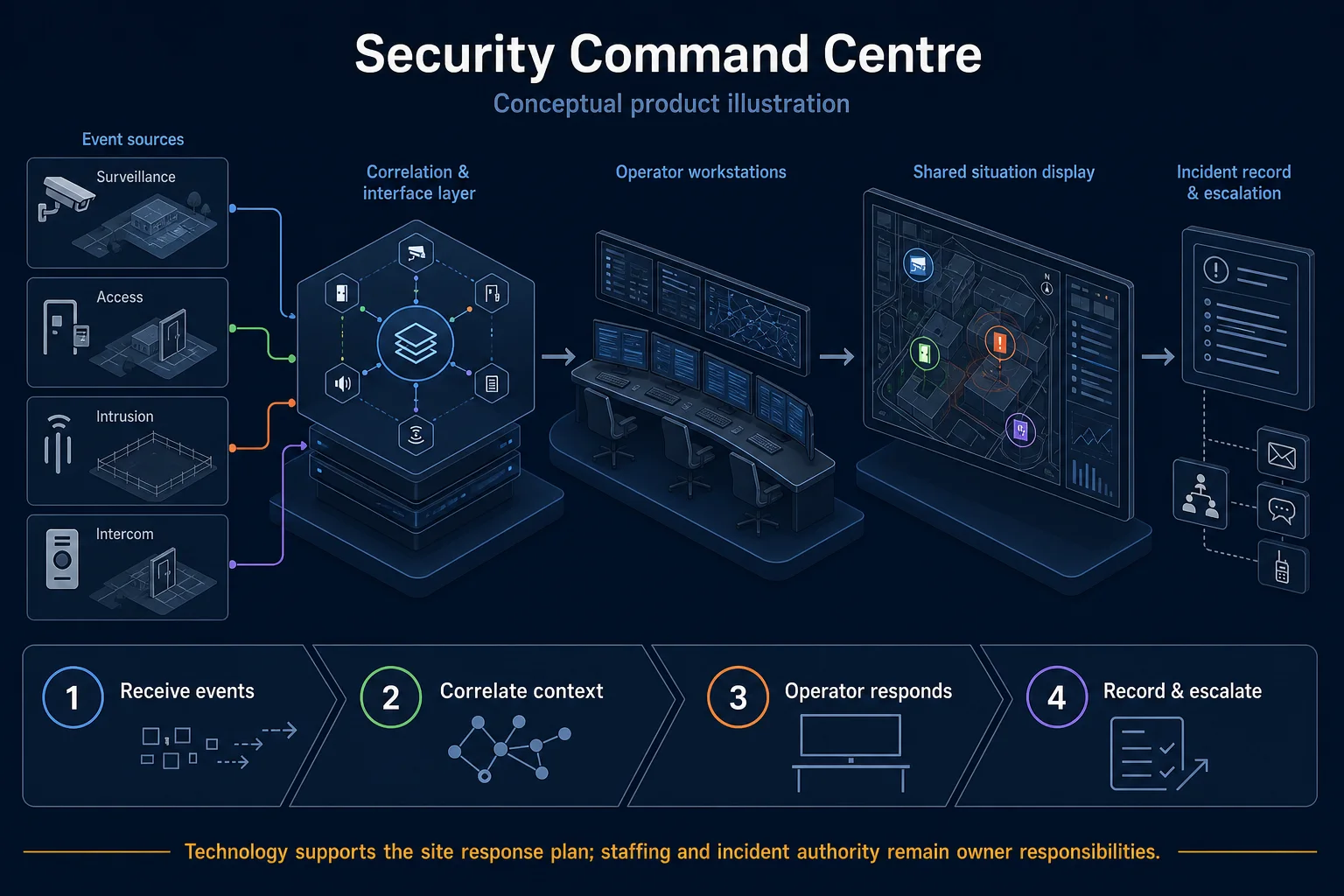
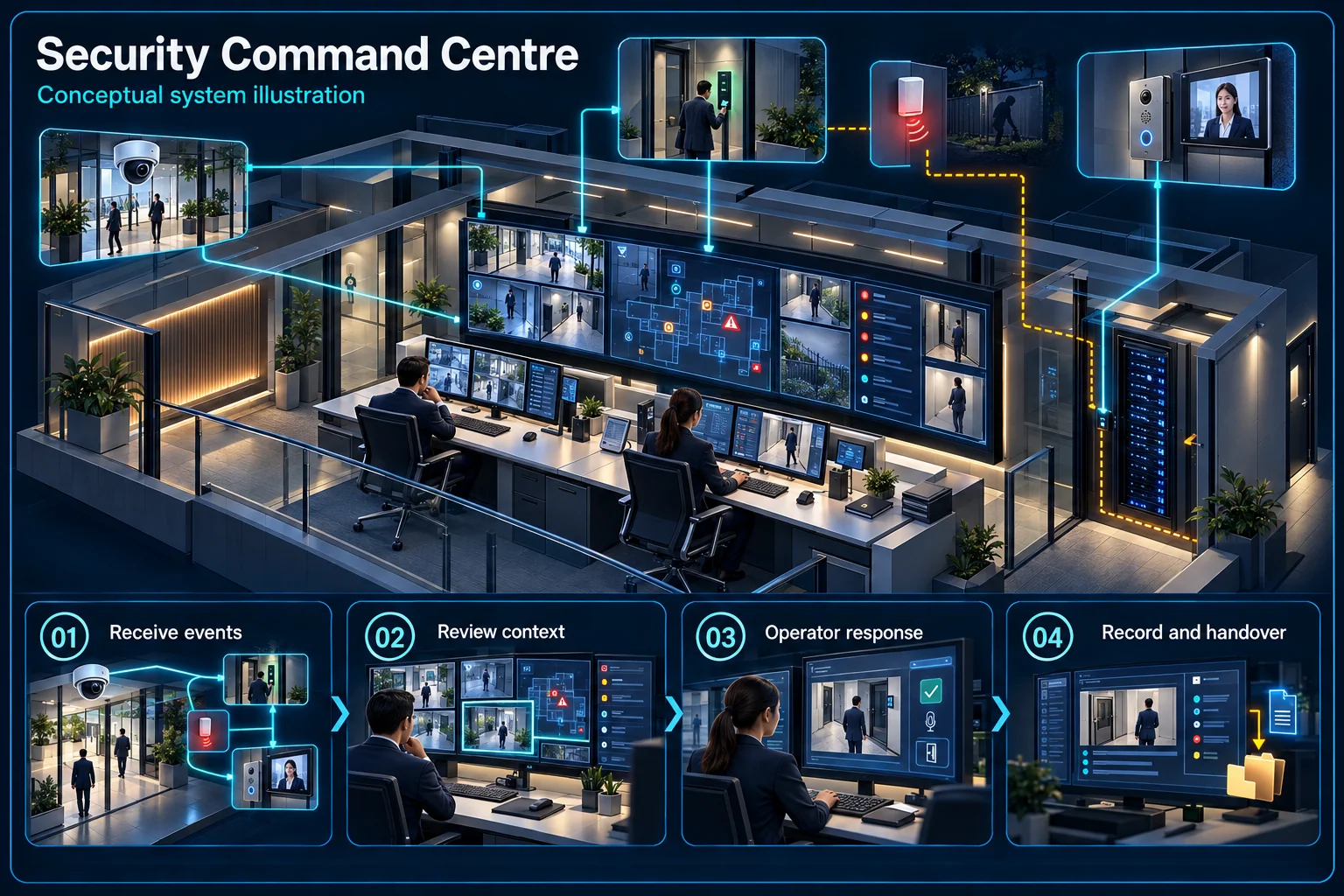
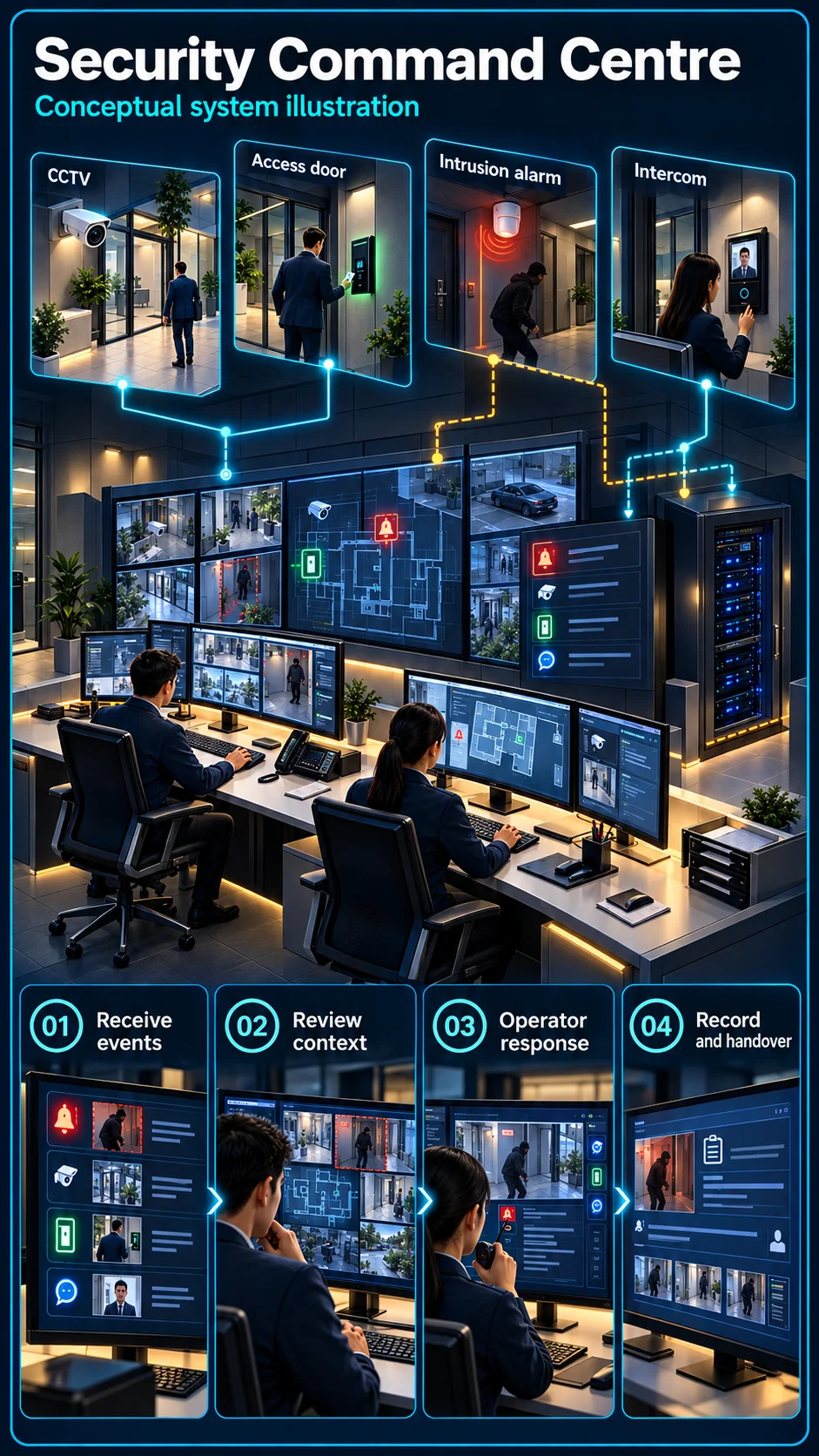
A command centre is an operating workflow: authorised people locate events, review evidence and take an agreed action across the selected sites. Screens alone do not define that capability.

Security Command Centre Canvas

Security Command Centre & HikCentral Installation in Kuching – system diagram
Conceptual system illustration. Final configuration depends on the approved site scope.View full-size desktop imageView full-size mobile image
System planning notes

From multiple sites to an accountable operator

Connectivity, platform permissions and human response are distinct layers of central management.

From multiple sites to an accountable operatorConnectivity, platform permissions and human response are distinct layers of central management.E1E2E3E401Site A02Site B03Selected VMS04User permissions05Operator reviewFrom multiple sites to an accountable operatorConnectivity, platform permissions and human response are distinct layers of central management.E1E2E3E401Site A02Site B03Selected VMS04User permissions05Operator review
  • Solid line: illustrated functional path or agreed test route.
  • Dashed line: optional device or compatibility to confirm.
  • Site A and Site B are hypothetical examples, not published client claims.
  • Dashed site links require connectivity, compatible equipment and the selected licences.
Site A

Local devices and records

Site B

Separate local operation

Selected VMS

Compatibility and licences

User permissions

View / replay / export

Operator review

Verify and escalate

Read the connections
  1. E1: Site A → Selected VMSApproved network path — optional / compatibility to confirm
  2. E2: Site B → Selected VMSApproved network path — optional / compatibility to confirm
  3. E3: Selected VMS → User permissionsControlled platform access
  4. E4: User permissions → Operator reviewAssigned event task
Conceptual system diagram. Final configuration depends on the approved site scope.

Connect the right information

Sites, storage and network paths

List which sites and recordings the platform must access. Confirm network availability, local retention and platform or device compatibility without assuming that central viewing replaces every local recorder.

Users, licences and privileges

Define who may view, replay, export or administer each site. Platform capacity, licences and user permissions must match the selected functions rather than a generic multi-site label.

Design the operator's next action

Verification and escalation

Use meaningful site and camera names, assign the receiving operator and define the escalation contact. A displayed event is not proof that a person has reviewed or resolved it.

Acceptance scenarios

Demonstrate a live view, an authorised recording search, a restricted user and an agreed event route. Explain what remains available during a lost remote connection.

Questions about Command Centre & Multi-Site VMS

Does a video wall provide a monitored response service?

Not by itself. Staffing, operating hours, verification and escalation duties must be defined separately from display and platform installation.

Does central viewing remove the need for local recording?

Only the approved architecture decides where recording occurs. Local and central storage responsibilities should be stated and tested independently.

Continue your planning

Installation → Solution

How Security Command Centre & HikCentral Installation Fits the CCTV & Video Security System Packages

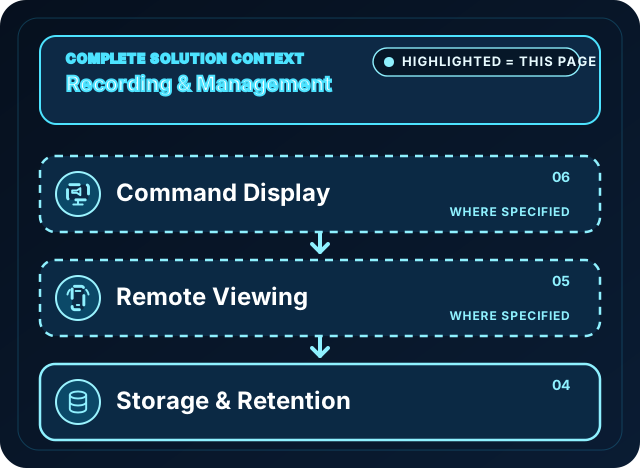
The focused diagram shows only the system nodes covered by this page. Read the highlighted path, role and scope condition to understand what is included and what needs separate confirmation.

HJ video security system blueprint: cameras, network and power, recording management, storage
Highlighted system diagram

CCTV & Video Security System Packages

Connects camera capture, transmission, recording, retention, authorised viewing and selected response functions as one commissioned CCTV system.

Position in the diagram
  1. Command Display
  2. Remote Viewing
  3. Storage & Retention

This page covers: HikCentral and command-centre work cover operator display, authorised management and multi-site event workflows around the recording platform.

Open component 06 in the complete Solution →
What It Is

Above the NVR: Central Management

A command centre coordinates supported video sources and selected access control and alarm events through a management platform. HikCentral functions, device count and modules depend on version, licences, compatible equipment, server resources and site links. Define operator roles, recording locations, event review and export before treating the room as operational.

  • HikCentral / iVMS video management platform setup
  • Multi-site, multi-camera central monitoring
  • Video wall, server and storage architecture design

Who Needs This

  • Factories and industrial sites with large camera counts
  • Developers and building management running control rooms
  • Chain businesses and schools monitoring multiple locations centrally
Ask About Command Centre

Command-centre product reference

For VMS software, storage and commercial display components, see the separate VMS, storage and commercial display catalogues. HJ Security designs the control-room architecture and commissions the integrated monitoring workflow.

What We Design

The Full Control Room Stack

Video Management Platform

Select the supported platform, version and licensed functions, then configure user roles, source devices and event workflows for the approved operation.

Video Wall

Decoder-driven display walls for larger control rooms, with layouts operators can switch by scenario — or multi-monitor workstations where a full wall isn't justified.

Server & Storage

Size recording and usable storage from the actual streams and retention target. RAID, independent backup and supported failover are different options; each needs an approved design and test.

Multi-Site Connectivity

Assess each site link, available bandwidth, source permissions and secure connectivity. Define what remains available locally and how operators handle a lost or degraded connection.

Access & Alarm Integration

Selected door or alarm events can be linked to camera review where the device, protocol, platform module and licence support it. Verify the actual event path and maintain independent safe subsystem controls.

Operator Workflow

Permissions, shift handover views and event acknowledgment flows set up so the control room runs on process, not memory.

Recording Responsibilities Must Be Defined

Local recording continues only when an independent site recording path is configured, powered and healthy. Central-only recording can be interrupted by a server or link failure. Document these dependencies, recovery procedures and any separately designed failover, then test the agreed outage scenarios.

FAQ

Command Centre Questions

What is HikCentral and how is it different from a normal NVR?
An NVR is a recording device. HikCentral provides selected central management functions around supported sources; modules, device compatibility, licences and resources determine the actual scope. The design must separately identify recording, operator permissions and incident-review responsibilities.
Can one command centre monitor several branches or sites?
Supported sites can be coordinated through a central platform when the source devices, licences, network paths and resources meet the design. Check the views and event functions required at each branch, and document any unsupported sources or link-loss limitations.
What happens if the central server fails?
Only an independent, configured and powered local recording path can continue without the central server. Central-only storage may stop. The approved design identifies dependencies, any supported failover and the loss/recovery tests; continued recording must not be assumed.
Do we need a video wall, or can operators use normal monitors?
It depends on scale. A small control room can run on multi-monitor workstations; larger operations with many cameras and operators benefit from a proper video wall with decoder-driven layouts. We size this to your operation, not upsell by default.

One Control Room for Your Supported Sites

Tell us your site count, camera count and monitoring goals — we'll design the architecture around it.