System design
Commercial IP Video Security Architecture in Kuching
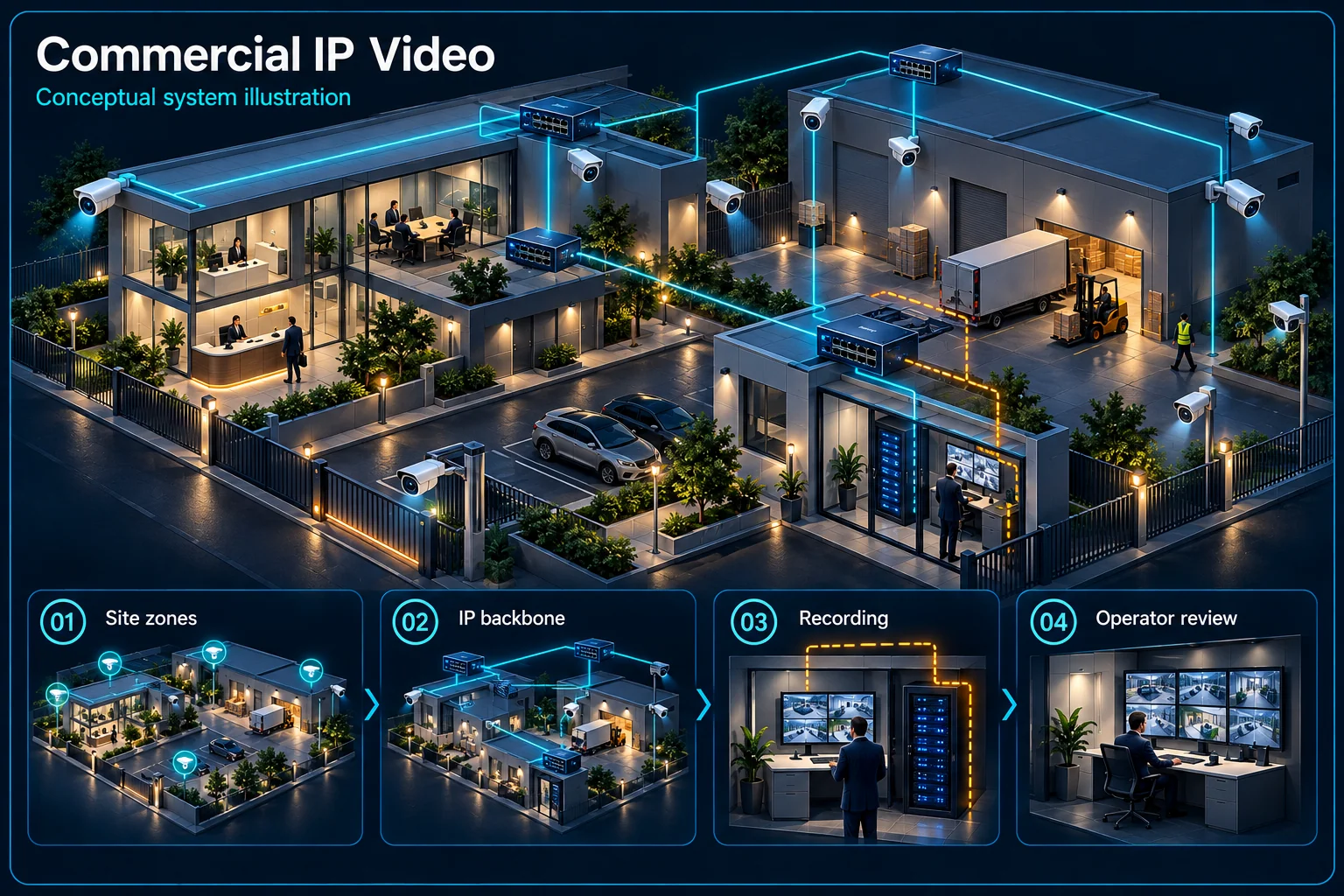
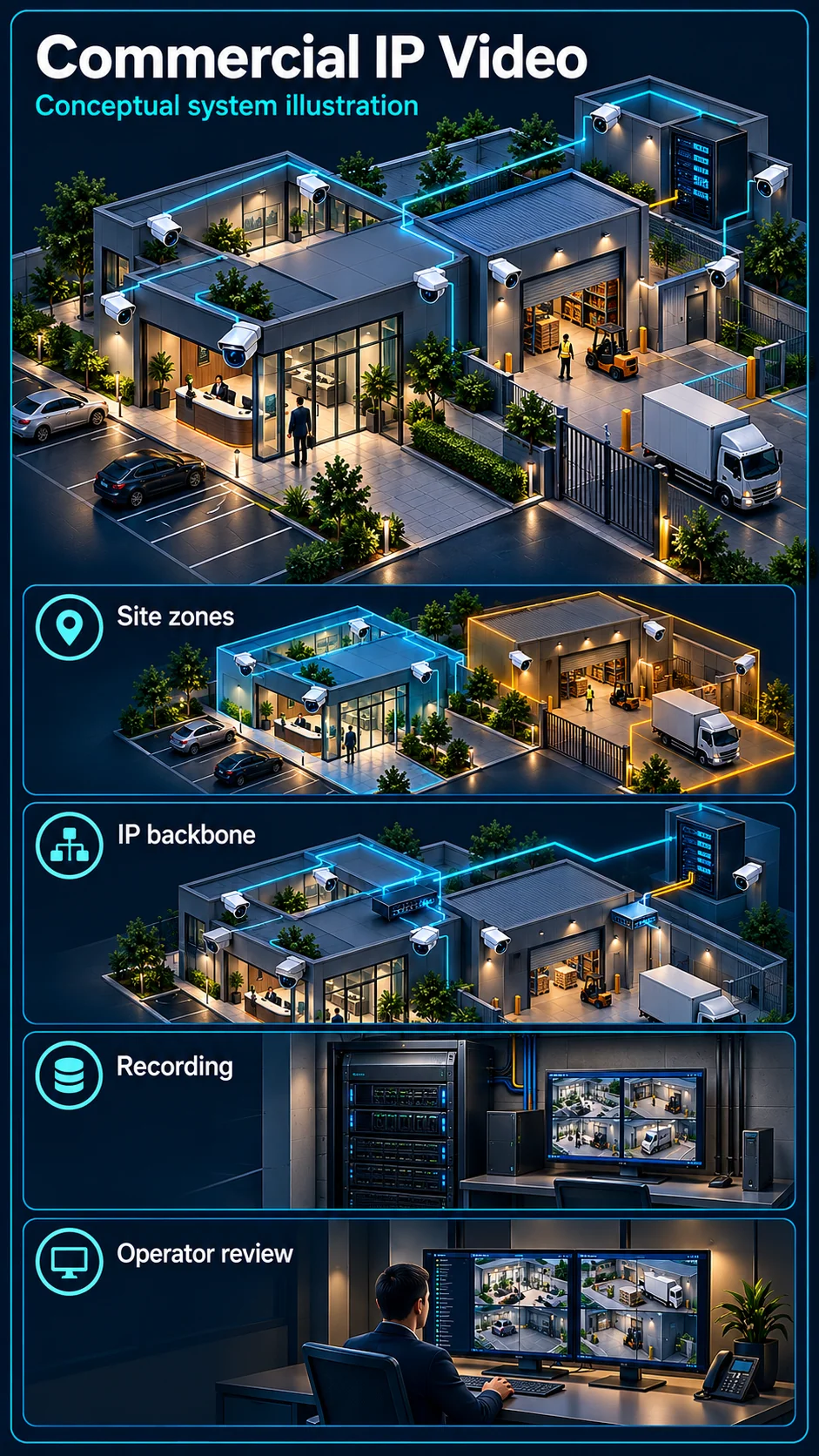
Commercial IP video security is an operating architecture for multiple areas, users and evidence needs. It is broader than choosing a Pro camera package. A useful design joins camera views, network transport, recording, access permissions and the people responsible for reviewing events, while keeping each system's scope clear.
How this architecture fits together
Commercial IP Video Canvas
System planning notes
Views, infrastructure and people form the commercial architecture
The diagram follows an evidence request from operational areas to authorised review and export.
- Solid line: illustrated functional path or agreed test route.
- Dashed line: optional device or compatibility to confirm.
- The operating architecture is not a new camera protection tier.
- An event still needs an assigned person and procedure; a notification alone is not a completed response.
Reception, loading and restricted zones
Links, power and ownership boundaries
Agreed stream and storage policies
View, review, export and administration
Named operator and escalation route
A retrievable clip for the actual need
- E1: Purpose-defined areas → Managed network pathIP streams
- E2: Managed network path → Recording and retentionRecording transport
- E3: Access roles → Event verificationPermitted access
- E4: Recording and retention → Event verificationView and verify
- E5: Event verification → Authorised evidence exportApproved retrieval
Translate business activities into useful evidence
Give each view a defined purpose
A loading bay, reception point and restricted store can require different views and rules. Identify the question each view should answer, the expected movement and changing lighting. Resolution alone cannot establish evidence suitable for every business situation.
Set retention around the review need
Discuss when an incident is normally discovered and who needs to retrieve it. Recording schedules, stream choices and storage then follow the requirement. Do not assume the same unexplained retention period is appropriate for every camera or tenant.
Design transport and recording as infrastructure
Plan links and shared network boundaries
Check camera links, switching, backhaul, power and network ownership. Shared premises can have tenant and management boundaries that must remain distinct. A live picture during a brief test does not establish capacity for the intended operating arrangement.
Identify processing and platform limits
Camera events, recorder-side analysis and platform functions must be matched to actual equipment and any required licences. Multi-site viewing or a larger recorder label does not automatically provide every analytic feature or event capacity.
Make the response an accountable workflow
Assign review, export and administration roles
A security operator, facilities manager and system administrator may need different permissions. Agree which areas each can view and who may export recordings or change settings. Plan account handover rather than sharing unrestricted credentials across the organisation.
Distinguish an alert from a completed response
Define who receives an event, how they verify it and how they escalate it. Normal night-shift or contractor activity should be considered. A notification or platform dashboard is not evidence that a person has attended to the event.
Accept the system as a business tool
Test representative operating conditions
Review important views under actual lighting, stock levels and working movement. Test selected event rules and permitted activity. For occupied premises, coordinate access and work windows without promising an installation that can never interrupt operations.
Rehearse retrieval and service handover
Ask the nominated user to find and export a representative clip with their own role. Document infrastructure, agreed settings and support responsibility. Include network and backup-power limits so future changes do not silently undermine recording or access.
Questions about Commercial IP Video Security
Is Commercial IP another level after Proactive Pro?
No. It describes the wider engineering and operational architecture. Particular Pro plans can contribute to it, but permissions, storage, network and response need their own decisions.
Does every commercial camera need a siren?
No. Reception, public circulation and active work areas can need quiet observation. Warning functions should only be included where the scene and agreed response make them appropriate.
Can multiple branches be viewed together?
A supported platform and connectivity design can be assessed. Confirm licences, permissions, bandwidth, recording locations and event responsibilities rather than assuming all sites automatically join one screen.