Specialist system
Remote Site Connectivity Planning in Sarawak
A remote-site design connects a specific local task with a feasible backhaul and a practical recovery plan. Start with the cameras, users or equipment at the site; then choose the link, power arrangement and provider responsibilities that support their actual use.
How this specialist fits together
Remote-Site Connectivity Canvas
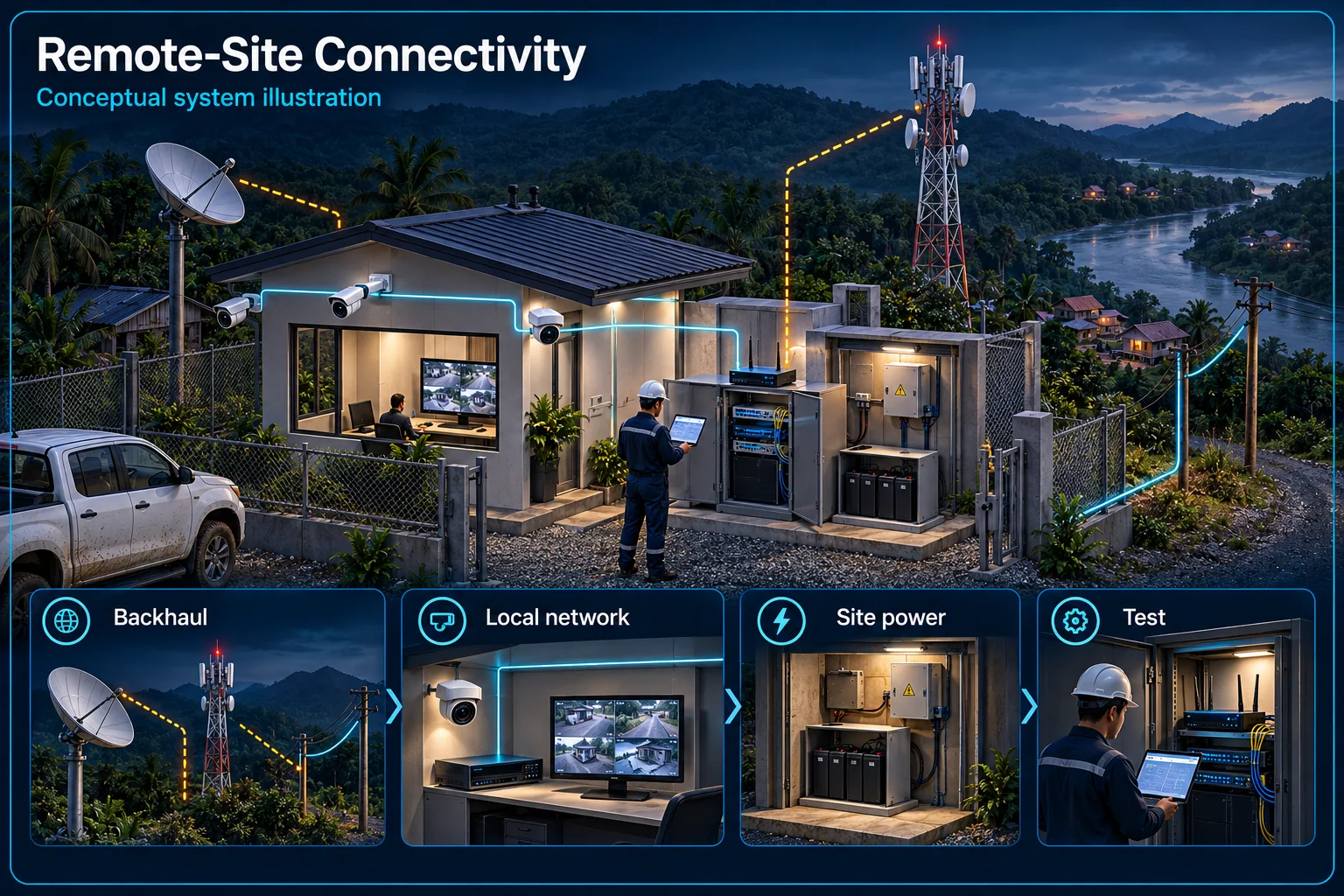
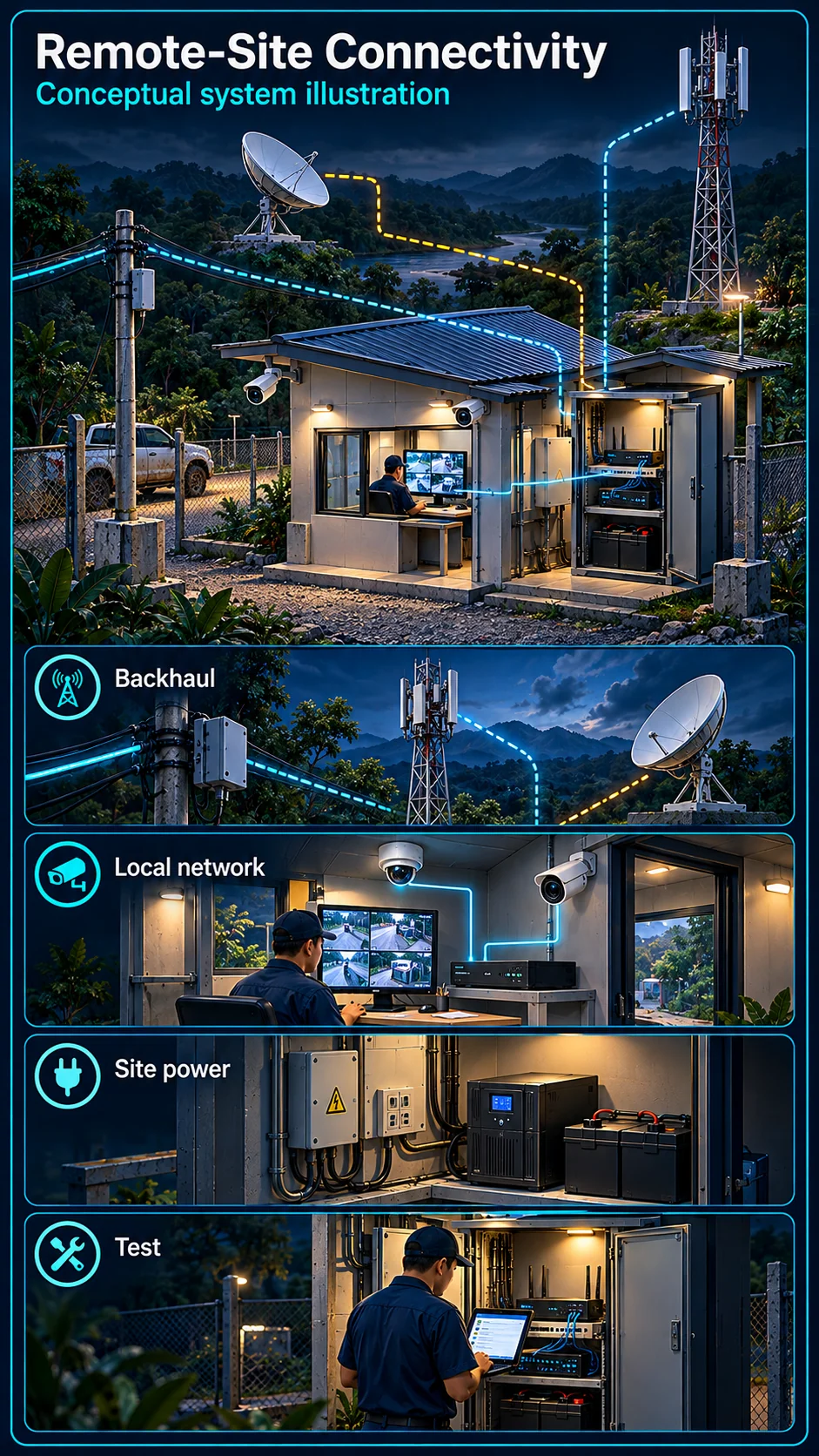
System planning notes
Local operation and the remote service boundary
A selected backhaul carries remote traffic; it does not replace the local network, recording design or power requirements.
- Solid line: illustrated functional path or agreed test route.
- Dashed line: optional device or compatibility to confirm.
- Dashed uplink means the backhaul technology and service must be selected.
- Power paths identify dependencies, not a promised backup runtime.
- Local network, recording and provider service are separate acceptance items.
Cameras, users or controllers
Switching and permissions
Independent storage design
Fibre, bridge, cellular or satellite
Authorised receiving task
Named equipment and backup loads
- E1: Local systems → Local networkLocal data path
- E2: Local network → Local recordingLocal evidence path
- E3: Local network → Selected backhaulChosen uplink — optional / compatibility to confirm
- E4: Selected backhaul → Remote accessInternet-dependent task
- E5: Defined power scope → Local networkSpecified power dependency
- E6: Defined power scope → Selected backhaulLink equipment power
Define what must work locally
Devices, users and the local network
List the equipment and people that need local communication, the information they exchange and who may administer them. Switching, wireless coverage and network permissions are local design tasks; they are not automatically solved by adding an internet terminal.
Recording versus remote access
Identify where recordings are stored and how an authorised user retrieves them. A local recorder may have a different failure boundary from phone viewing or an external platform. Confirm both paths instead of treating internet access as proof that useful evidence is retained.
Select the backhaul for the location
Fibre and a wireless bridge
Check available provider routes and installation access when considering fibre. For a bridge, assess the actual endpoints, path and supporting infrastructure. Neither option should be selected only from a map or a general distance claim; the surveyed route and operating task matter.
Cellular or Starlink options
Review mobile-service conditions at the intended equipment location when considering cellular backhaul. A Starlink option needs its own installation, power and service-account review. These are alternative link choices to assess, not a promise that either is available or suitable at every site.
Plan power and interruption handling
Name the loads that need power
Identify the terminal, router, network equipment, cameras and recording loads included in the design. Backup supply should be sized and tested for the selected equipment. Do not infer a fixed runtime merely because a battery or UPS appears on the equipment list.
Define a lost-link procedure
Agree what the site should do when backhaul fails and how the responsible person becomes aware of it. Local recording, remote viewing and notifications may respond differently. Any backup link or automatic failover must be separately selected, configured and demonstrated.
Accept the service boundary and the user task
Provider, accounts and support
Record who owns the carrier account, subscriptions, router configuration and provider fault contact. Local installation work is different from a carrier service or ongoing managed IT. The handover should identify those responsibilities without assuming that one support team controls them all.
Test from the receiving location
Demonstrate the agreed application, permissions and retrieval task from the location where it will actually be used. Include the selected interruption and recovery checks. Record open dependencies rather than describing a successful local connection as proof of continuous remote availability.
Questions about Remote-Site Connectivity Planning
Must every remote site use a satellite service?
No. Fibre, a suitable wireless bridge, cellular service or a satellite option may be relevant. Selection depends on the surveyed location, available services, power and the actual user task.
Does an internet failure stop every local recording?
Not necessarily. The outcome depends on the local recording design and power. The accepted scope should explain local behaviour separately from internet-dependent viewing and notifications.
Is a backup link or internet subscription included automatically?
No. Provider accounts, subscriptions, backup links and failover behaviour must be explicitly included and assigned. A local network installation alone does not establish those services.