System feature
CCTV Network, PoE & Backup-Power Planning
A camera needs a working data path and an appropriate power path. They may share a suitable PoE cable, but their design limits are not the same. HJ reviews the camera loads, network links, recording location and any requested backup scope as a complete operating chain.
How this feature fits together
CCTV Network, PoE & Power Canvas
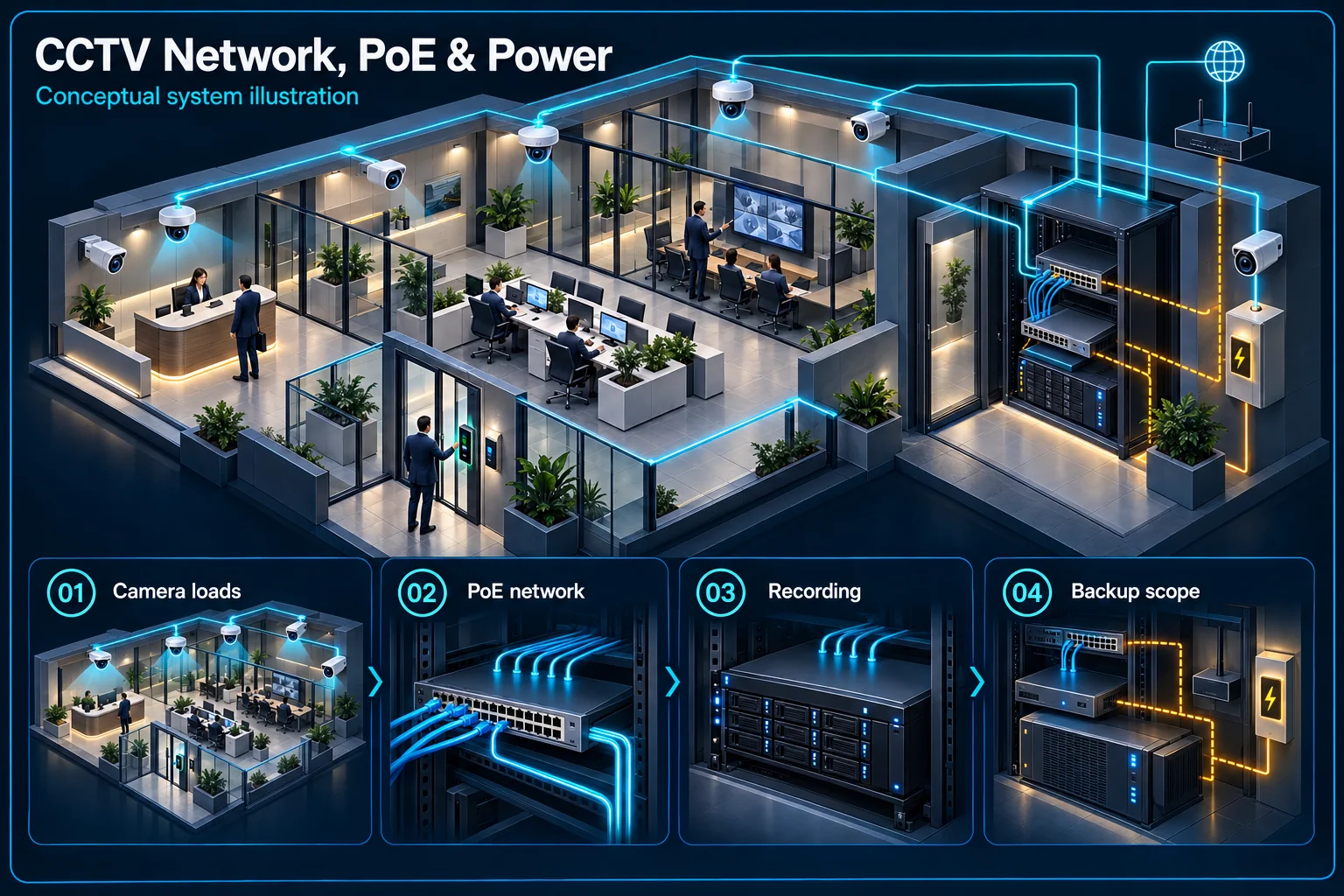
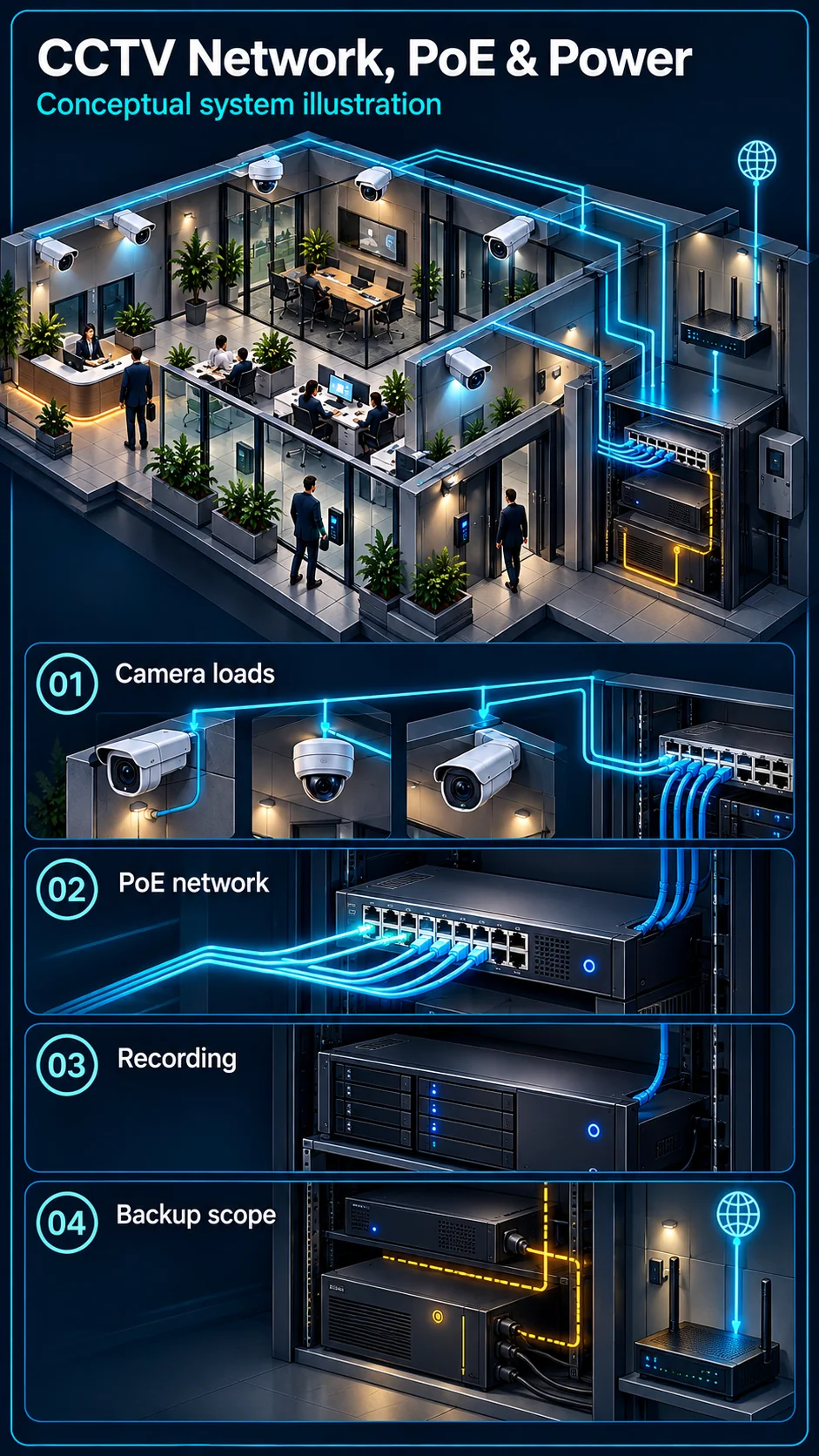
System planning notes
Trace the data path and the power path
PoE can carry data and suitable power over the same approved link, but the two requirements and backup loads still need separate checks.
- Solid line: illustrated functional path or agreed test route.
- Dashed line: optional device or compatibility to confirm.
- Power and data are distinct paths even where one approved cable carries both.
- Dashed backup links are optional; actual loads and runtime require assessment.
Individual data and power requirements
Ports, power allowance and uplink
Required video path and power
Approved equipment and actual loads
Additional router / internet dependencies
- E1: Selected cameras → PoE / network switchCamera data
- E2: PoE / network switch → Selected camerasCompatible PoE power
- E3: PoE / network switch → Recorder and storageRecording traffic
- E4: Optional backup scope → PoE / network switchOnly included backup loads — optional / compatibility to confirm
- E5: Optional backup scope → Recorder and storageOnly included backup loads — optional / compatibility to confirm
- E6: Recorder and storage → Remote-access networkSelected remote-access path
Plan data and power as separate requirements
A free port does not establish the whole design
Port count is one input. Review the selected camera requirements, switch capability, available power allowance and the network route to the recorder. A product labelled PoE is not evidence that every proposed camera and accessory can be powered in the intended combination.
A network link needs a suitable installed route
The cable, terminations, environment and any inter-building path affect the connection. Review actual lengths and route conditions using the selected equipment's requirements. Fibre, wireless links or another suitable design may be assessed where the site needs a different transmission arrangement.
Consider the recording and operating traffic
Camera streams need an appropriate backhaul
Identify how camera traffic reaches the recorder and whether other building systems share those links. Review the selected stream settings, network structure and supported equipment. Adding cameras or changing recording profiles can require another assessment of the uplink and storage arrangement.
Management access is part of the handover
Agree who manages switches, recorder addresses and relevant access permissions. Document the installation sufficiently for authorised maintenance without publishing sensitive credentials. A building's existing network and its owner's responsibilities should not be absorbed into an undefined CCTV support promise.
Define backup scope by connected loads
Keeping the recorder on is not the whole chain
A powered recorder cannot record an unpowered camera through an unavailable link. Where backup is requested, list the cameras, switches, transmission equipment, recorder and any other approved loads needed for that workflow. The intended objective should determine the supported scope.
Remote access may have additional dependencies
The router, site internet equipment and external service may affect phone viewing even when local recording is available. Identify which of those dependencies are included in any backup arrangement. Do not imply that backup for local CCTV guarantees an uninterrupted internet service.
Test connectivity and recovery deliberately
Verify the selected equipment under the intended load
Check camera connectivity, recording and the relevant network status using the approved installation. Review the actual power arrangement and any start-up or operating conditions that matter. A single camera working on a spare port does not validate the complete installed load.
Demonstrate the agreed interruption and restoration checks
Where safe and within the approved scope, demonstrate the expected behaviour during a planned interruption and recovery. Record the backed-up loads and acceptance observations. Any useful backup duration must be supported by the actual configuration and load, not a universal runtime advertised on this page.
Questions about CCTV Network, PoE & Power Planning
Can any PoE switch run all my cameras?
Not automatically. The selected cameras, compatible power requirements, total allowance, network capability and installed route need to be assessed together.
Will a UPS on the NVR keep every camera working?
Only the actual backed-up loads receive that support. The camera power, switches and required transmission equipment must be included appropriately for the intended recording chain.
How long will the system run during a power cut?
That requires the selected backup equipment, actual loads and agreed operating objective. A configuration-specific assessment and test are needed; no fixed runtime is promised here.