Security camera at a commercial entrance – CCTV Installation in Kuching & Sarawak (illustration)
CCTV Installation

CCTV Installation in Kuching & Sarawak

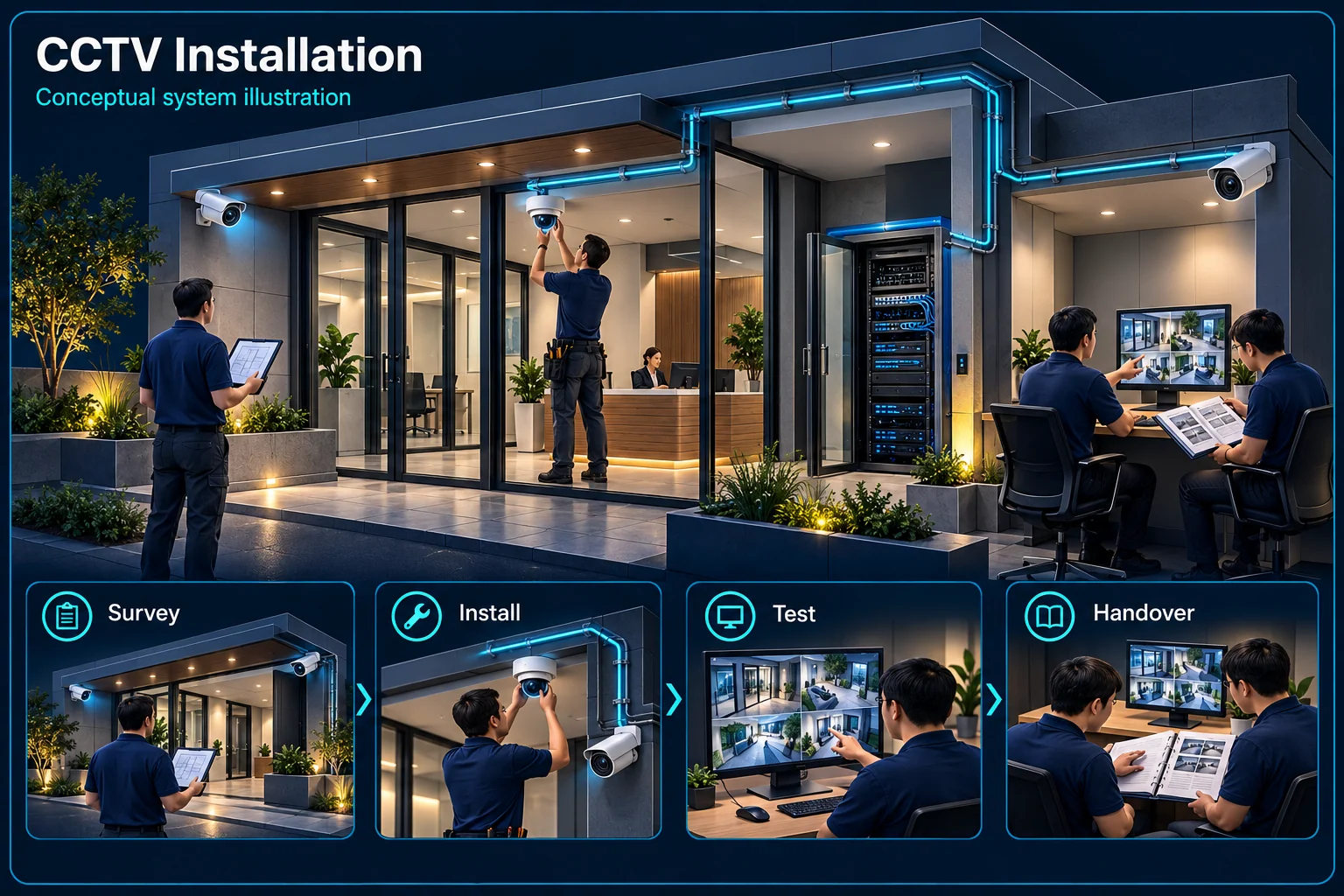
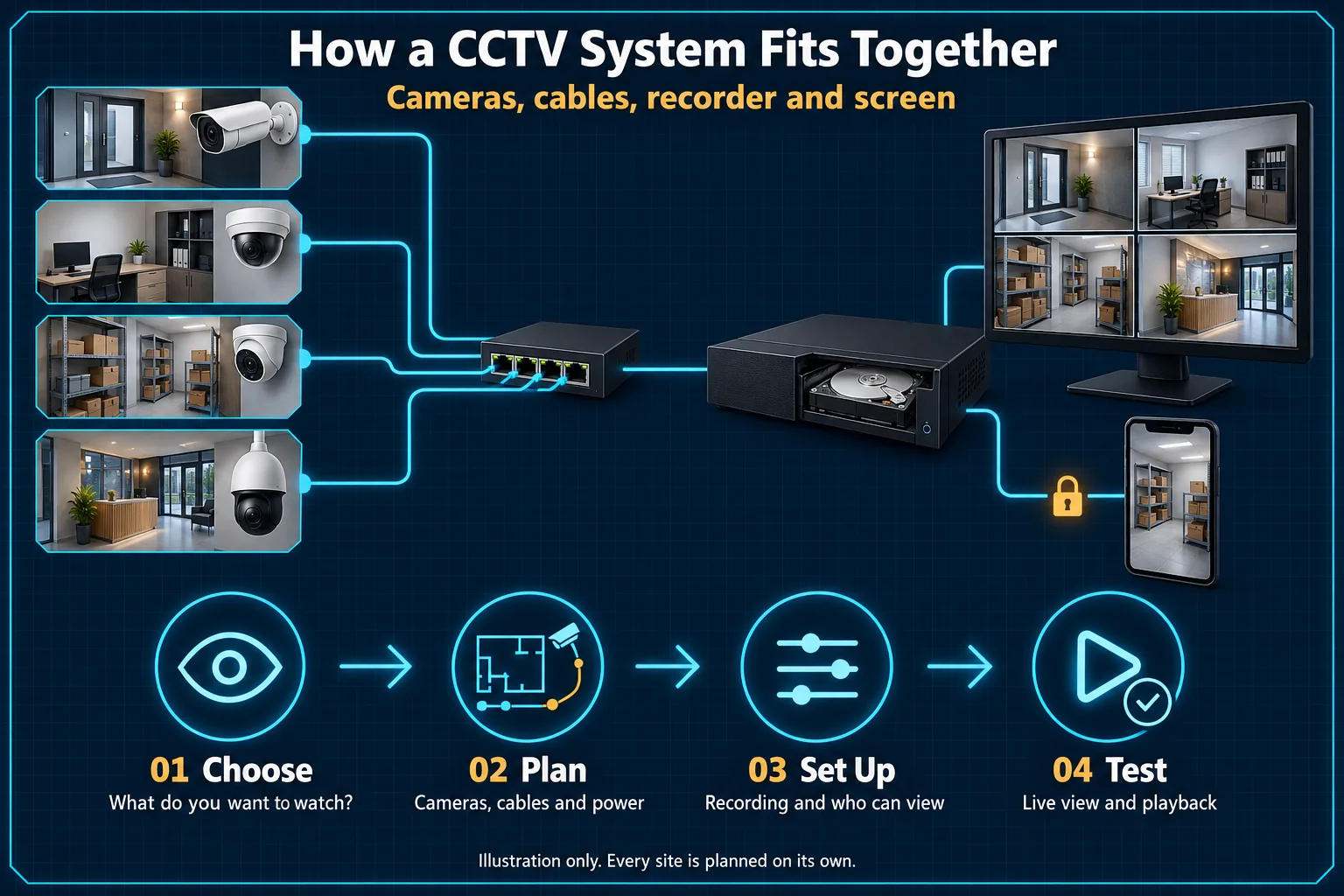
Plan the view you need at each entrance, driveway, till or loading bay. HJ coordinates camera positions, cabling, power, recording and authorised phone access, then checks playback and evidence export before handover.

  1. 01Survey
  2. 02Design
  3. 03Install
  4. 04Commission
  5. 05Maintain

CCTV Kuching: areas we cover and what to send first

Most CCTV enquiries in Kuching start with one gap: an entrance nobody can see, footage that could not be found when it mattered, or an old DVR that no longer opens on the phone. HJ's installation team works from our office at 3rd Exchange Commercial Central, and the site survey for a new CCTV installation is free.

Kuching and nearby towns

Homes, shoplots, offices and factories in Kuching, Kota Samarahan, Bau and Serian are surveyed on a regular schedule. Larger commercial and industrial CCTV projects in Sibu, Bintulu and Miri are arranged in advance, with travel and timing confirmed in the quotation.

What to send on WhatsApp

Your location, photos of each area you want to watch, the number of entrances and where the recorder can be placed. For an existing system, add photos of the camera and DVR/NVR model labels so HJ can tell whether an upgrade can reuse the cabling.

What the quotation lists

Every camera position and what it should show, the recorder and storage target, cable and power routes, phone-app users and the handover checks. Brands such as Hikvision, HiLook or EZVIZ are chosen for the views required rather than a fixed package size.

Book a free CCTV site survey →

How HJ delivers

CCTV Installation & Site Acceptance

The installation process turns a selected topic into an agreed site scope: useful views, a defined recording design, supported event rules and an operating handover.

CCTV Installation

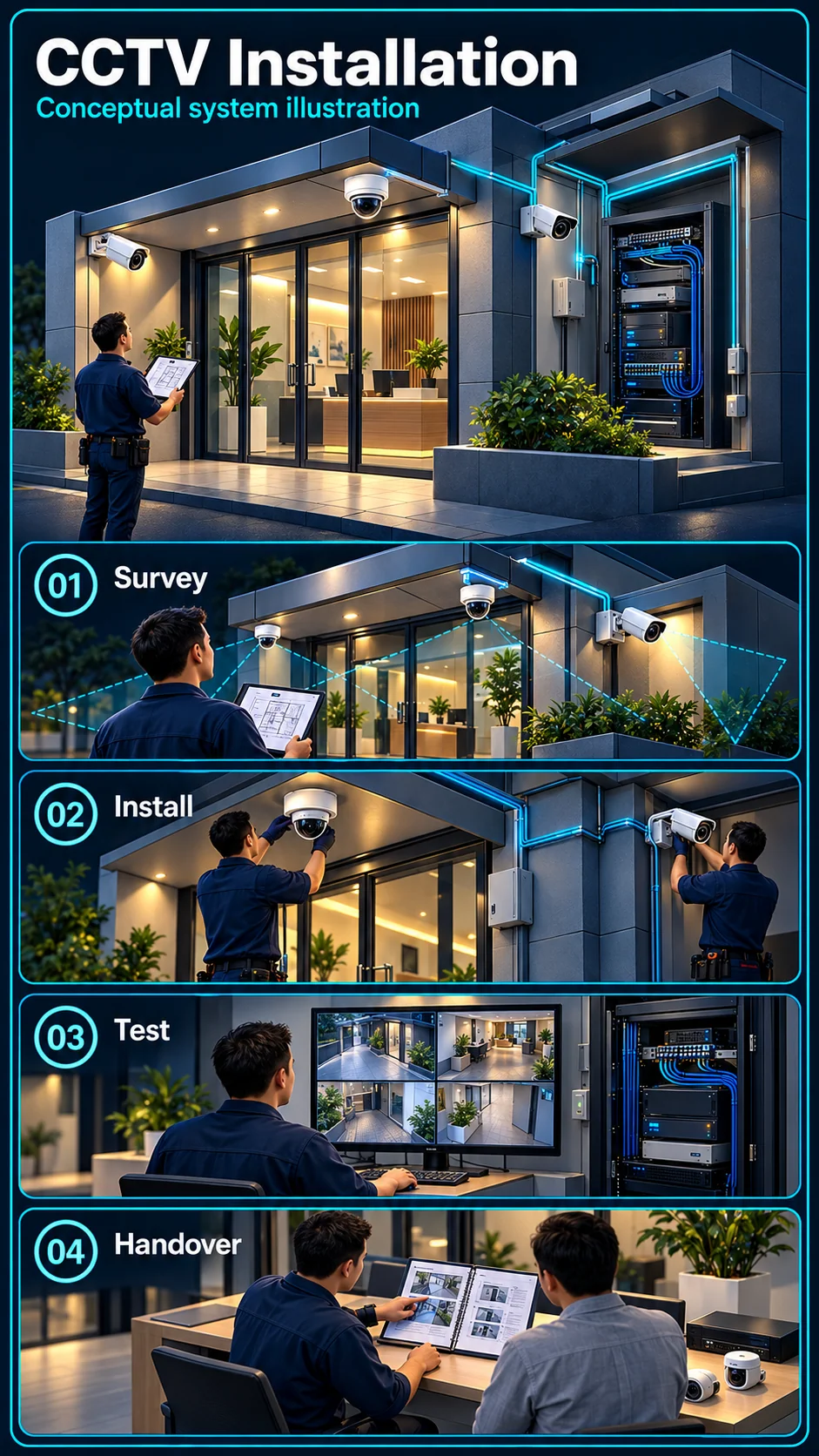
CCTV Installation in Kuching & Sarawak – system diagram
Illustration only. The final setup is agreed after your site survey.View full-size desktop imageView full-size mobile image
System planning notes

A clear route from survey to handover

Each stage produces information used by the next, with testing tied to the selected site functions.

A clear route from survey to handoverEach stage produces information used by the next, with testing tied to the selected site functions.E1E2E3E401Survey02Define scope03Install /configure04Day / night tests05HandoverA clear route from survey to handoverEach stage produces information used by the next, with testing tied to the selected site functions.E1E2E3E401Survey02Define scope03Install / configure04Day / night tests05Handover
  • Solid line: illustrated functional path or agreed test route.
  • Dashed line: optional device or compatibility to confirm.
  • The diagram explains the delivery sequence, not a fixed completion time.
  • Actual acceptance covers only the functions and outputs selected for the site.
Survey

Views and infrastructure

Define scope

Equipment and functions

Install / configure

Agreed work and settings

Day / night tests

Recording and selected responses

Handover

Accounts, retrieval and records

Read the connections
  1. E1: Survey → Define scopeSite evidence
  2. E2: Define scope → Install / configureApproved work scope
  3. E3: Install / configure → Day / night testsFunction checks
  4. E4: Day / night tests → HandoverAccepted results and open items
Illustration only. The final setup is agreed after your site survey.

Turn the brief into a working design

Survey and existing infrastructure

Review the actual distances, lighting, access, cable routes, network and power. For upgrades, record what can be retained and which existing faults or limitations need separate attention.

Confirm scope before installation

Identify the selected equipment, recording requirement, optional functions and access responsibilities. A product's supported feature is not automatically an enabled part of the installation.

Demonstrate what the customer will use

Day and night checks

Test the agreed views, relevant targets and event conditions under the required operating modes. Verify the selected recording, notification and output paths rather than only a live image.

Accounts, records and practical handover

Demonstrate authorised viewing and retrieval, explain fault reporting and identify account ownership. Record any outstanding configuration or external dependency without labelling it as a completed test.

Questions about CCTV Installation & Site Acceptance

Does a successful live picture complete installation acceptance?

No. Recording, playback, permissions and the selected event or response functions also need the checks agreed for the scope.

Must an upgrade replace every existing camera and cable?

Not by default. The survey should identify compatible equipment and serviceable infrastructure that may be retained, along with the limitations of that choice.

Continue your planning

Plan CCTV Around the Views You Need

Coverage first

Tell HJ which entrances, parking areas and rooms matter. Share a sketch or photos and explain what you need to identify in daylight and at night; camera quantity follows those views.

Recording & remote viewing

Describe your target recording history and who needs access. Storage, recording schedules, internet availability and the selected recorder are checked together; capacity alone does not promise a fixed number of days.

A quotation with a clear scope

Ask HJ to itemise cameras, recorder, storage, power, cable routes, mounting, configuration, testing and handover. Concealed cabling, difficult access and additional work should be identified before approval.

Ask HJ about this scope →

闭路电视安装与维修

住宅、商店与商业 CCTV:先了解入口、夜间画面、录像及手机查看需求,再确认摄像头数量与安装范围。

先确认需求与工程范围,再提供正式报价。
Installation → Solution

How CCTV Installation in Kuching & Sarawak Fits the CCTV & Video Security System Packages

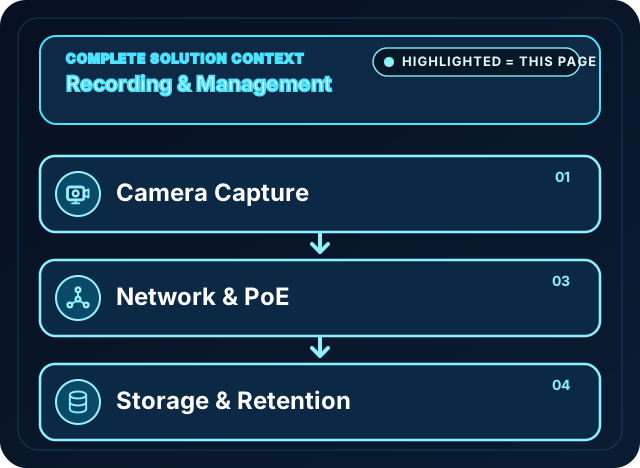
The focused diagram shows only the system nodes covered by this page. Read the highlighted path, role and scope condition to understand what is included and what needs separate confirmation.

HJ video security system blueprint: cameras, network and power, recording management, storage
Related system

CCTV & Video Security System Packages

Connects camera capture, transmission, recording, retention, authorised viewing and selected response functions as one commissioned CCTV system.

Position in the diagram
  1. Camera Capture
  2. Network & PoE
  3. Storage & Retention

This page covers: Camera placement, transmission, recording and retention are surveyed, installed and commissioned as one CCTV scope.

Open component 01 in the complete Solution →
What It Is

What CCTV Installation Actually Involves

A CCTV installation begins with the useful view needed at each location. HJ checks camera angle, lens and lighting, suitable cable and power routes, supported recorder inputs, storage and authorised access. Handover includes playback and an evidence-export walkthrough, with blind spots and unresolved limitations recorded rather than a promise of gap-free coverage.

  • On-site coverage and blind-spot assessment
  • Camera, NVR/DVR and storage installation
  • Concealed wiring and cable management
  • Mobile app setup and remote viewing

Who Needs CCTV Installation

  • Homeowners who want to see who's at the gate and monitor the property while away
  • Shop and restaurant owners covering the till, stockroom and after-hours entry points
  • Offices needing lobby, common-area and after-hours coverage
  • Factories and warehouses covering loading bays, perimeter and storage areas
Ask About CCTV Installation
Common Problems

Why Most CCTV Setups Fall Short

Blind spots by the entrance

Cameras get placed where mounting is convenient, not where coverage actually matters — leaving the exact spot near the door or gate unrecorded.

Footage that isn't there when needed

Undersized storage means old footage gets overwritten within days, and by the time an incident is reported, the recording is gone.

No one to call when it breaks

DIY kits and one-off installers leave no clear support line — a dead camera or a full hard drive can go unnoticed for months.

Our Approach

Designed Around Your Property, Not a Package Size

The survey identifies entry points, priority scenes, cabling and real day and night conditions. Camera count, lens, resolution and storage follow the required detail and recording history. The approved design lists retained equipment, network and power dependencies, authorised users and acceptance checks before installation.

HJ assesses Hikvision, HiLook, EZVIZ, Dahua and Uniview equipment against the site and supported recorder or app path. A brand name alone does not establish night performance, analytics, audio or compatibility; the proposed models and functions are confirmed in the approved scope.

System Design Considerations

  • Indoor vs. outdoor and weatherproof-rated cameras
  • Resolution matched to how far you need to identify detail
  • Storage (NVR/DVR) sized for your required retention period
  • Night performance checked against real light, reflections and target movement
  • PoE and any selected backup assessed across the camera-to-recorder power path
Suitable For

CCTV Coverage By Property Type

Landed Homes

Shops & F&B

Offices

Factories

Warehouses

New Developments

See Industry Solutions
How It Works

Installation Process

01

site survey

We assess coverage needs, blind spots and cabling routes on-site, at no cost.

02

System Design

Camera count, placement, brand and storage sized to your property and budget.

03

Installation & Wiring

Clean, concealed cabling and professional mounting by our own technicians.

04

Testing & App Setup

Verify recording, playback and authorised export; configure supported app access and explain connectivity limits.

05

Handover

Walkthrough of your system so your team knows how to use it day to day.

After Installation: Keep It Working

Lenses, disks, power and outdoor connections need periodic inspection. Our CCTV maintenance (AMC) plans define the agreed assets, visit frequency, recording checks and fault reporting; inspections reduce overlooked issues but do not guarantee fault-free operation.

Product ecosystem for CCTV projects

HJ Security selects and installs the right camera, NVR, PoE and storage combination for the site. For current product families, see the separate Hikvision, HiLook and storage supply catalogues; HJ Security remains responsible for local design, installation, configuration and commissioning.

Running Multiple Sites or a Control Room?

When one NVR isn't enough — multi-site monitoring, video walls and HikCentral video management — see our Security Command Centre page.

CCTV Planned for Your Industry

Camera design differs by environment — see our solution guides for factories, retail shops, hotels and condominiums.

Compare System Options & Installation Scope

Compare HJ complete video-security packages, then request a site survey for exact scope and pricing. Product-only models, availability and supply are handled through the ISD Product Catalogue.

Installed here

Industrial work: Linde Gas (Kuching, Sibu and Miri). How we design a landed home: terrace CCTV layout.

FAQ

CCTV Installation Questions

How many CCTV cameras do I need for my property?
Camera count follows the layout, priority scenes and useful detail required at each distance. The survey checks entrances, driveway, parking and storage, then records the proposed views and remaining blind spots. A fixed quantity alone does not define coverage.
Which CCTV brand should I choose?
Compare the actual models, lens, night conditions, recorder compatibility and authorised viewing path. HJ assesses Hikvision, HiLook, EZVIZ, Dahua and Uniview against the job; analytics, audio, face matching or plate reading are separate model-dependent functions, not brand-wide promises.
How long is CCTV footage stored before it's overwritten?
Retention depends on camera streams, bitrate, frame rate, continuous or event schedules, usable capacity and overwrite settings. Set a target, calculate the design and verify actual recording history; a disk size or camera resolution alone cannot promise a fixed number of days.
Can I view my CCTV cameras remotely on my phone?
Supported remote viewing is configured for authorised users on the selected camera or recorder platform. Internet access, account permissions, regional platform support and device compatibility must be checked. Demonstrate live view and permitted playback on the intended phone; not every system has the same app functions.
Do you install CCTV for both homes and businesses?
Yes — we install CCTV for landed homes, shoplots, restaurants, offices, factories and warehouses across Kuching and Sarawak. The design approach differs (a factory needs perimeter and loading-bay coverage; a home needs entry-point coverage) but the same team handles both.
What happens if a camera stops working after installation?
Report the affected channel, symptom and recent changes. HJ confirms ownership, safe access, the applicable warranty and approved service scope before repair. Maintenance assets, visits, parts and response arrangements are agreed separately; no unlimited or unqualified emergency response is promised.
Is the CCTV site survey in Kuching free?
Yes, for new CCTV installations in Kuching and the nearby areas we cover regularly. Checking or repairing an existing system is a service visit instead: the attendance charge, labour and any parts are confirmed with you before work is authorised.
How soon can HJ visit my property?
Send your location and photos by WhatsApp, or call during business hours (Monday to Friday 8:30–17:30, Saturday 8:30–13:00). HJ replies as soon as possible during business hours and confirms a survey slot; no fixed response time is promised.
Ready for Clear Coverage?

Book a site survey and get a camera plan built around your actual property — not a generic package.

Installed and handed over

CCTV installation, testing and upgrade scope

Camera quantities follow the coverage and retention brief. Confirm the actual installation and handover, not just a box count.

  1. Survey the scene

    Agree entrances, blind spots, viewing distance, night lighting, privacy and the intended evidence.

  2. Audit existing infrastructure

    Test camera and recorder compatibility, cable condition, power and network before proposing retained equipment.

  3. Set event and response rules

    Record human / vehicle filters, Line Crossing Detection or Intrusion Detection only on supported equipment. Define direction, zone, schedule and response owner.

  4. Test by day and night

    Check image quality, recording, human passage, animal activity where relevant, notification and every selected sound/light or alarm output.

  5. Handover and maintain

    Provide approved settings, account permissions, playback/export guidance, training and the agreed maintenance route.