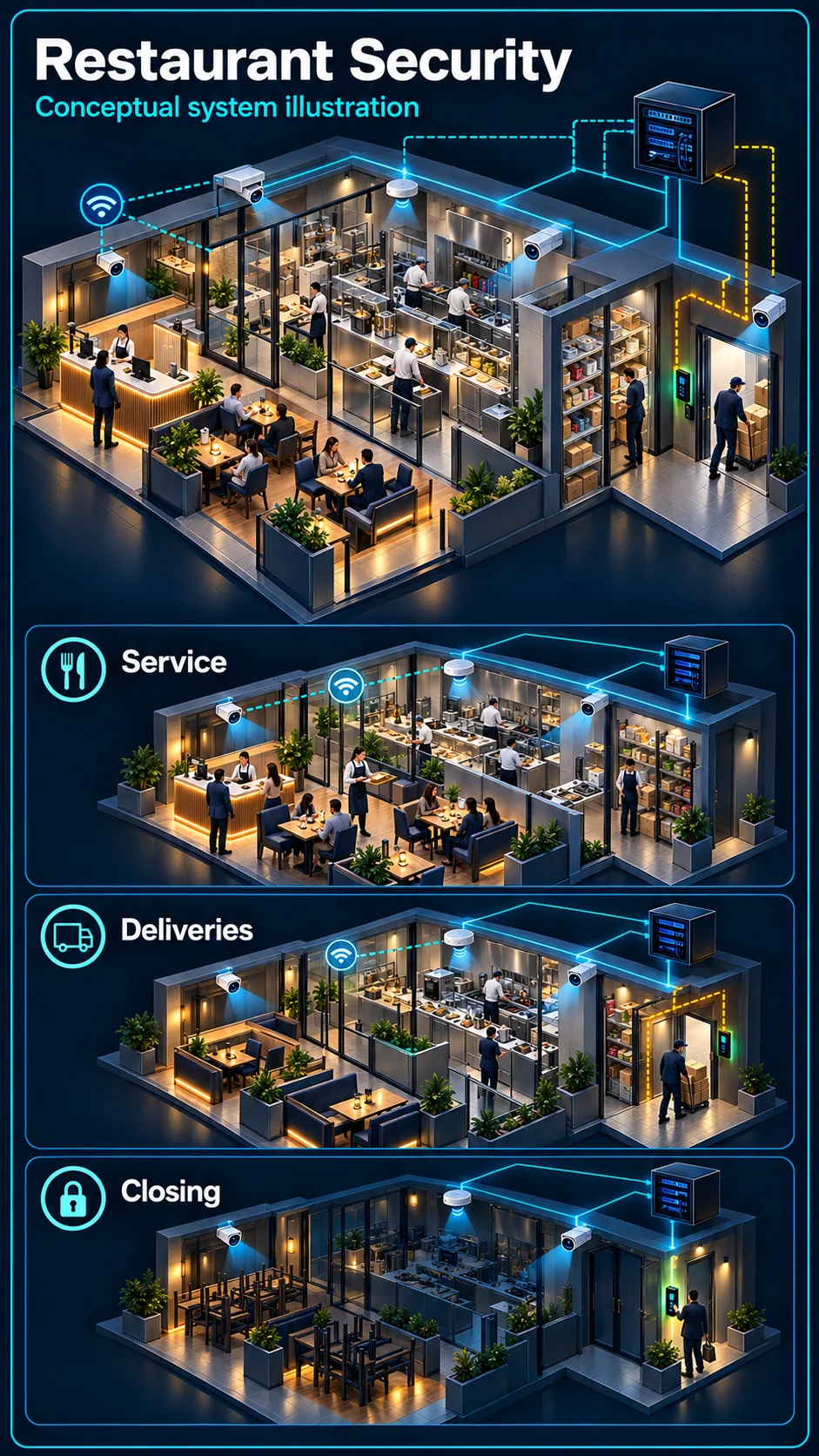
Entrance, cashier and kitchen pass
Review the actions that need to be seen, lighting changes and permitted recording areas. A camera position should be checked against the actual counter, pass and dining layout.
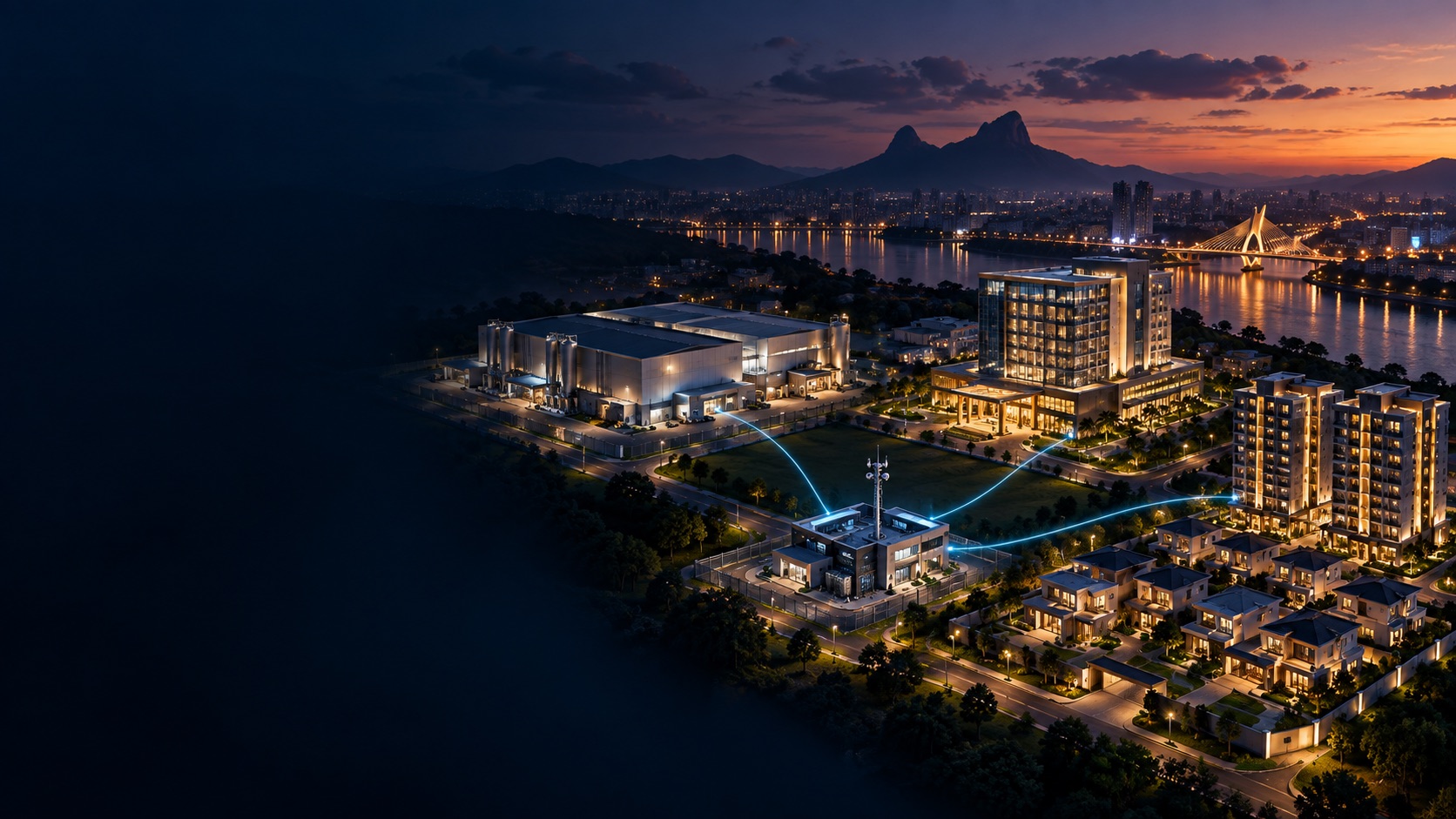
F&B runs on thin margins and high staff turnover — the security package that fits a restaurant is about cash accountability, kitchen disputes, customer WiFi that doesn't embarrass you, and knowing who has keys.
Industry solution
A restaurant's useful views change between preparation, service, deliveries and cleaning. Plan recording around the business workflow before defining any closed-site warning.
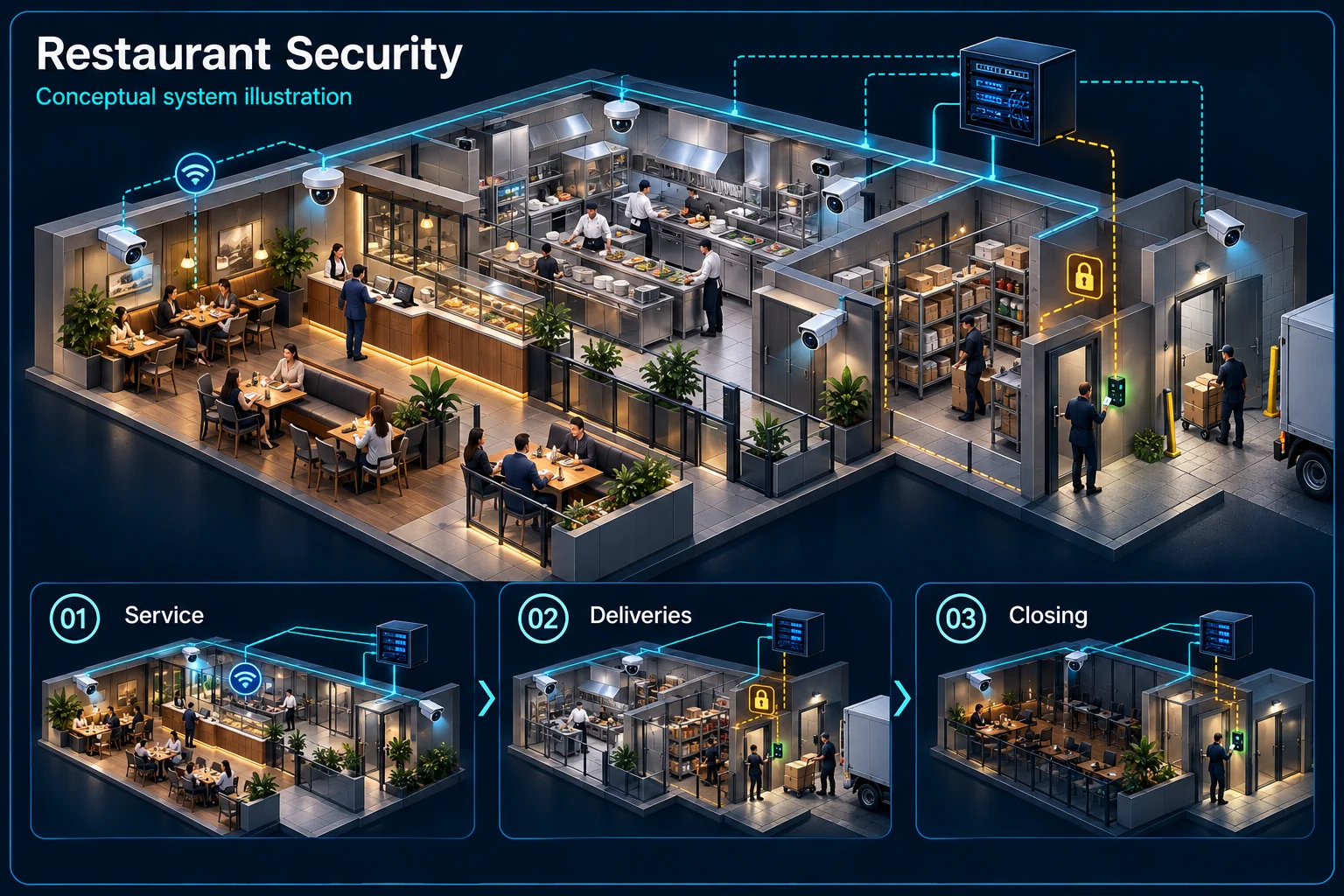
A service flow and a closed-site warning rule are different uses of the same premises.
Service context
Authorised working activity
Deliveries and access
Closing responsibility
Check the actual counter, lighting and staff positions when agreeing the view. A useful transaction context is different from a promise to resolve every payment or service dispute.
Define authorised views around preparation and stock movement. Keep food-operation responsibilities separate from what the security equipment can observe or record.
Late deliveries and cleaning teams need an approved route and operating window. Do not apply a closed-site warning rule while authorised work is still taking place.
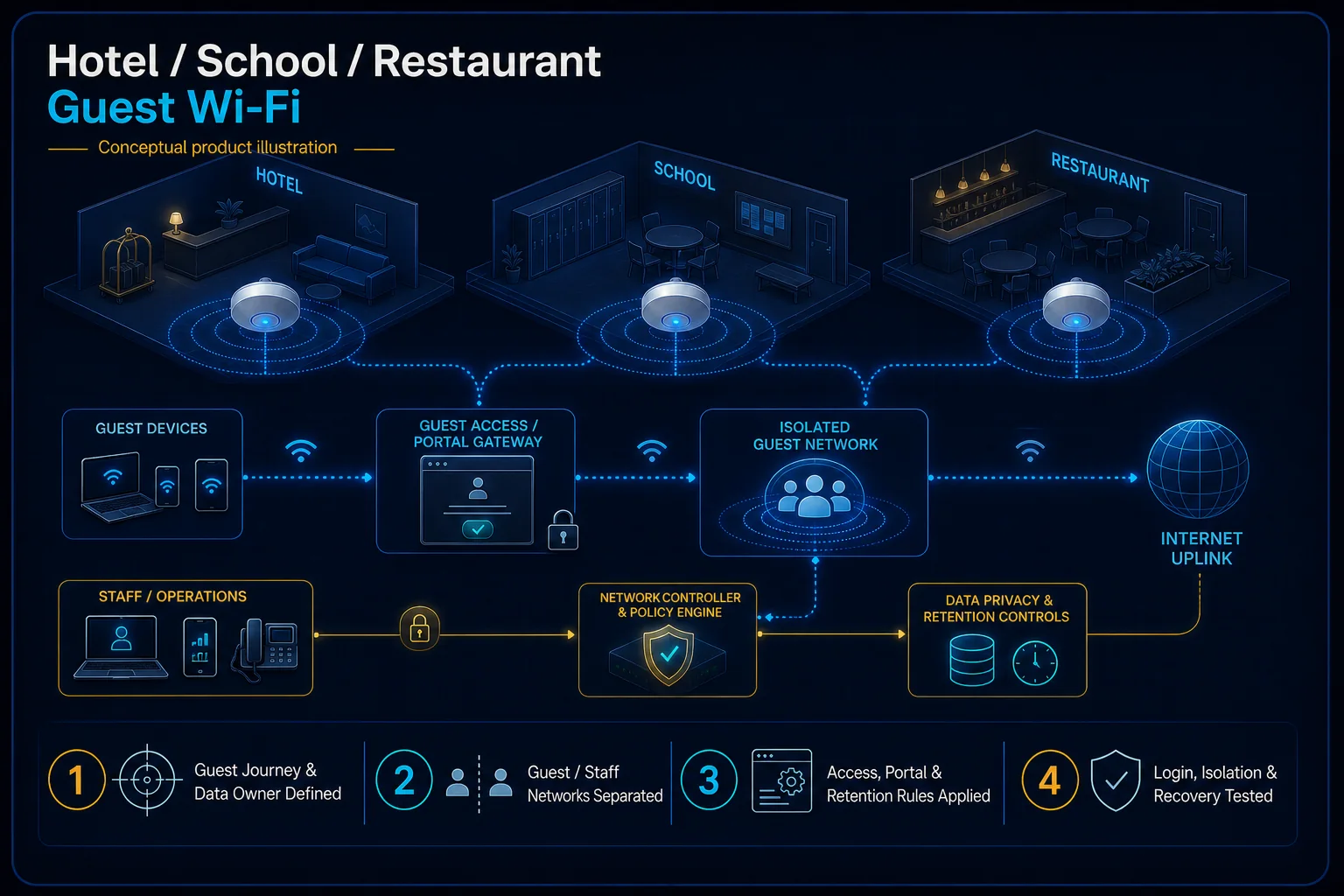
Identify who checks the rear door, confirms recording and restores the agreed warning state. Keep customer Wi-Fi administration and security viewing permissions separate.
Not necessarily. Preparation and cleaning may continue. Agree the real last-person routine and demonstrate the rule at the times the restaurant actually operates.
Viewing access should follow approved accounts and network segmentation. Providing guest internet does not imply permission to access security devices.
CCTV scene planning · Restaurant & F&B
For restaurant CCTV in Kuching, define the useful views and working periods without promising that every dispute can be resolved from a recording.
Review the actions that need to be seen, lighting changes and permitted recording areas. A camera position should be checked against the actual counter, pass and dining layout.
Deliveries, kitchen work and closing teams use different routes. Agree viewing and warning periods around those routines, rather than arming a busy service area indiscriminately.
Name the authorised person who reviews events and preserves relevant clips. Agree work windows, food-area access, cable routes and a test under operating lighting before handover.
No. Evidence depends on the view, lighting, recording quality, retained footage and what actually happened within the scene. Agree useful views and the review procedure; do not promise proof or a resolution time.
Closing and cleaning are expected activities. Agree their permitted areas and time window, who arms any remaining zones, and how the normal closed mode is restored.
The assessed scope, selected equipment and agreed acceptance test determine the final configuration.
Till shortages nobody can explain — without camera coverage angled over the counter, every discrepancy stays a mystery.
A customer claims something about their food; without kitchen footage, it's your word against a one-star review.
One home router for a full house of customers — slow, dropping, and the first thing mentioned in bad reviews.
Staff come and go monthly, but the same front-door key circulates — nobody actually knows how many copies exist.
Supplier deliveries and stock movements through the back with zero record of what came in versus what was billed.
Cash left overnight, alcohol stock, and equipment — a shoplot after closing is a target without an armed alarm.
Most restaurants don't need enterprise everything — they need a tight package covering cash, kitchen, entry and WiFi, installed in a way that doesn't shut the restaurant during fit-out.
If a customer reports a food or service concern, authorised staff may review the available kitchen-pass or dining-area recording where the agreed views cover the relevant action. Useful evidence depends on the scene and retained footage; the system cannot guarantee proof, identify every event or settle a complaint within a fixed time.
Cabling and mounting scheduled after closing — you don't lose a single service day to the fit-out.
Kitchen cameras specified for the environment — housings and positions that survive heat, steam and cleaning.
Running more than one outlet? All locations viewable in one app, attendance centralised, same access platform across branches.
Where the site permits, work can be planned outside service hours or in agreed quiet periods. HJ confirms access, food-area restrictions, noise and any temporary closure or interruption before scheduling.
Guest access should be separated from business devices in the agreed network design. Confirm the required separation, equipment capability and migration work; inclusion depends on the quotation.
A combined view may be possible with supported recorders, software, permissions and network connections. Review existing models, licensing and each branch’s intended access before promising one shared workflow.
Tell us your outlet size and pain points — we'll propose a package that fits F&B budgets.
An industry outcome may combine several systems. Use these diagrams to understand each system boundary, then confirm the functions and quantities required for the actual site.

Connects camera capture, transmission, recording, retention, authorised viewing and selected response functions as one commissioned CCTV system.
Planning connection: Review entrance, counter and agreed back-of-house observation needs with the restaurant operator. Confirm viewing angles, lighting and authorised recording without assuming that a generic camera view proves transaction details.
Open component 01 in the complete Solution →
Connects selected detectors, panel logic, user controls, local warning, communication and optional visual verification.
Planning connection: Define the zones and arming routine for the restaurant's actual opening and closing pattern. Movement detection is one alarm input; verification, authorised users and the response path must be separately agreed.
Open component 01 in the complete Solution →
Connects room sources, processing, presentation, conferencing, sound, visual output and operator control.
Planning connection: Choose the restaurant's announcement or background-music areas and operator controls. Confirm source, amplifier and speaker-zone roles without treating ordinary audio distribution as an emergency voice-evacuation system.
Open component 07 in the complete Solution →