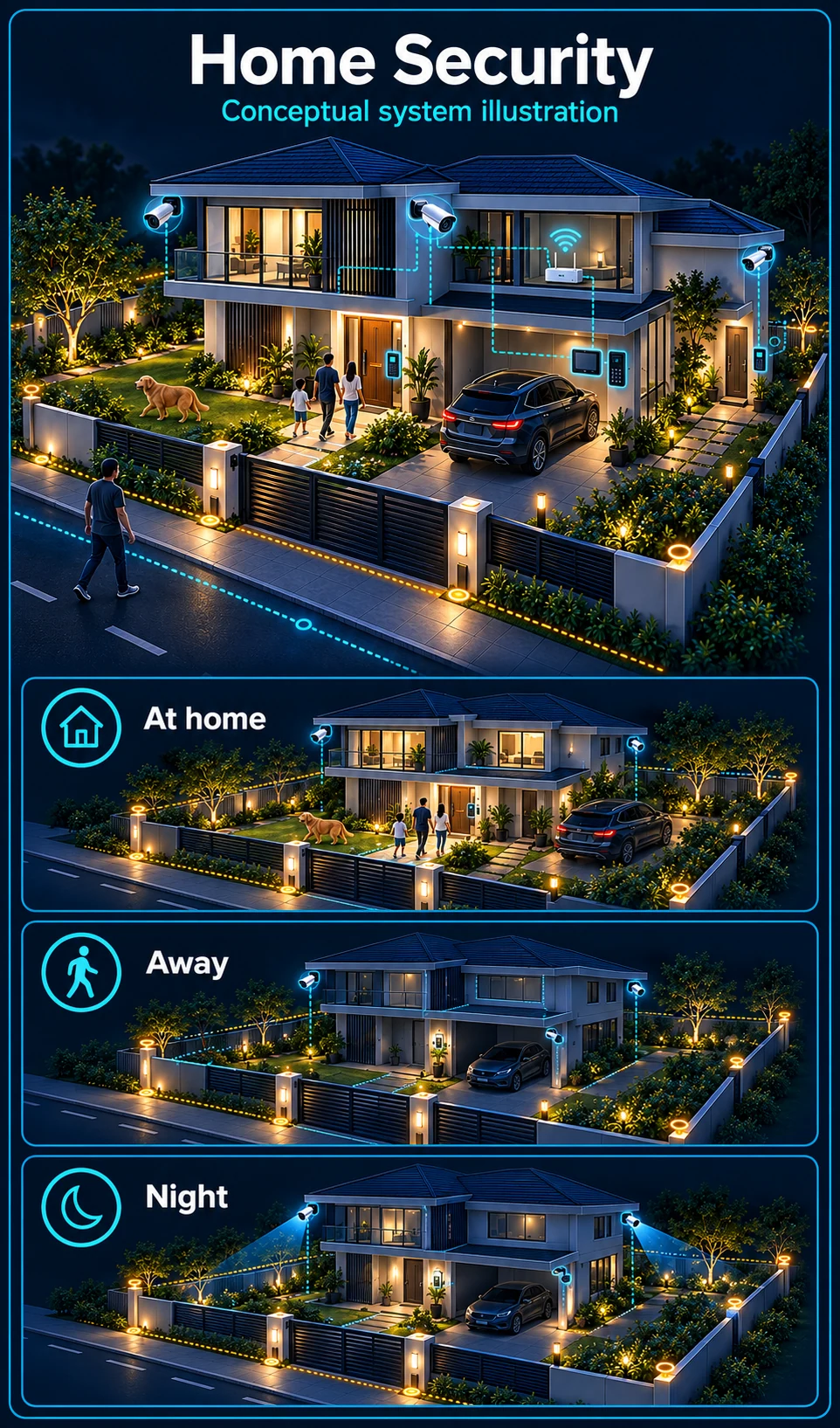
Front road and gate
The public road is a viewing context, not an automatic warning zone. Place any agreed warning boundary inside the property and test passing traffic, deliveries and gate movement.
HJ SECURITY · KUCHING & SARAWAK
CCTV, alarm, gate access, WiFi and smart home systems for landed homes in Kuching and Sarawak. Start with the property and the way your household uses it, then agree a coordinated installation scope.
Industry solution
Plan a home around the way the family uses it: the front approach, side access, rear door and garden need different viewing and warning rules.
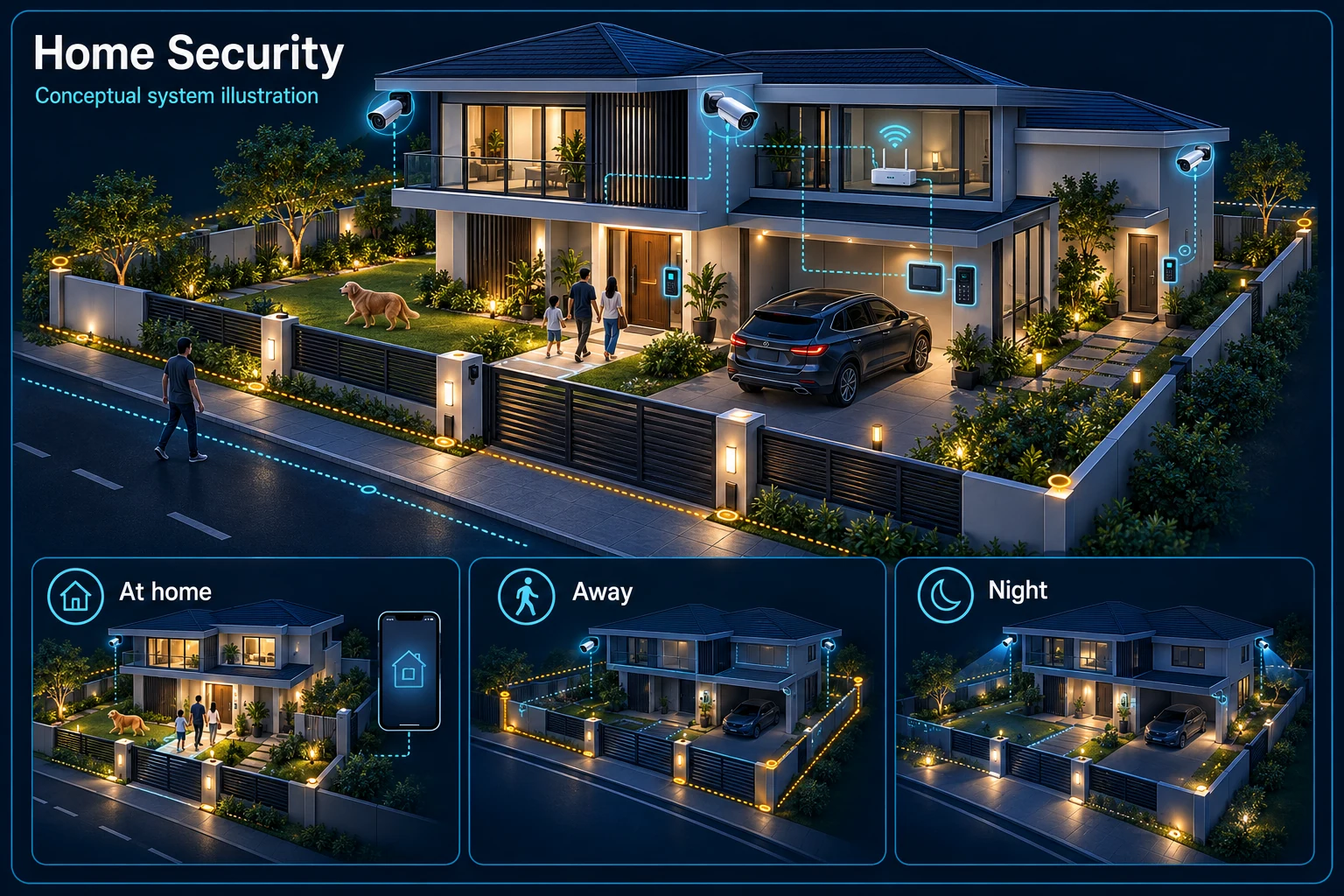
Conceptual zones separate public-road viewing from the family's private warning area.
Review front-yard viewing with automatic warnings paused where family activity is expected.
At home: Review front-yard viewing with automatic warnings paused where family activity is expected.
Away: Review agreed private zones and identify who checks a notification before responding.
Night: Review side and rear access while keeping the family's normal route available.
Observation context
Family and visitor activity
Review after-hours rule
Agree a private zone
Use the road as a viewing context while keeping an agreed warning boundary inside the property. Gate movement, deliveries and parked cars should be included in the survey.
A front-yard recording view can remain useful when automatic warnings are paused. Agree how the family changes modes and restores protection after visitors or outdoor work.
Discuss the actual garden routes, lighting and animals before selecting event rules. The large-dog guide explains the separate human-and-dog checks needed by day and night.
Autogate, intercom, alarm, Wi-Fi and smart-home functions retain their own controls and responsibilities. Decide which family members may view, speak, arm or change settings.
No. This illustration explains possible operating routines. The actual equipment, permissions and mode-changing method are agreed and demonstrated for the installed system.
Not by default. Passing traffic and visitors are expected activity. Define a private boundary, appropriate times and a suitable response before enabling any automatic warning.
CCTV scene planning · Home & residential
For a landed home in Kuching, separate general viewing from an armed warning zone. Review the gate, family routines, vehicle movement and neighbouring areas before choosing cameras or responses.
The public road is a viewing context, not an automatic warning zone. Place any agreed warning boundary inside the property and test passing traffic, deliveries and gate movement.
Use a viewing mode while the front yard is occupied. Agree when warnings are armed or paused; a detection rule should not be assumed to recognise your family, car or invited visitor.
Review side paths, rear doors and the hours when access is unusual. Any line, area or warning rule depends on the selected model, its view and a practical day-and-night test.
Local recording or on-site warning may continue only where the powered equipment and configuration support it. Remote viewing and phone notifications can stop when the internet path fails.
A power cut is a different test. Cameras, recorder, network and connected warning devices need an agreed backup-power scope; any useful runtime must be checked against the actual load.
A large dog needs a model-specific person-and-animal test, not a zero-false-alarm promise. Read the dedicated large-dog guide for the day and night test plan. Read the large-dog and false-alarm guide →
That is a workflow to confirm with the selected system. Agree the viewing and warning modes, who may change them, and the return-to-armed procedure; test the family, visitors and vehicle routes rather than assuming the camera knows who belongs.
Plus is an optional upgrade to review after the scene and base system are chosen. Confirm the exact model, supported function, connection or output and any external devices; nothing is included automatically.
THE STARTING POINT
Plan camera views around people and vehicle routes, including the lighting available after dark.
Review visitor calling, a suitable gate release method and the way household members enter.
Plan WiFi around rooms, walls and a wired backbone so connected systems have a dependable network.
SYSTEMS & SCOPE
Choose the areas that match your priorities, then confirm how they work together. Open a topic for related installation or service information.
Entrances, parking and outdoor routes, with recording and authorised viewing. Confirm the required scenes and storage period before selecting cameras.
Door and window detection, sensible zones and a clear response plan. Choose the parts of the property that need detection while people are home or away.
A suitable gate motor, safety devices and an intercom where needed. Existing gate condition and power routes affect the installation.
Compatible locks and credentials, with practical exit and backup access. Door material, dimensions and exposure are checked before selection.
Wired access points and coverage planned around walls and room use. Include outdoor or detached areas in the survey when they need a connection.
Lighting, curtains and climate scenes matched to wiring and compatible devices. Agree which controls remain available locally.
Perimeter fence with energiser, earthing and warning signs planned along the boundary. Fence length, gate openings and approval requirements are confirmed during the survey.
See and speak with visitors at the gate or door, with an indoor monitor and phone access where suitable. Cable routes and the gate or door release are checked on site.
UPS backup for the recorder, alarm panel and network equipment, so key systems keep running through short power cuts. Runtime is sized to the connected load.
Satellite internet for homes outside fibre coverage, or as a backup connection. Dish position, cable entry and router placement are planned together.
Charger location, cable route and protection planned around the existing supply. The electrical scope is confirmed after the distribution board is assessed.
Karaoke, speakers and screens arranged around the room, with cabling concealed where the layout allows. Existing equipment can be reviewed for reuse.
BEFORE THE QUOTATION
Scenes, entrances and rooms to serve.
Cable routes, mounting, network and power.
Compatibility, credentials and automation.
Testing, training and the agreed support scope.
USEFUL ANSWERS
A survey checks what can be retained and where compatibility, condition or the intended result makes replacement worthwhile. Share existing model numbers and the problems you want to solve.
Operation depends on the selected equipment, power and network design. Local recording or controls and remote app access can behave differently. Ask HJ to confirm the outage behaviour of each proposed system.
The scope can be planned in stages where the site allows it. Agree the cabling and interfaces early so a later camera, access point or automation stage does not require avoidable rework.
Share your location, project stage and the problem you want to solve. We will review the requirements and confirm the next step.