Installation package
Proactive Defence CCTV and Alarm Integration in Kuching
Proactive Defence plans camera recording and camera-side warning alongside an independent alarm-control layer. The reference alarm scope adds a panel, keypad and separate siren. This gives the customer two response layers to understand: what happens at the camera, and what the independently armed alarm system is configured to do.
How this package fits together
Proactive Defence system Canvas
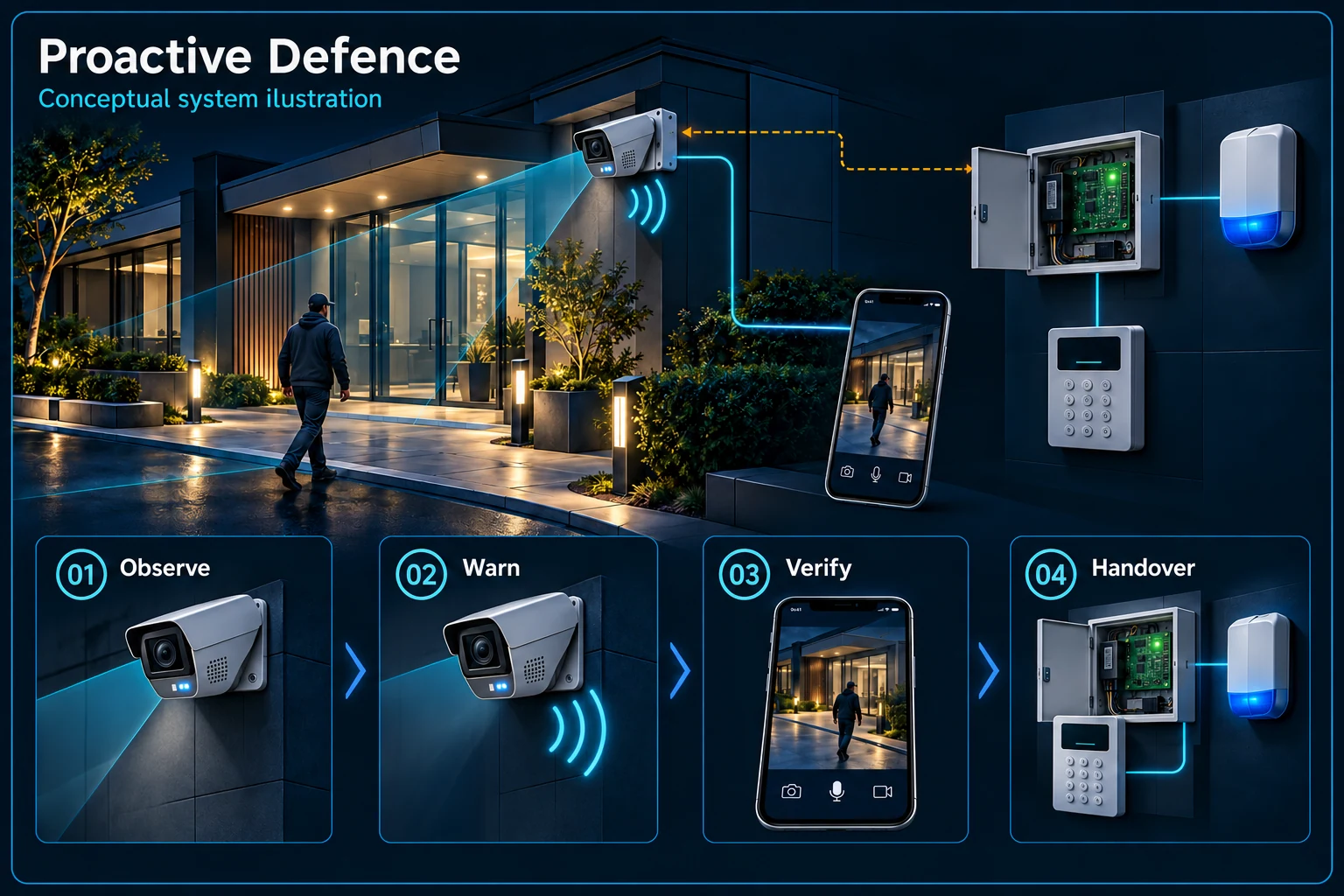
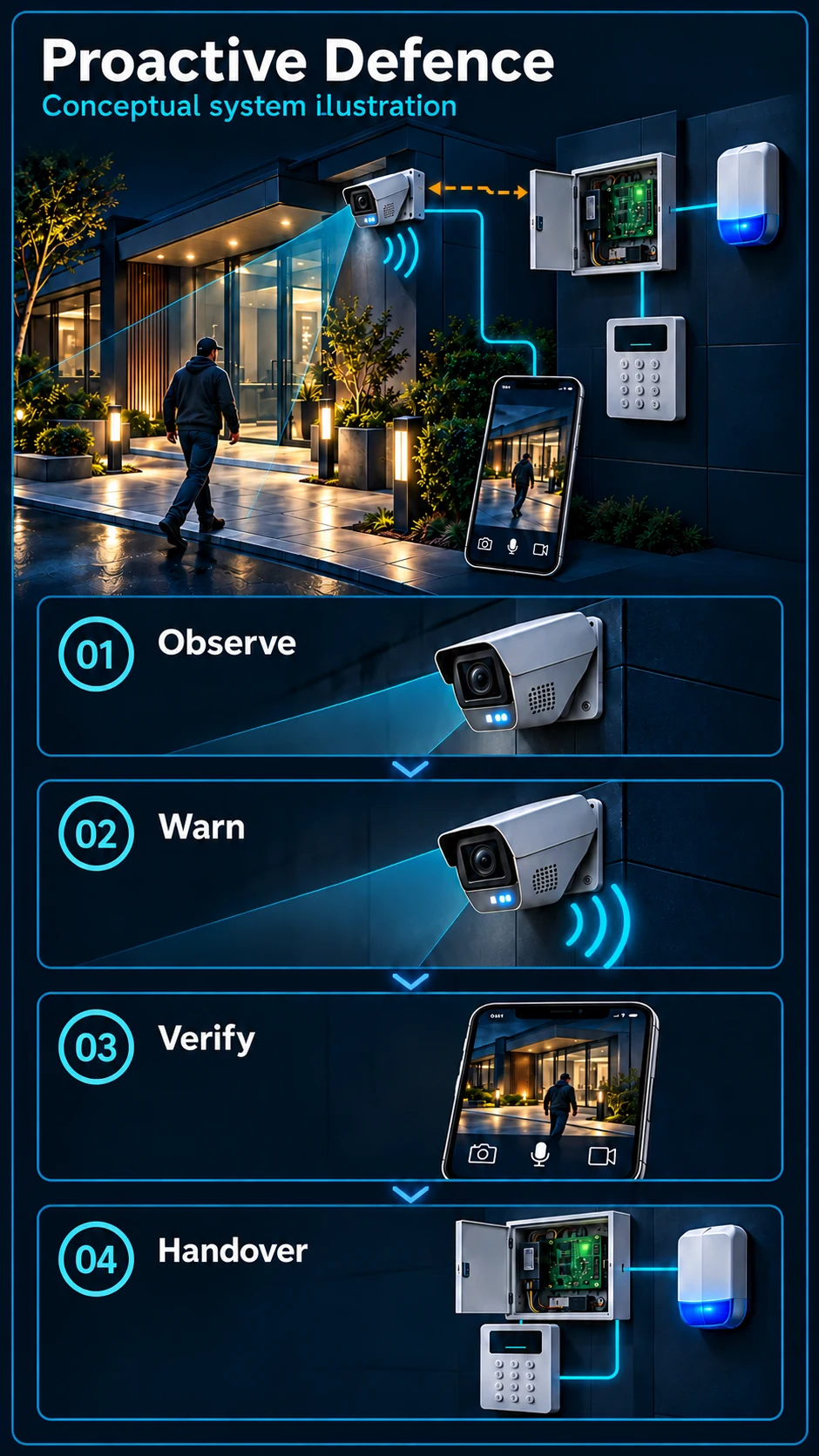
System planning notes
Camera response and independent alarm control
The compatibility bridge is shown as conditional until the exact event path is approved and tested.
- Solid line: illustrated functional path or agreed test route.
- Dashed line: optional device or compatibility to confirm.
- The two warning devices belong to different control layers.
- Dashed links require a compatible configured route and a complete site demonstration.
Supported rule and target settings
Local sound and warning light
Exact integration route to confirm
Applies its armed-state logic
Authorised arming and disarming
Separate alarm output
- E1: Selected camera event → Camera warningCamera-side response
- E2: Selected camera event → Compatible event interfaceCompatibility to confirm — optional / compatibility to confirm
- E3: Compatible event interface → Alarm panelConfigured linkage to verify — optional / compatibility to confirm
- E4: Keypad control → Alarm panelArming control
- E5: Alarm panel → Independent sirenAgreed alarm output
What the Defence scope adds
Camera recording, talk and warning
The corresponding Proactive camera functions remain part of the discussion: video, supported audio communication and local warning. Camera warning is its own output; an independent alarm siren is not simply an extension of the camera speaker.
Alarm panel, keypad and separate siren
The alarm controller manages its own arming rules and output. The keypad provides the agreed user control. Exact installed equipment and any detector scope must be listed separately; a manufacturer's kit contents do not automatically define HJ's installed package.
How an event can reach the alarm
A supported event and compatible path
First identify the event that should matter, such as a supported line or region rule. Then establish the actual camera, recorder, interface and panel path. Merely installing cameras and an alarm panel does not prove automatic event linkage.
Arming state changes the response
Agree what happens when the alarm is armed, disarmed or in a permitted temporary mode. Family access, staff working late and cleaning should have a clear workflow. The person responsible for restoring protection must understand the controls.
Compare Defence with neighbouring choices
Proactive versus independent alarm control
Choose Proactive when the requirement is the selected camera's local response. Review Defence when independent alarm control and a separate siren are needed. The preferred option follows the site and operating routine, not just the louder output.
Defence Plus and optional equipment
Plus is a specified upgrade discussion, not a promise that every event runs on every channel. An Air Horn, additional strobe or electric fence needs its own approved equipment, interface, supply and installation scope.
Commission both layers together
Test day, night and ordinary access
Walk the protected routes under the agreed schedules and check activity that should remain permitted. Record the selected rule settings and verify people are detected appropriately; testing only an empty scene does not establish useful protection.
Demonstrate arm, disarm and actual outputs
Show camera warning, independent siren, recording and configured notifications separately. Where linkage is in scope, demonstrate the complete event-to-panel path and reset. A written equipment list and a successful functional demonstration serve different purposes.
Questions about Proactive Defence
Does including an alarm panel mean the cameras are already linked?
No. Equipment inclusion, compatible event capability and configured site-tested linkage are separate. The accepted scope must identify the path and demonstrate it.
Can the camera warn while the main alarm is disarmed?
That depends on the approved design. Camera rules and alarm arming can be separate controls; the desired behaviour must be configured and explained rather than assumed.
Does Defence automatically include all alarm detectors?
No. Detector quantities and types need an explicit installation list. Do not infer the full installed scope from the contents of a supplier's alarm kit.