Entrances, tills and aisles
Define the views needed for review, then check shelves, signs, reflections and changing stock. Identify remaining obscured areas during the test instead of promising that all blind spots disappear.
Plan useful views of entrances, tills and aisles, alongside a separately agreed after-hours warning workflow. HJ confirms coverage, equipment and working hours after reviewing the shop.

Industry solution
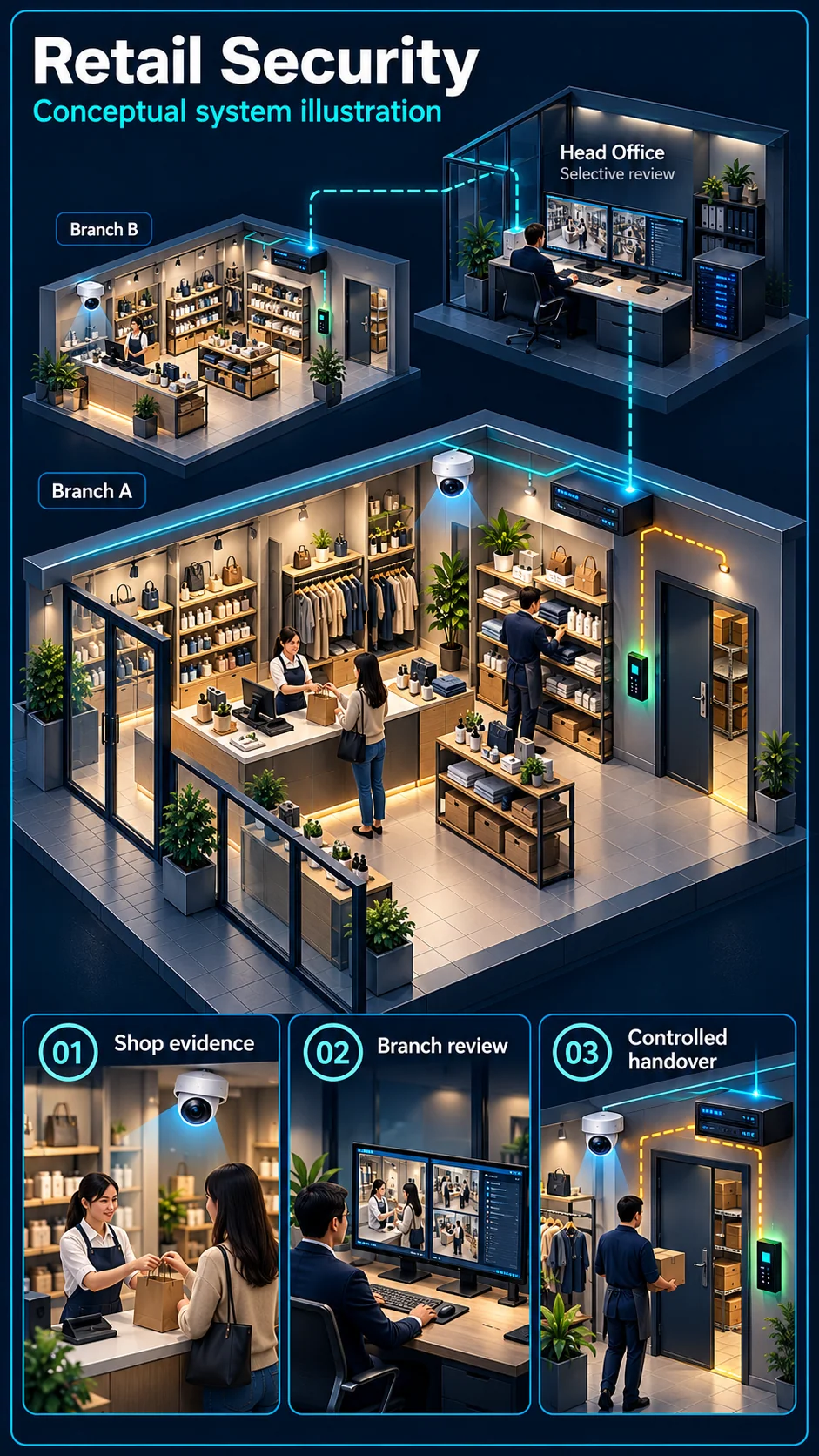
Retail evidence starts at the individual shop: counter activity, stock movement and closing checks. Multi-store review adds permissions and a retrieval workflow, not an assumption that every branch shares all footage.
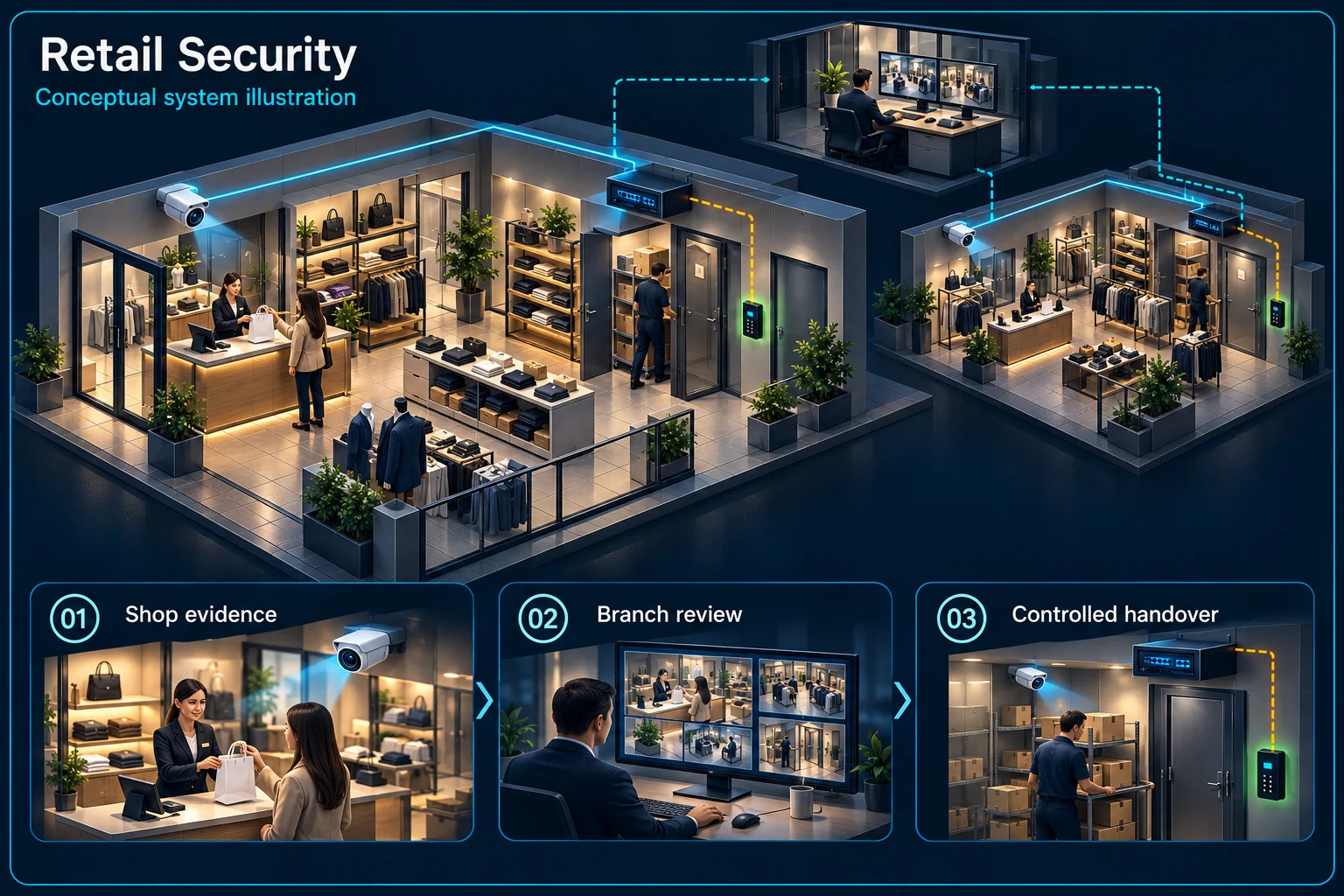
Each store keeps its own operating responsibilities while approved users review the appropriate sites.
Counter and stock views
Separate closing routine
Retention and retrieval
Branch / group roles
Selected sites and licences
Review real shelf heights, displays and lighting before accepting views. Human detection can help filter an event; it does not determine whether a customer or worker has committed theft.
Consider when a transaction or stock difference is normally investigated. Set retention requirements and test retrieval rather than assuming camera count determines how long recordings remain.
Assign opening, closing and fault-reporting responsibilities at each branch. Authorised restocking after closing needs an agreed routine rather than a blanket warning rule.
Decide who may select a branch, search footage or export a clip. Check licences, connection limits and account ownership for any central platform separately.
No. Branch and head-office roles should be agreed explicitly. Central visibility can be limited by site, function or authorised user.
A notification identifies activity to review. Staff should inspect the recorded context and relevant business records before drawing conclusions.
CCTV scene planning · Retail & chain store
Retail CCTV in Kuching should follow entrances, checkout approaches, shelving and rear access as they are used in the real shop.
Define the views needed for review, then check shelves, signs, reflections and changing stock. Identify remaining obscured areas during the test instead of promising that all blind spots disappear.
Use normal viewing during trade and agree any restricted or closed-shop warning periods. Delivery staff, replenishment and authorised late work need an explicit mode or procedure.
Agree who reviews an alert and retrieves a clip. Confirm landlord access, work hours, temporary closures and a recording test with the final shelving and lighting before acceptance.
No. An event is a prompt for authorised review. The scene, available recording and surrounding facts determine what can be established; detection does not guarantee identification or prevent a loss.
That is not guaranteed. HJ confirms access, building restrictions, noise limits and any temporary interruption after assessment; the agreed work plan should state the installation windows.
The assessed scope, selected equipment and agreed acceptance test determine the final configuration.
Shelving layouts create pockets no one behind the counter can see — exactly where stock walks out.
Cash discrepancies and suspicious refund patterns that only camera coverage over the counter can explain.
Shoplot rear doors and roller shutters tested at 3am — an unalarmed shop is a soft target on any row.
Opening staff arriving late, closing staff leaving early — with no record, scheduling is fiction.
Customer phones sharing the same network as your POS terminal is both slow and genuinely risky.
Two or three branches, and the owner physically driving between them to know what's happening.
Retail doesn't need a factory's system count — it needs the right five things positioned precisely: counter, aisles, entrance, back door, and an alarm that arms when the shutter drops.
Your closer drops the shutter and arms the alarm from their phone — you see the confirmation in yours. At 2:47am the rear-door sensor triggers: your phone alerts, the rear camera shows someone working on the door, and you're calling the police with a live view while the siren already has them retreating. The next morning you review the footage over coffee instead of discovering a cleaned-out stock room. That's the whole package doing its one job.
Where site and building rules permit, cabling and mounting can be scheduled outside trading hours. Agree access, noise limits, work areas and any temporary interruption before installation.
Review camera positions against the actual shelving, lighting and movement. Identify remaining obscured areas and agree useful views during the site test.
Plan later branches around compatible recording, network and access arrangements. Confirm the platform, licences and remote permissions before promising a combined view.
LePaPa EAS + PA + CCTV. Also PC Image EAS, SK Hardware people-counting / VIP cameras.
Camera count depends on entrances, tills, shelving, rear access, lighting and the actions that need review. HJ checks actual sight lines and remaining obscured areas before proposing the count.
Direct notifications depend on the selected alarm or camera, configuration, site power and communications. Confirm the recipients and test any camera linkage or siren response; a notification is not proof that every event will be delivered immediately.
Where access and building rules permit, work can be scheduled after closing. Agree the work windows, noise limits and any temporary interruption before installation; a full trading day without disruption is not guaranteed.
Review both sites’ equipment, software, permissions and network connections. Supported systems may share selected workflows, but compatibility, licensing and the proposed scope must be confirmed before a combined view or attendance setup is promised.
Send us your shop size and layout photos — we'll propose a package priced for retail.
An industry outcome may combine several systems. Use these diagrams to understand each system boundary, then confirm the functions and quantities required for the actual site.

Connects camera capture, transmission, recording, retention, authorised viewing and selected response functions as one commissioned CCTV system.
Planning connection: Plan useful views of store entrances, checkout approaches and agreed stock areas. Confirm viewing angles, lighting, masking and authorised recording; the generic diagram does not guarantee identification or eliminate shrinkage.
Open component 01 in the complete Solution →
Connects selected detectors, panel logic, user controls, local warning, communication and optional visual verification.
Planning connection: Agree the shop's actual panic or auxiliary-alert need and who receives and verifies the event. The extended-detection branch is an option to assess, not evidence that all detector types are included.
Open component 03 in the complete Solution →
Connects room sources, processing, presentation, conferencing, sound, visual output and operator control.
Planning connection: Identify the shop's content source and display purpose before selecting the presentation path. Confirm playback and control requirements separately from any signage platform, subscription or specific screen model.
Open component 03 in the complete Solution →