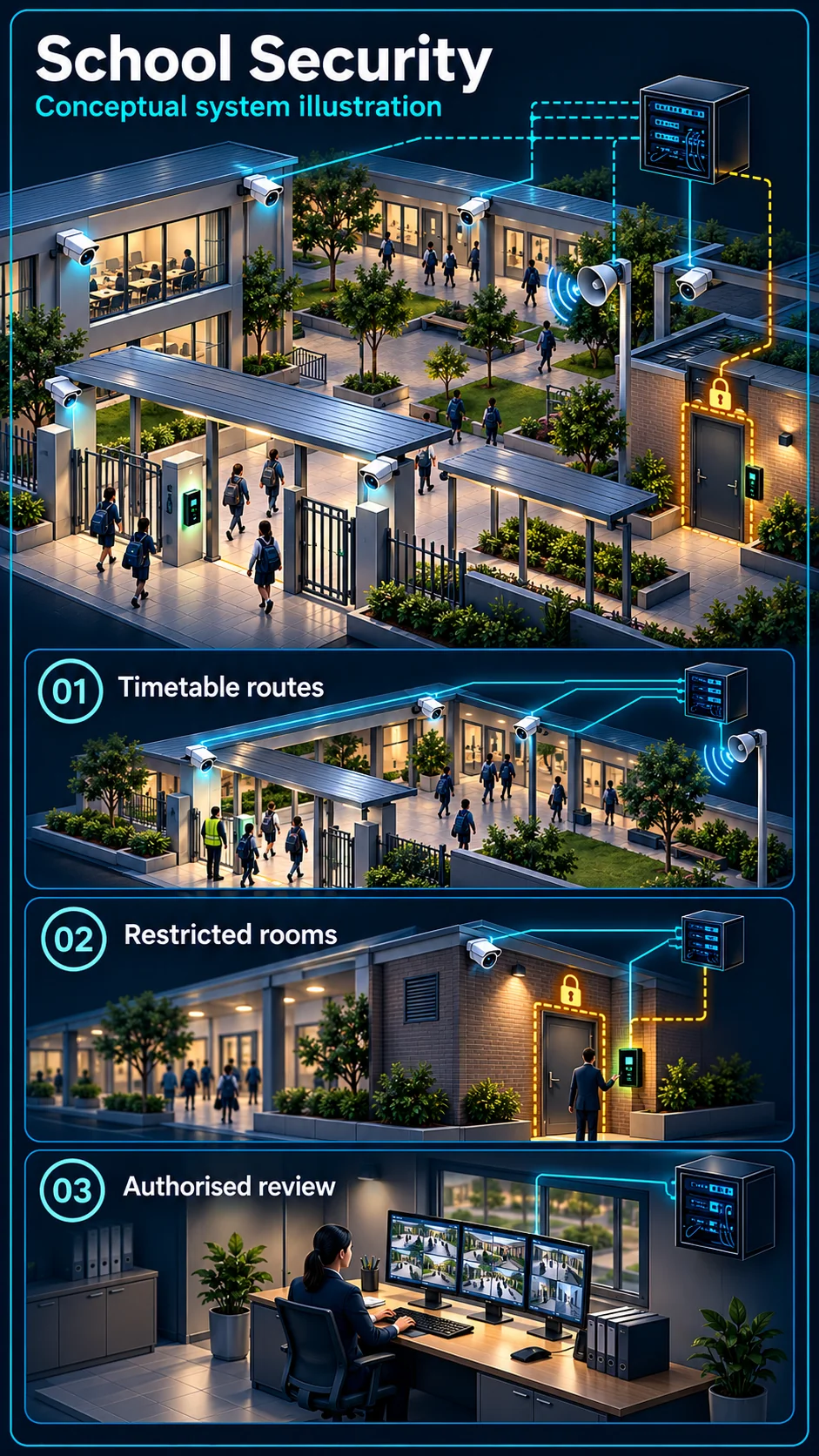
Gates and agreed common routes
Review visitor entry, circulation and authorised common-area views. Sensitive spaces and record access must follow the institution’s approved privacy and safeguarding brief.
A campus is the one environment where security answers to parents. Gates, corridors, WiFi for learning, bells that run the day — HJ Security designs the education ELV scope as one project, then installs, tests, commissions and maintains it for schools, colleges, training centres and hostels.
Industry solution
Campus planning should follow arrival, teaching, dismissal and authorised after-school use. Cameras, gates, PA and school bells serve different purposes and require the institution's own operating rules.
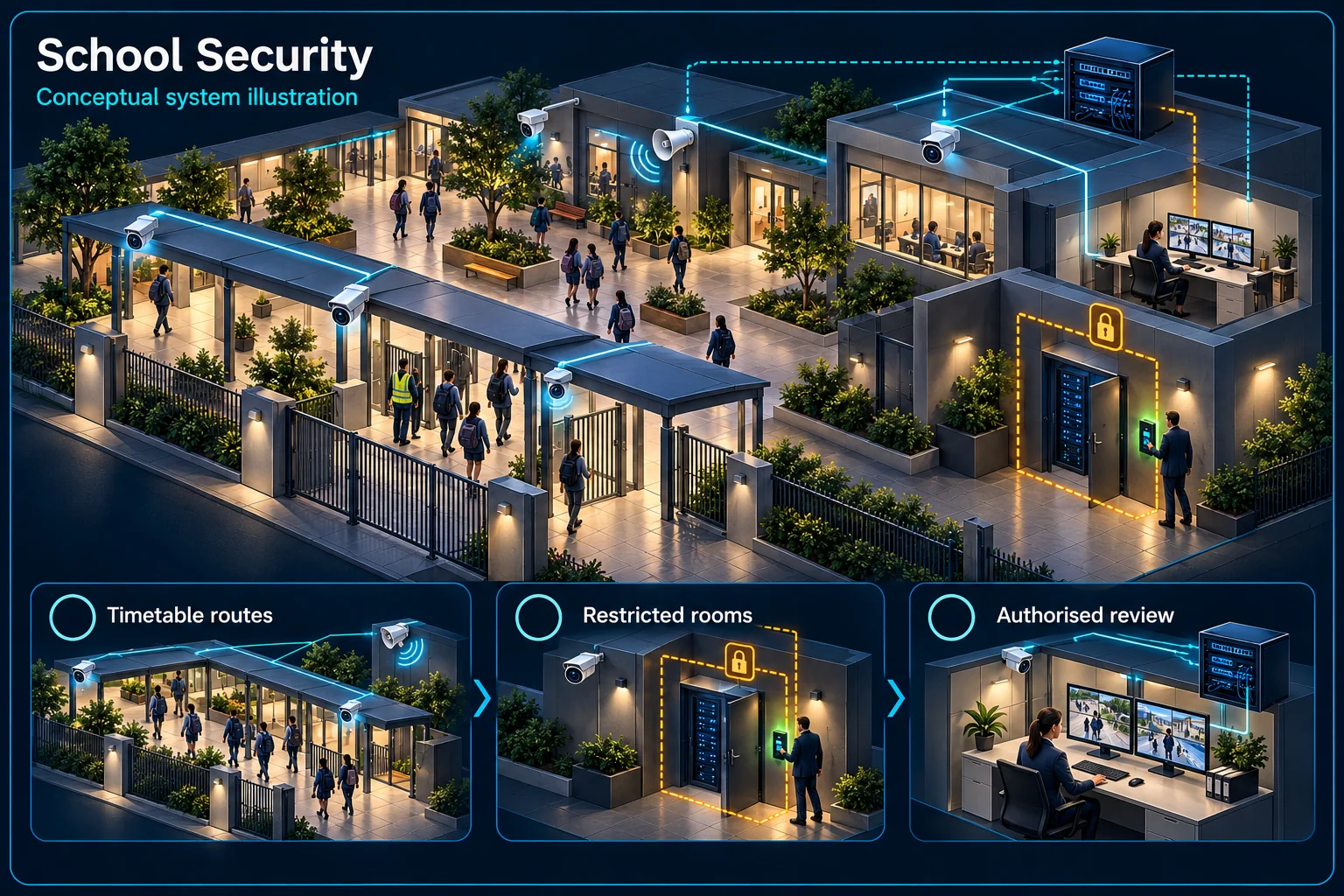
Arrival routes, common areas and restricted rooms are managed as different responsibilities.
Arrival and dismissal
Approved public views
Restricted permission
Authorised review
Review gates and shared circulation at the times they are busiest. The school should approve observation areas and the staff who can view or export recordings.
A laboratory, store or equipment room may need different permissions. Clubs, cleaners and maintenance staff require an agreed late-use arrangement rather than an assumption that the campus is empty.
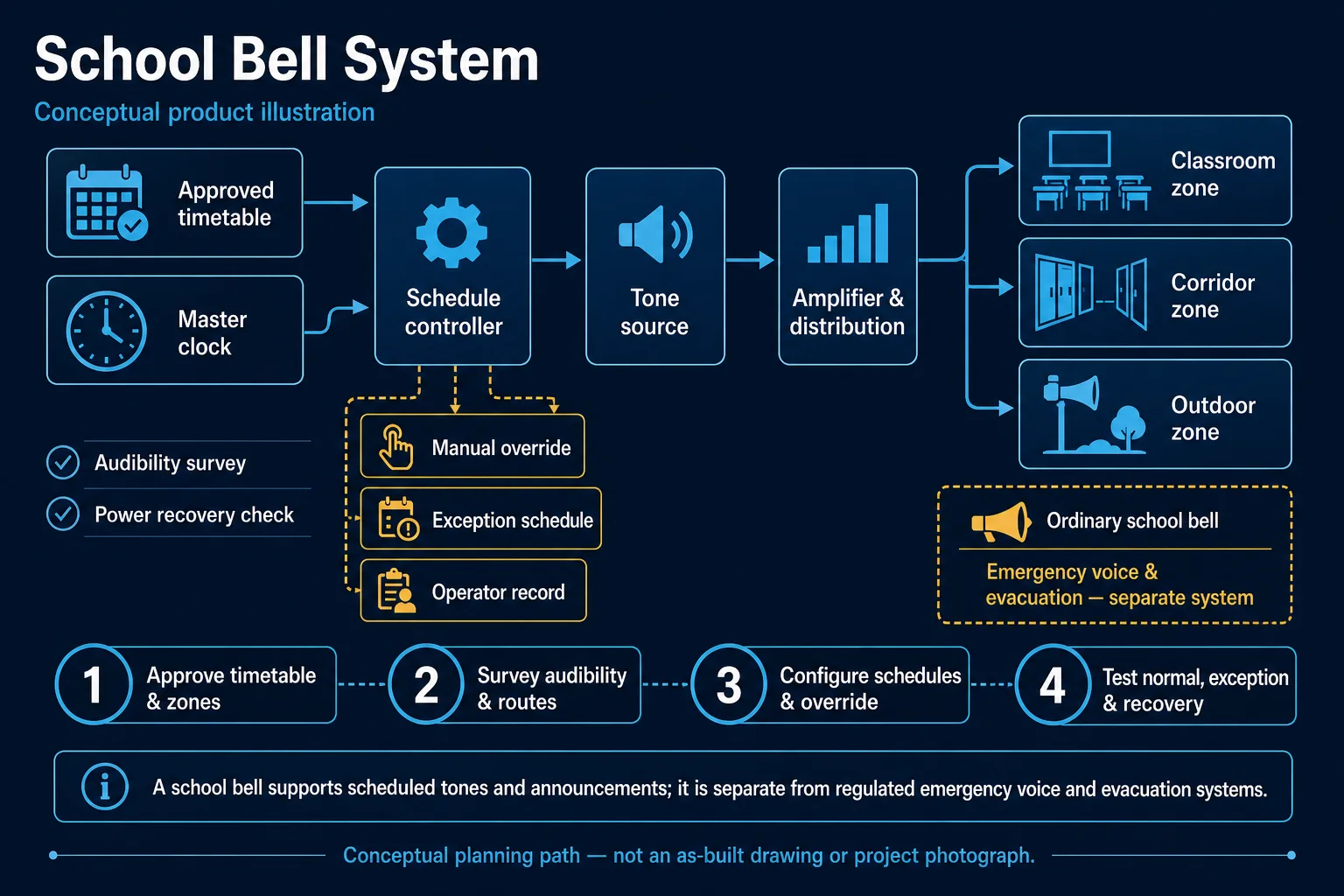
Routine announcements, bell schedules and security warnings are different functions. Confirm who operates each and which interfaces, if any, are included in the design.
Test the approved routes and permission changes with the school's representative. Record account ownership and retrieval procedures without publishing sensitive layouts or student information.
Not by default. Bell timing and security events have different purposes. Any connection requires an explicitly approved and tested workflow.
The institution must define authorised roles and safeguarding procedures. Recording access should follow that policy rather than general staff membership.
CCTV scene planning · School, college & education
School CCTV planning in Kuching should start with the institution’s permitted recording areas, safeguarding procedures and daily movement.
Review visitor entry, circulation and authorised common-area views. Sensitive spaces and record access must follow the institution’s approved privacy and safeguarding brief.
Normal student movement, activities and cleaning need different treatment from a closed campus. Agree the relevant hours and areas instead of treating every movement as an intrusion.
Identify the staff member who reviews and escalates an event. Coordinate work around lessons, access and safe routes, then test recording, permissions and any separately agreed PA or bell workflow.
No. It is one input for authorised staff to review under the institution’s procedure. The equipment and agreed views cannot guarantee prevention or replace staff responsibility.
No. Scheduled bells, PA announcements and security warnings have different purposes. Confirm the selected equipment, approved interfaces and test procedure for any proposed connection.
The assessed scope, selected equipment and agreed acceptance test determine the final configuration.
Open gates during dismissal chaos — anyone can walk in among the parents, and nobody would know.
Bullying claims, injuries, and property damage where the school's account is only as strong as its camera coverage.
Thirty devices per class hitting a network designed for the office — digital learning stalls at the login screen.
Manual bells that drift, differ between blocks, and collapse entirely during exam-season schedule changes.
Boarding students and evening movement across a campus that supervision can't physically cover everywhere.
Assemblies, emergencies and daily notices relying on shouting across blocks or WhatsApp groups nobody checks.
Primary school, college, training centre or hostel — the system mix shifts, but the framework holds: perimeter and gate control, corridor coverage, classroom-grade WiFi, and audio that runs the campus day.
Exam season: the bell system switches to the exam schedule you programmed once — different timings, no assembly bell, silent zones near exam halls — while the PA carries invigilation announcements only where needed. Meanwhile corridor cameras cover exam hall entrances, and after-hours alarm zones protect the papers store. None of it depends on a staff member remembering; the campus runs on schedule while everyone focuses on the exams themselves.
Gate safety at arrival and dismissal, corridor and courtyard coverage, bell automation — the parent-facing essentials done properly.
Attendance integration, lab and equipment-room access control, campus WiFi engineered for real student device loads.
Entry control with logs, corridor coverage balanced against privacy, and supervision support for evening and weekend hours.
HJ's 2025 company project record lists door access at Sekolah Menengah Sains Kuching Utara, SMK Sungai Maong and SMK Lundu. Quantities and project photographs are not publicly claimed. See the HJ access packages or the typical PA & school bell solution. Product ecosystem references: Hikvision, network / fibre and audio supply catalogues; HJ Security handles the campus engineering and installation.
Confirm the existing or selected controller, zone wiring and supported schedules. The proposed normal, exam, half-day or assembly workflow should be programmed and tested with the institution; per-zone control is included only where the equipment and design support it.
Tell us your campus size and institution type — we'll survey during hours that suit the academic calendar.
An industry outcome may combine several systems. Use these diagrams to understand each system boundary, then confirm the functions and quantities required for the actual site.

Connects credentials, readers or terminals, permissions, door hardware, safe release and related identity workflows.
Planning connection: Separate staff, visitor and restricted-area entry needs with campus management. Define controlled openings and permission ownership while coordinating the agreed exit arrangements; the reader alone is not the entire campus access policy.
Open component 02 in the complete Solution →
Defines the shared infrastructure and separate service boundaries for network, WiFi, SIP telephony and TV media distribution.
Planning connection: Coordinate building links, teaching-space connection points and proposed cable routes before finalising the campus network scope. Provider service, user access and equipment quantities must be confirmed separately from the backbone illustration.
Open component 01 in the complete Solution →
Connects room sources, processing, presentation, conferencing, sound, visual output and operator control.
Planning connection: Define which campus areas need announcements or scheduled audio and how operators use the zones. The PA guide does not by itself establish bell scheduling, emergency evacuation certification or coverage of every building.
Open component 07 in the complete Solution →