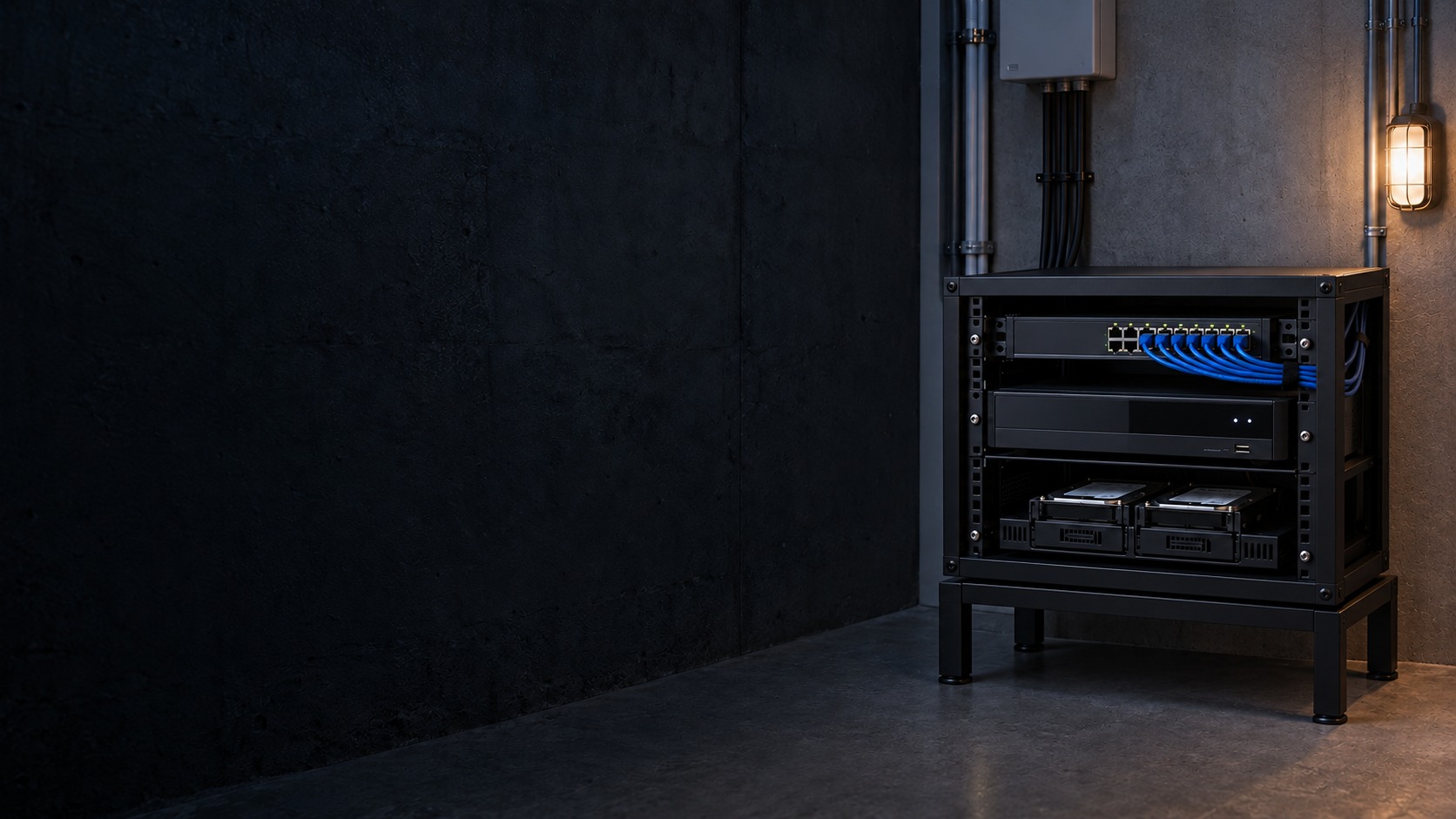
CCTV recorder, network switch and storage drives – CCTV Recording & Storage in Kuching & Sarawak (illustration)

CCTV Recording & Storage in Kuching & Sarawak

Size CCTV recording for the footage quality, schedule and history the customer needs to retrieve. HJ checks stream bitrate, camera count, usable disk capacity, overwrite settings and export workflow; a drive’s headline capacity is not a fixed promise of retention days.

System selection and integration guideCCTV / Video Surveillance
Recording & ControlCCTV Recording & Storage
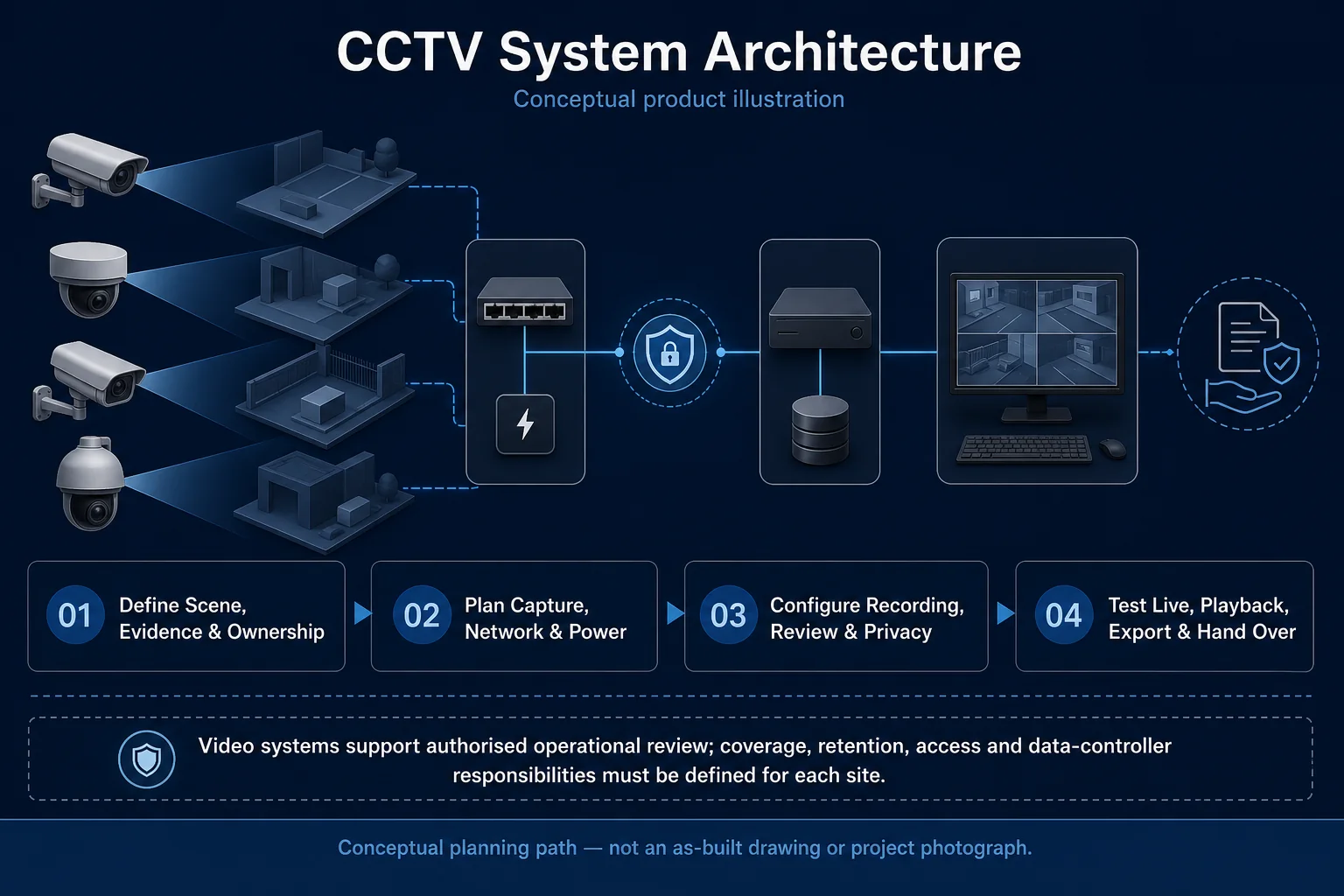
CCTV System Architecture system diagram
  1. 01CCTV Recording & Storage
  2. 02Capacity, retention and recovery
  3. 03Transport & storage
  4. 04representative day and night clips
Conceptual CCTV Recording & Storage product and system illustration.
Illustration & scope boundary

Conceptual CCTV Recording & Storage product and system illustration for Recording & Control. Final device form, model, interfaces and quantities are confirmed from the assessed scope and approved product data. Conceptual evidence and response path for CCTV Recording & Storage, derived from this page's scope, interfaces and acceptance record.

Conceptual planning path — not an as-built drawing or project photograph.

System feature

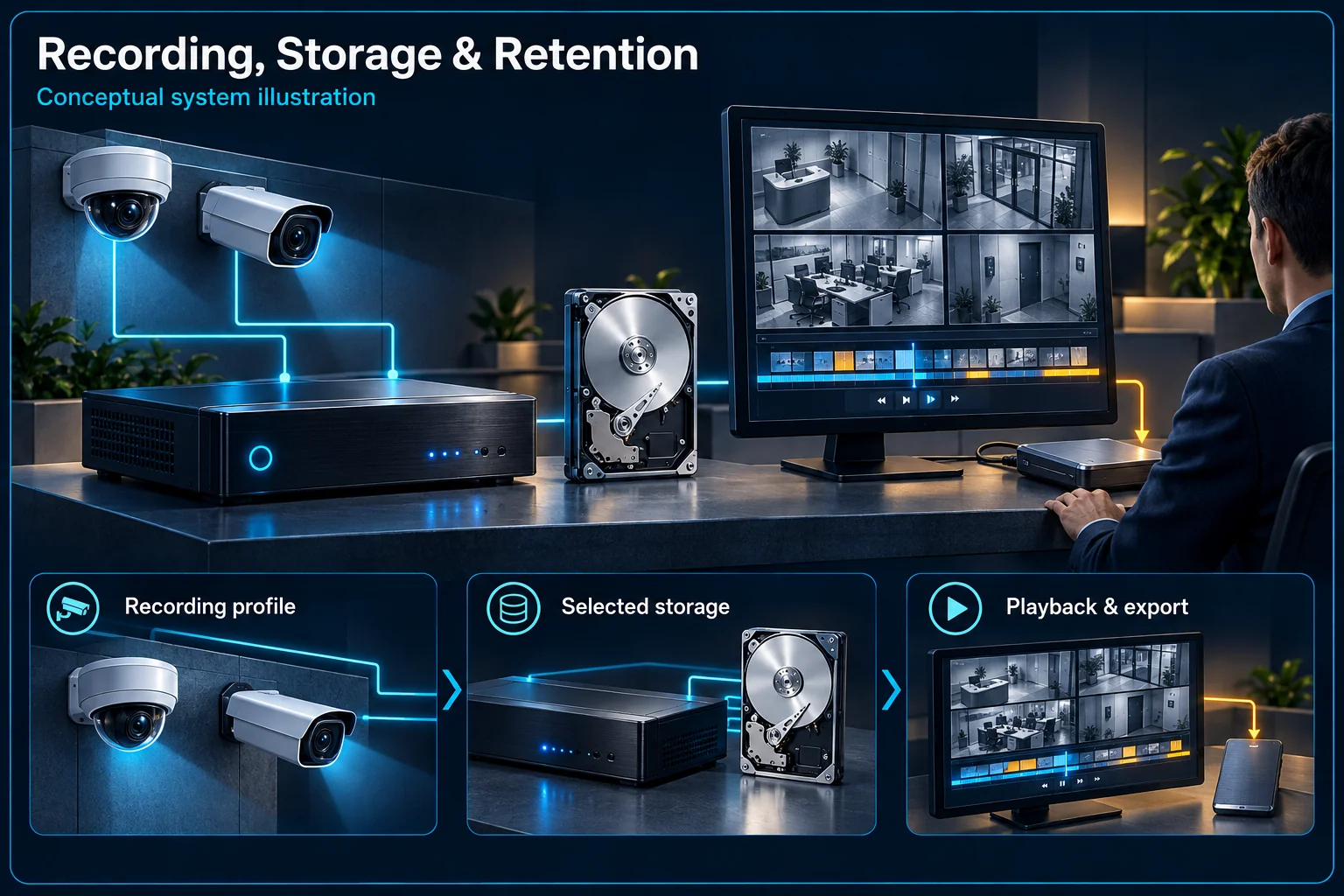
CCTV Recording, Storage & Retention

Storage planning starts with what must be retrieved, from which views and over what required period. HJ considers the chosen recording settings, camera count, working hours and playback task together. Disk capacity alone does not guarantee a fixed number of retained days.

Recording, Storage & Retention Canvas

CCTV Recording & Storage in Kuching & Sarawak – system diagram
Conceptual system illustration. Final configuration depends on the approved site scope.View full-size desktop imageView full-size mobile image
System planning notes

From the required record to a usable playback clip

The retained period is a configuration result, not a fixed property of a disk label.

From the required record to a usable playback clipThe retained period is a configuration result, not a fixed property of a disk label.E1E2E3E401Evidence views02Recording profile03Selected storage04Searchabletimeline05AuthorisedplaybackFrom the required record to a usable playback clipThe retained period is a configuration result, not a fixed property of a disk label.E1E2E3E401Evidence views02Recording profile03Selected storage04Searchable timeline05Authorised playback
  • Solid line: illustrated functional path or agreed test route.
  • Dashed line: optional device or compatibility to confirm.
  • Any retention estimate must state its camera and recording assumptions.
  • Live view, recording, search and export are separate acceptance checks.
Evidence views

What must be reviewed later

Recording profile

Streams, mode and operating hours

Selected storage

Capacity and observed usage

Searchable timeline

Channel name and correct time

Authorised playback

Retrieve and handle a needed clip

Read the connections
  1. E1: Evidence views → Recording profileDefine the evidence task
  2. E2: Recording profile → Selected storageUsage depends on settings
  3. E3: Selected storage → Searchable timelineVerify retained footage
  4. E4: Searchable timeline → Authorised playbackControlled retrieval
Conceptual system diagram. Final configuration depends on the approved site scope.

Define what the recording must answer

Choose the evidence views and required period

A shop reviewing a disputed handover may need a different record from a home checking an entrance. Identify the views, likely review process and required retention objective. This requirement should be written before selecting storage rather than inferred from a recorder's channel label.

Separate continuous and event recording decisions

An event-only schedule depends on the selected event reliably starting the relevant recording. Continuous and event settings can serve different review tasks. Agree which mode applies to each view, including normal operating hours and any gaps that would matter to the user.

Size storage against the selected settings

Camera count and stream settings affect the result

Resolution, frame rate, encoding choices, bitrate behaviour and recording hours affect storage use. Review them as a complete recording profile. A camera added later or a changed profile can alter the retained period even if the same disks remain installed.

A capacity estimate needs stated assumptions

Any estimate should identify the cameras, recording profile and expected operating pattern used to calculate it. Do not advertise a universal retention period from a disk size alone. Verify available capacity and observe the installed recording behaviour before accepting the result.

Make the footage retrievable

Time and channel names matter during a search

An operator needs to find the right place and time, not only see a full disk. Use understandable channel names and review the system's time arrangement. Check that the event and the saved clip can be associated with the intended location.

Access and export need a controlled workflow

Agree who may search, replay or export footage, and how a requested clip is handled. Demonstrate an appropriate export and playback method using the selected system. An export copy is a separate item from the recorder's normal retained archive.

Verify recording and ongoing health

Replay representative day and night footage

Review saved clips from the agreed views, including relevant movement and lighting. Confirm the recording schedule and any event-dependent behaviour. A working live view does not prove that the expected footage is being saved or can be searched successfully.

Review storage status after changes or faults

Keep the approved recording profile and check process in the handover. Review storage health, overwrite behaviour and available history through an agreed maintenance routine. Changes to cameras, schedules or image settings should trigger a retention review rather than an assumption that the original estimate still applies.

Questions about CCTV Recording, Storage & Retention

How many days does a particular hard disk store?

The answer depends on the camera streams, recording hours, mode and available capacity. HJ needs those assumptions before giving a configuration-specific estimate; no fixed duration is promised on this page.

Does a clear live picture prove the footage is recording?

No. Check the actual recording schedule, saved clips and playback. Live viewing and retained recording are different checks.

Will event recording always save more space?

Its storage use depends on event activity and configured recording behaviour. It also relies on the intended events being captured. Choose it against the evidence task, not space saving alone.

Continue your planning

What CCTV Recording & Storage covers

Size CCTV recording for the footage quality, schedule and history the customer needs to retrieve. HJ checks stream bitrate, camera count, usable disk capacity, overwrite settings and export workflow; a drive’s headline capacity is not a fixed promise of retention days.

It sits in CCTV / Video Surveillance under Recording & Control. The final deliverable is shaped by the intended outcome, the installed or proposed environment and the interfaces that must be owned, supplied, integrated and tested.

When to use this page

Camera streams, bitrate and frame rate, continuous or event schedules, required history, usable capacity, disk health, timestamps and authorised export requirements.
Typical environments to assess

  • Home and SME camera recording systems
  • Retail and warehouse sites needing retrievable incident footage
  • Commercial recorder upgrades with authorised maintenance windows

Engineering SOP & Handover Checklist

From the initial brief to the handover record: what to prepare, check and confirm with HJ.

01

Operational Purpose & Workflow

Size CCTV recording for the footage quality, schedule and history the customer needs to retrieve. HJ checks stream bitrate, camera count, usable disk capacity, overwrite settings and export workflow; a drive’s headline capacity is not a fixed promise of retention days.

02

Pre-Attendance Evidence

Camera streams, bitrate and frame rate, continuous or event schedules, required history, usable capacity, disk health, timestamps and authorised export requirements.
03

Diagnostic & Testing Path

Map camera signal or network streams to supported recorder inputs, storage and authorised playback. Separate capture, recording schedule, remote viewing and evidence backup responsibilities; preserve required footage before approved changes.

04

System & Responsibility Boundary

Full, unhealthy or uninitialised disks, wrong schedules, bad timestamps and excessive stream load can leave gaps despite a live image. Do not format, reset or overwrite needed evidence without the owner’s authority.

05

Acceptance & Handover Record

Document models, channels, firmware, storage health and recording schedules. Test the affected paths, timestamps, playback and authorised export, and record measured history or unresolved faults rather than a fixed retention promise.

Engineering Scope, Regulatory & Service Boundaries

Responsibility and evidence boundary

HJ coordinates assessment, engineering, installation, integration, testing and lifecycle support only for the scope recorded in the quotation. ISD handles catalogue, model, datasheet, supply and availability enquiries. Customer, consultant, builder and appointed-specialist responsibilities remain explicit.

Identity, image, credential and movement data require an authorised controller, lawful access, proportionate collection, retention rules and recorded administrator responsibility.

This focused topic remains connected to its complete system owner. Final models, quantities, interfaces and included work are confirmed in the assessed quotation.

Questions before proceeding

Use the answers as a planning boundary; site conditions and written scope remain decisive.

Can retention days be quoted from hard-drive size alone?

No. Camera count, streams, schedule, overhead and usable capacity all matter. Calculate a starting point, check actual consumption and verify the available recording history. RAID availability and a separate evidence backup are different decisions.

What should be protected before changing CCTV storage?

Identify required evidence and authorise its export before a disk change, format or reset. Record existing limitations; replacement storage cannot restore footage that was never recorded or has already been overwritten.

What should I send HJ for CCTV Recording & Storage?

Camera streams, bitrate and frame rate, continuous or event schedules, required history, usable capacity, disk health, timestamps and authorised export requirements. Share authorised equipment and scene information; do not send passwords or personal footage through a public form.

Planning CCTV Recording & Storage? Tell HJ about your site

Tell us where it will be used, what it needs to do and what equipment you already have. HJ will recommend the right system, explain who is responsible for what, and agree the next step with you.