System feature
CCTV Camera Types, Lenses & View Planning
Choose a camera around the view it must provide, not the appearance of its housing. HJ reviews the target, distance, lighting, mounting position and existing infrastructure before choosing an analogue or IP camera, lens and suitable body style.
How this feature fits together
Camera Types & View Planning Canvas
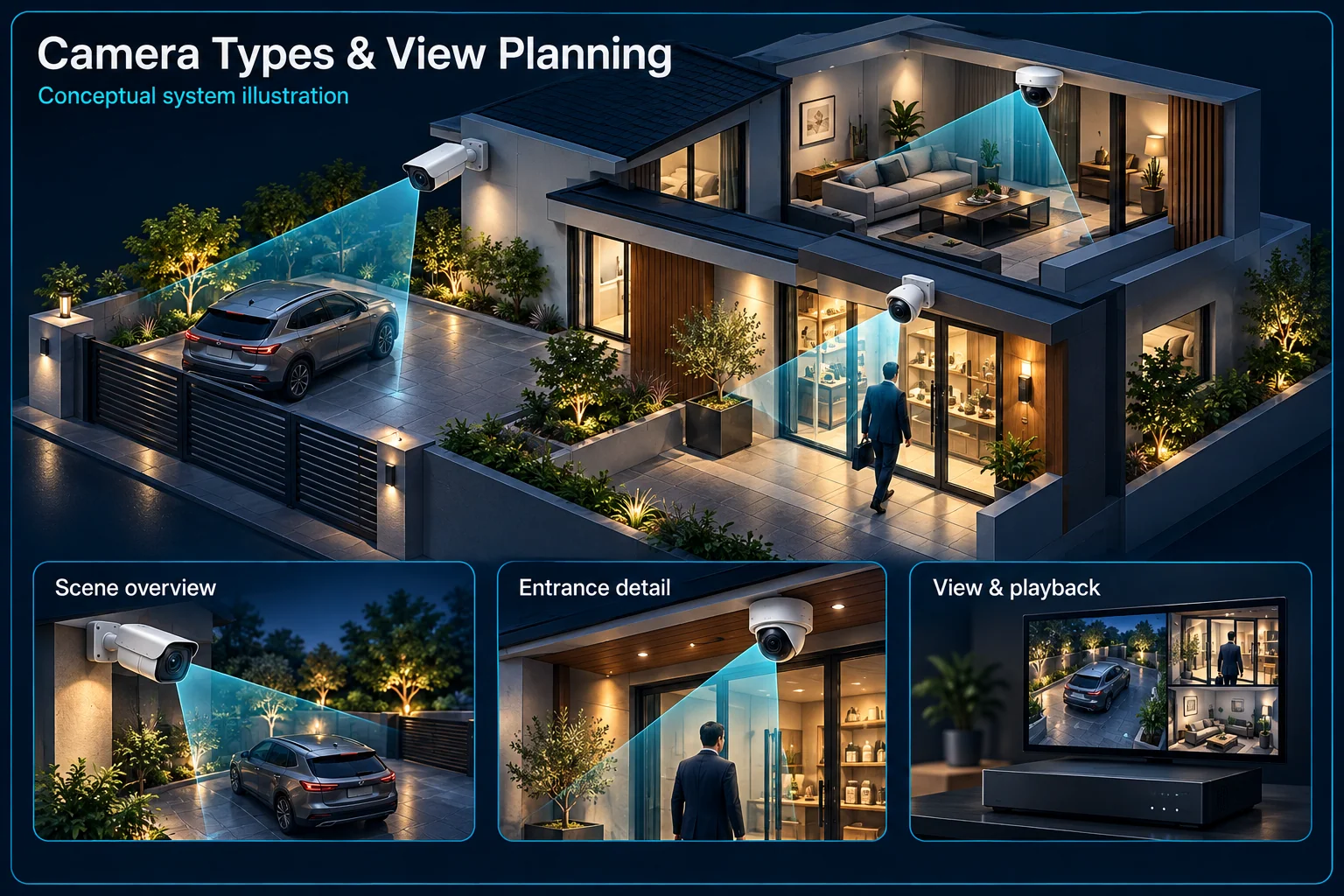
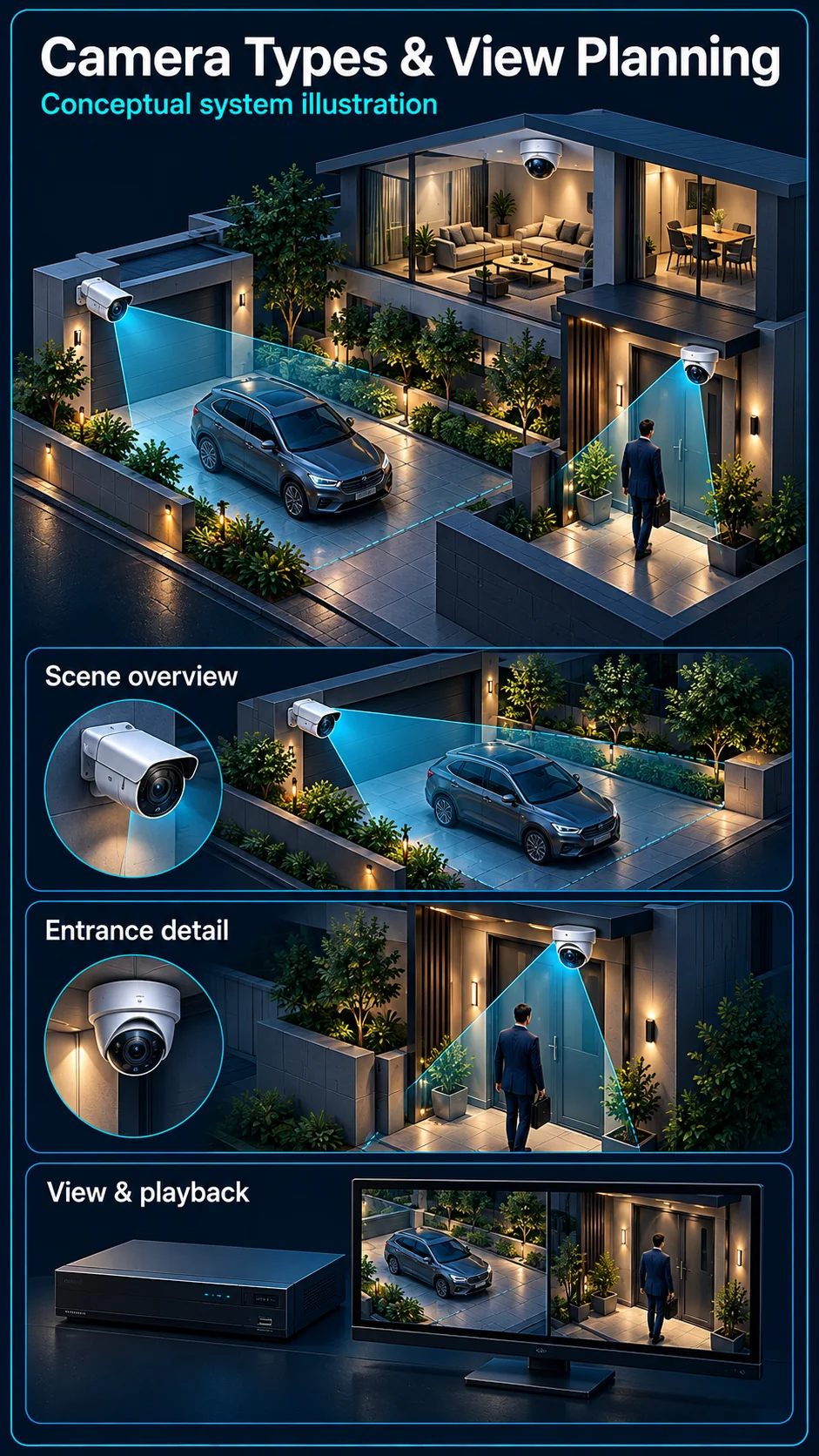
System planning notes
One site, two different viewing tasks
An overview route and a closer entrance target are separate design questions. The shapes illustrate view planning, not a specified lens or measured recognition distance.
- Solid line: illustrated functional path or agreed test route.
- Dashed line: optional device or compatibility to confirm.
- M1: Overview
- M2: Detail target
- View shapes are conceptual, not measured optical performance.
- A closer view is a separate requirement, not an automatic camera capability.
Movement and scene context
Nearest and furthest useful positions
Agreed detail at the doorway
Check the recorded result
- E1: Overview camera → Approach routeWide context
- E2: Approach route → Entrance viewDifferent evidence task — optional / compatibility to confirm
- E3: Entrance view → Playback reviewRecorded detail
Start with the picture you need
Overview and useful detail are different tasks
An entrance overview shows movement and context. A closer view may be needed to review a face, handover or doorway. Write down which task matters at each point; a wide image does not automatically preserve the detail needed for another task.
Walk the route before choosing the lens
The useful viewing angle depends on where people or vehicles actually travel. Review the nearest and furthest positions, likely obstructions and lighting direction. Select the lens and mounting position together, rather than assuming additional pixels solve an unsuitable angle.
Choose the body and connection deliberately
Housing follows the installation environment
Mounting height, available bracket positions, weather exposure, cleaning access and the risk of accidental movement affect the choice of body. Check the exact product's environmental and mounting requirements; a dome, turret or bullet shape alone does not establish its protection rating.
Analogue and IP are infrastructure choices
An existing analogue route may support a practical staged upgrade. An IP installation needs an appropriate network and power path. Check the recorder, cable condition and supported camera format before deciding what to retain; neither connection type establishes every camera feature.
Keep optional capabilities separate
PTZ movement is not simultaneous coverage
A movable camera can be looking away from an event when another view is required. Decide whether the task needs a fixed evidence view, an operator-controlled view or both. Automatic tracking and preset behaviour require their own model and scene review.
Audio and warning devices need their own check
A familiar camera housing can contain very different audio, lighting or analysis functions. Identify the exact microphone, speaker, warning light and supported events in the approved selection. Do not infer those functions from a photograph or a family name.
Accept the installed view, not just a live image
Use representative daytime and night-time targets
Review a person or vehicle in the agreed positions under relevant lighting. Include open doors, parked vehicles, backlighting and obstructions that occur during normal use. Keep the result as an agreed view record, without presenting this planning diagram as a measured lens test.
Finish with recorded playback and maintenance access
Check that the useful live view is also available in the recorded footage and that timestamps are understandable. Record the camera name, mounting position, cleaning access and any view that changes with stock, vegetation or movable furniture.
Questions about CCTV Camera Types & View Planning
Is the widest camera always the best choice?
No. A wide view can provide context but spread the scene across the image. A more focused view may be needed for the detail you want to review. Choose against an agreed target and location.
Can I keep the old camera cables?
Possibly. HJ needs to assess their condition, route, connections and suitability for the intended equipment. Reusing a cable is an engineering decision, not a benefit guaranteed by selecting a particular camera shape.
Can a PTZ replace several fixed views?
That depends on the evidence task and how the camera will be operated. A PTZ cannot be assumed to observe every direction at the same instant. Retain required fixed views where that matters.