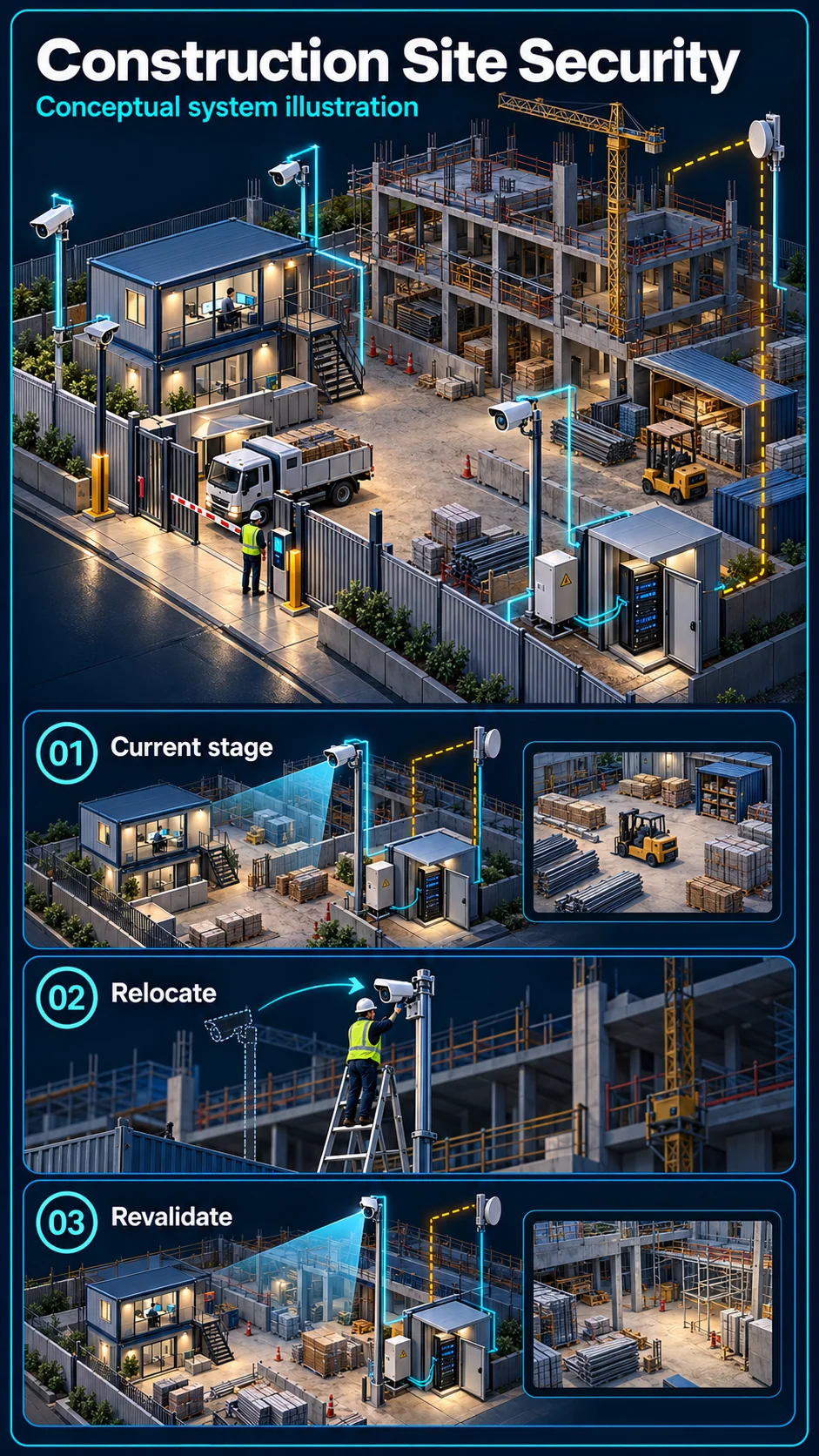
Gate, materials and temporary storage
Review the current compound boundary, delivery access and useful views of agreed stores. Recheck positions when cabins, scaffolding, stock or work fronts move.

A construction site is temporary, exposed, full of valuable material, and often has no power or internet on day one. Site security has to install fast, survive the conditions, and move to the next project when you do.
Industry solution
A construction compound changes as work progresses. Temporary cameras, material areas, access points, power and backhaul must be reviewed when the working layout moves.
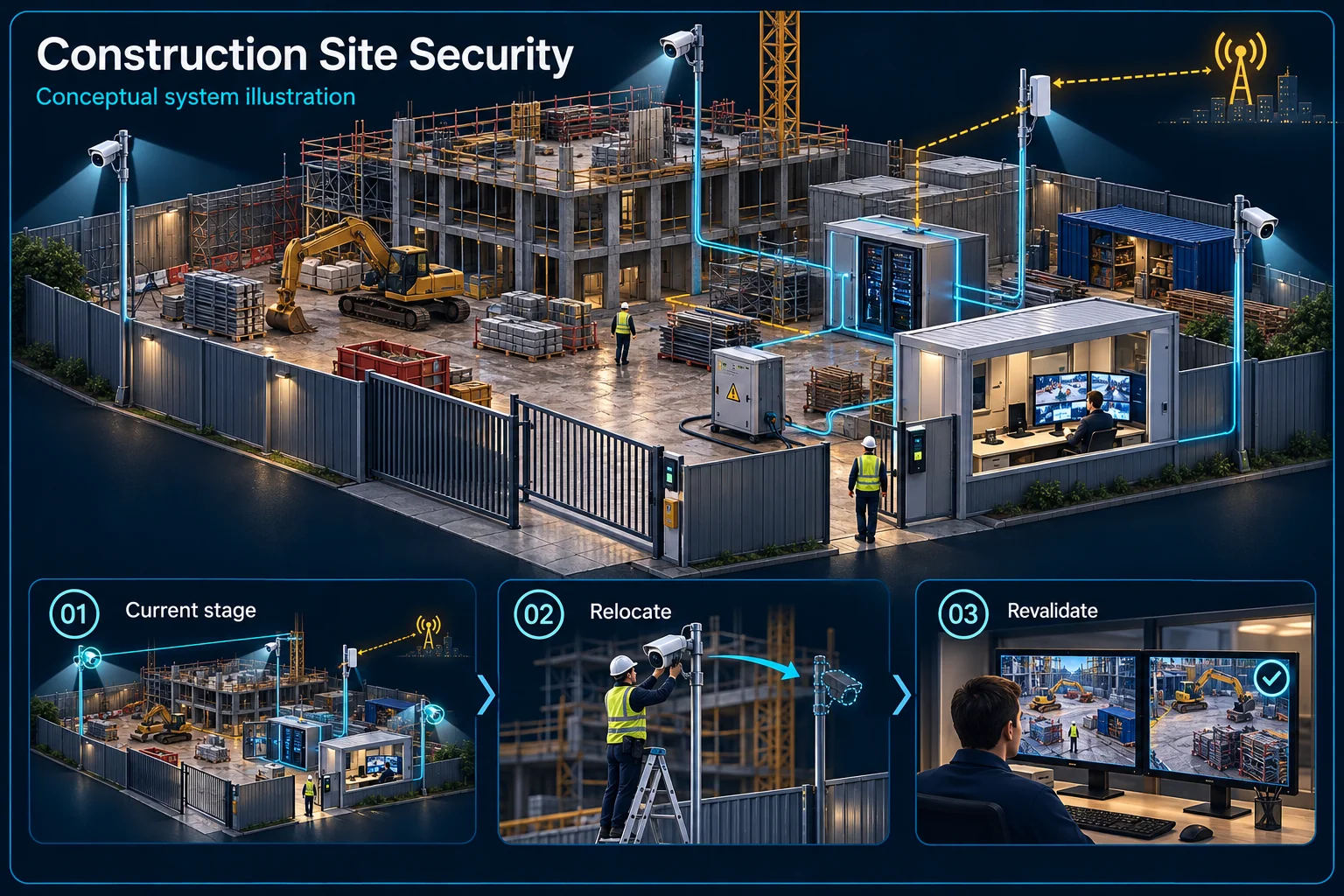
Changing access and temporary services trigger a fresh view and response check.
Present gates and material area
Power and selected backhaul
Move or add a viewpoint
View, rule and notification
Retain, transfer or remove
Identify the areas that need observation now, rather than relying on a finished-building plan. Vehicle movements and temporary barriers can alter a useful camera view quickly.
Confirm which local functions require power and which remote functions require a working backhaul. Assign responsibility for generator, local network and internet-service interruptions.
A relocated camera needs its view, rule, time settings and notification path checked again. Reusing the device does not preserve the acceptance result of its old position.
Name the night contact and the person who requests changes. At stage completion, record what is removed, retained or transferred into the permanent installation.
It should be reviewed after a move. The new view, lighting and routes can make an old line or area rule unsuitable.
No. Remote access depends on the working service and powered network. Local recording and backup arrangements must be confirmed separately.
CCTV scene planning · Construction site
Construction-site CCTV in Kuching should be planned around temporary access, changing works and the power and communications actually available.
Review the current compound boundary, delivery access and useful views of agreed stores. Recheck positions when cabins, scaffolding, stock or work fronts move.
Separate deliveries and authorised work from agreed after-hours zones. Name the person who changes the mode and the site contact who verifies an alert before taking action.
Confirm mounting, weather protection, safe power and network routes. Record any connectivity limits, test the agreed response and hand over a relocation checklist; no fixed deployment date is assumed.
Not necessarily. A move can change power, network paths, sight lines and the warning boundary. Review and retest the affected scope before relying on it.
No. Views, recording and supported warnings can assist the agreed site response. Confirm power, connectivity, the responsible contact and practical limits rather than promise prevention.
The assessed scope, selected equipment and agreed acceptance test determine the final configuration.
Copper cable, rebar and diesel walk off site at night — and the loss shows up as unexplained cost overrun weeks later.
New sites often have no fixed line for months — site office, CCTV remote viewing and progress reporting all stuck offline.
Daily-rate workers, multiple subcontractors, and payroll arguments nobody can resolve without actual clock-in records.
One guard covering a large open site — or no guard at all — with the perimeter wide open between patrols.
Excavators and generators parked overnight, uncovered by any camera, uninsurable claims when something happens.
Security spend that gets abandoned at project end because it was never designed to redeploy.
Site security is a different design philosophy from permanent buildings: pole-mounted and container-mounted equipment, minimal fixed cabling, satellite or wireless connectivity, and everything recoverable for the next project.
Before the tower crane arrives: Starlink dish on the site office roof gives the project team internet on day one. Cameras go up on poles covering the material yard, diesel storage and machinery park, viewable from the project manager's phone. A face terminal at the gate starts logging every worker and subcontractor. The whole setup runs on the site office supply with UPS backup — and when the project ends, it packs up and redeploys to the next one.
Site systems designed for recovery and redeployment — the spend carries to your next project instead of being abandoned at CPC.
Site cameras double as progress records — timestamped footage that settles disputes with clients and consultants.
Building for a client who'll need permanent systems later? We design the temporary setup so the permanent one reuses the groundwork.
Timing depends on site access, safe mounting, power, available connectivity, approvals and the agreed equipment scope. HJ confirms readiness and the installation window before booking; a fixed number of days is not assumed.
A supported attendance platform may group workers by subcontractor and provide agreed reports. Confirm enrolment, permissions, software and payroll or reporting boundaries, then check representative records; records do not make every payment dispute indisputable.
Send us the site location and project duration — we'll propose a deployment that fits.
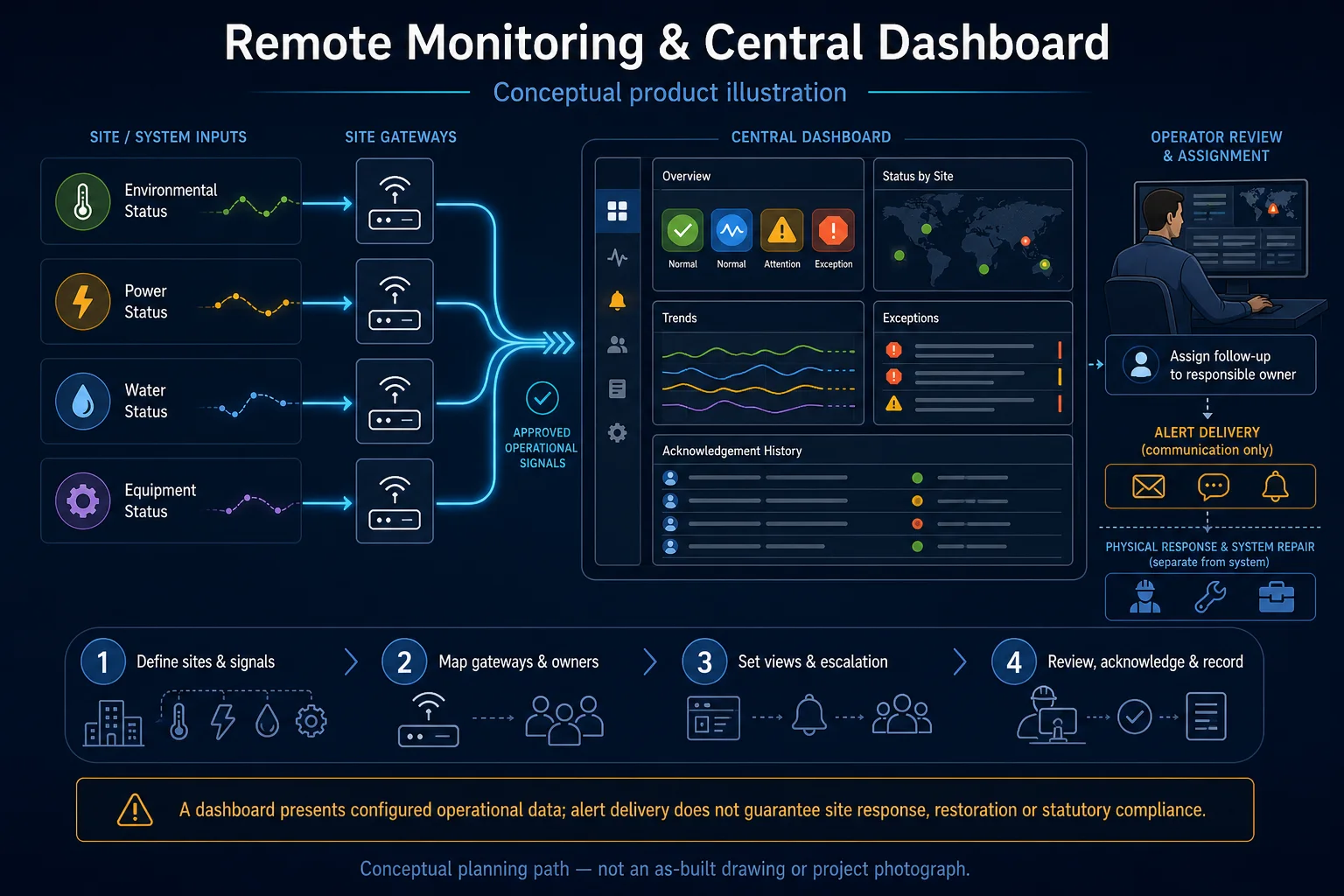
An industry outcome may combine several systems. Use these diagrams to understand each system boundary, then confirm the functions and quantities required for the actual site.

Connects camera capture, transmission, recording, retention, authorised viewing and selected response functions as one commissioned CCTV system.
Planning connection: Plan camera coverage around current site access, material areas and agreed observation points. Recheck mounting, power and transmission as the construction layout changes; the illustration is not an approved installation plan.
Open component 01 in the complete Solution →
Connects vehicle identification, lane control, safety detection, release rules and parking operations as one entrance workflow.
Planning connection: Define how authorised workers, visitors and delivery vehicles use the site entrance. Gate or barrier release must be coordinated with the actual lane, site traffic and agreed safety arrangements.
Open component 03 in the complete Solution →
Defines the shared infrastructure and separate service boundaries for network, WiFi, SIP telephony and TV media distribution.
Planning connection: Confirm the connectivity available at the current construction stage and separate provider service from local installation. Temporary cabling, site movement and remote access should be recorded without assuming permanent internet availability.
Open component 03 in the complete Solution →