System feature
CCTV Remote Viewing, Phone Alerts & Local Recording
Remote access lets an authorised user view a supported system through an available network path. Notifications are a separate event-delivery function, while local recording has its own equipment and power dependencies. HJ plans those three workflows independently so a phone screen does not become the only measure of system health.
How this feature fits together
Remote Viewing & Notifications Canvas
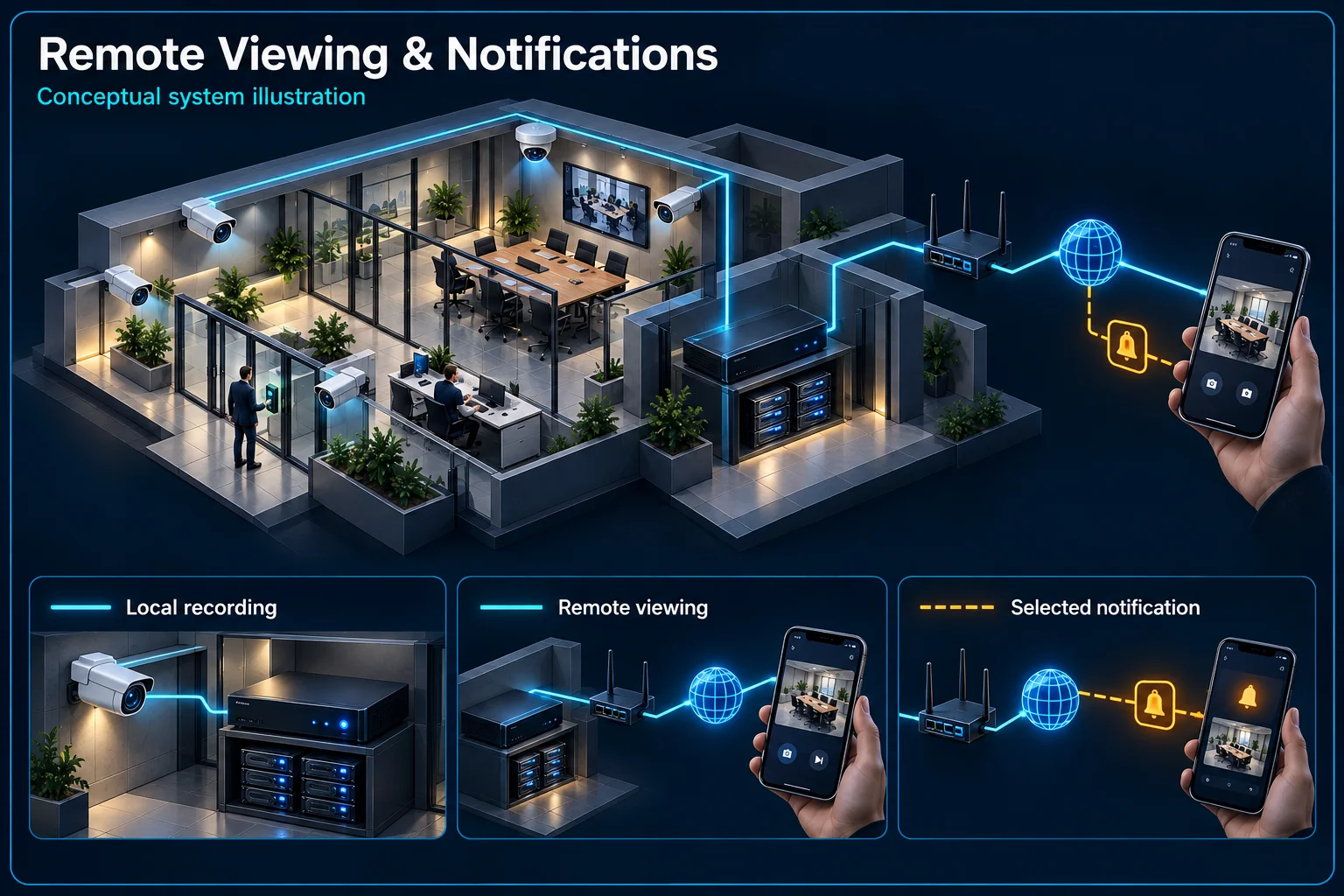
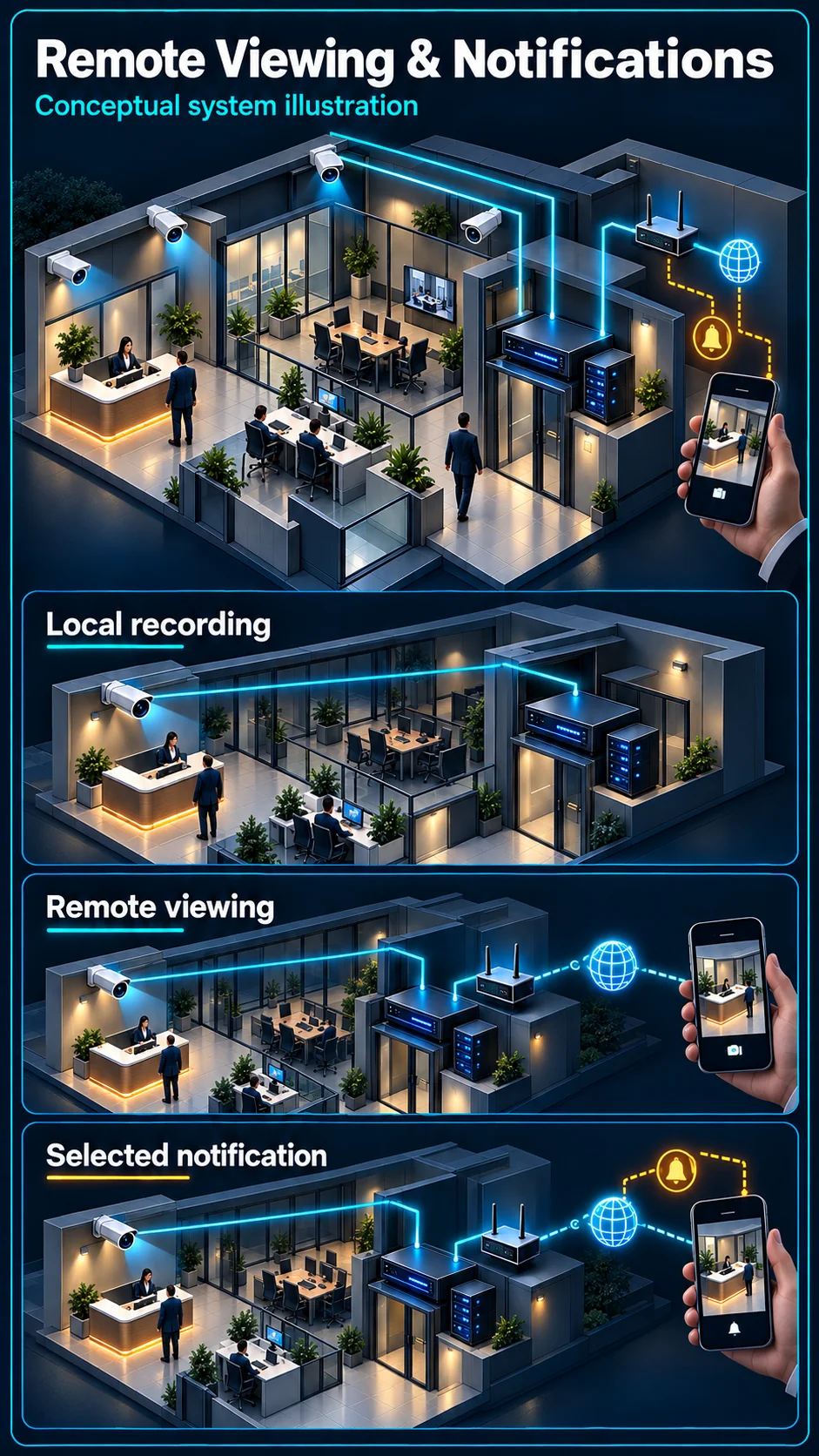
System planning notes
Local evidence and remote access are two paths
An internet fault and a power fault affect different parts of the installation. The actual equipment and configuration determine what remains available.
- Solid line: illustrated functional path or agreed test route.
- Dashed line: optional device or compatibility to confirm.
- A local recording path does not automatically guarantee internet-independent operation.
- Viewing, notification delivery and a human response are separate functions.
Own power and connection
Recorder or supported local storage
Available connection and access service
Remote view and account permissions
Event, schedule and recipient
- E1: Camera → Local recordingLocal video path
- E2: Local recording → Site network / internetSupported access route
- E3: Site network / internet → Authorised phoneRemote connection required
- E4: Selected notification → Authorised phoneConfigured delivery path — optional / compatibility to confirm
Keep the local and internet paths separate
The local recording path has its own dependencies
A suitable camera-to-recorder or local-storage arrangement may continue independently of an internet connection, subject to the equipment, configuration and power available. Check that actual local path rather than assuming a remote-viewing outage always means the footage has stopped recording.
Remote viewing needs the complete access path
The user device, site network, internet connection and supported access service all affect viewing away from the property. Review the selected system and provider dependencies. A successful demonstration on local Wi-Fi does not by itself verify a remote connection.
Treat notifications as an event workflow
A live picture does not prove alerts are enabled
Notifications need the intended event, its schedule, the receiving account and appropriate device settings. Confirm each part for the selected installation. A camera can be viewable even when the chosen event has not been configured or the phone is not receiving it.
A delivered alert does not imply a monitoring service
Agree who should see an alert and what that person should do. A phone notification is not proof of continuous human observation, an emergency response or that the user has read the message. The operator's responsibility needs to be clear.
Set appropriate user access
Use named access and proportionate permissions
Identify who needs live view, playback, audio or configuration access. Review the supported account and permission arrangement rather than sharing an unrestricted login casually. A tenant, guard or temporary contractor may need a different scope from the system owner.
Plan ownership changes and lost phones
Include an access review when staff leave, a phone is replaced or ownership changes. Record the authorised administrator and supported recovery process. Avoid putting account credentials into a public form, a shared URL or a general enquiry message.
Demonstrate success and interruption states
Test remote access and an actual selected event
Use an authorised account on an appropriate remote connection to inspect the intended view. Trigger the agreed event safely and check the notification destination and associated clip. Verify the requested functions rather than relying only on an online status icon.
Explain internet loss separately from power loss
Show how the user should distinguish a connectivity problem from a local recording or power fault. Document the equipment included in any backup scope and the escalation route. Do not promise uninterrupted remote access or a fixed backup duration without configuration-specific evidence.
Questions about CCTV Remote Viewing & Notifications
Will recording stop if the internet is down?
That depends on the installed local recording path and power. A properly assessed local arrangement may operate without internet, while remote viewing or notifications can be unavailable. Confirm the actual configuration.
Do phone notifications mean someone is monitoring my site?
No monitoring or response service is implied by an app alert. Agree the recipient and responsibility for reviewing and acting on it separately.
Can several staff members view the cameras?
Review the supported account, permission and platform arrangement for the selected system. Grant only the necessary access and include account changes in the handover process.