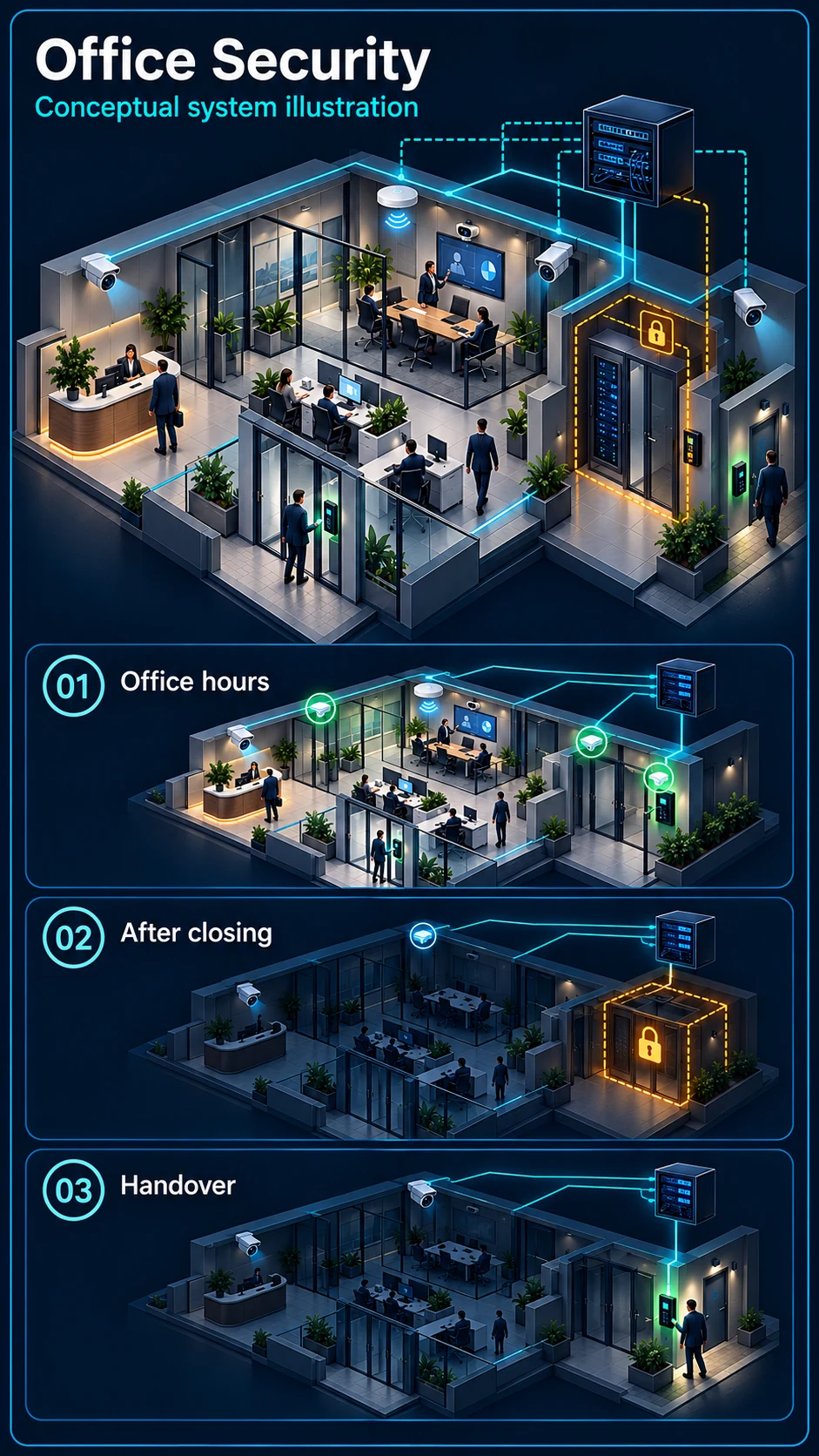
Office hours
Plan authorised views of entrances, reception and common routes. Normal staff movement is expected; agree privacy boundaries and keep any warning rule separate from routine recording.
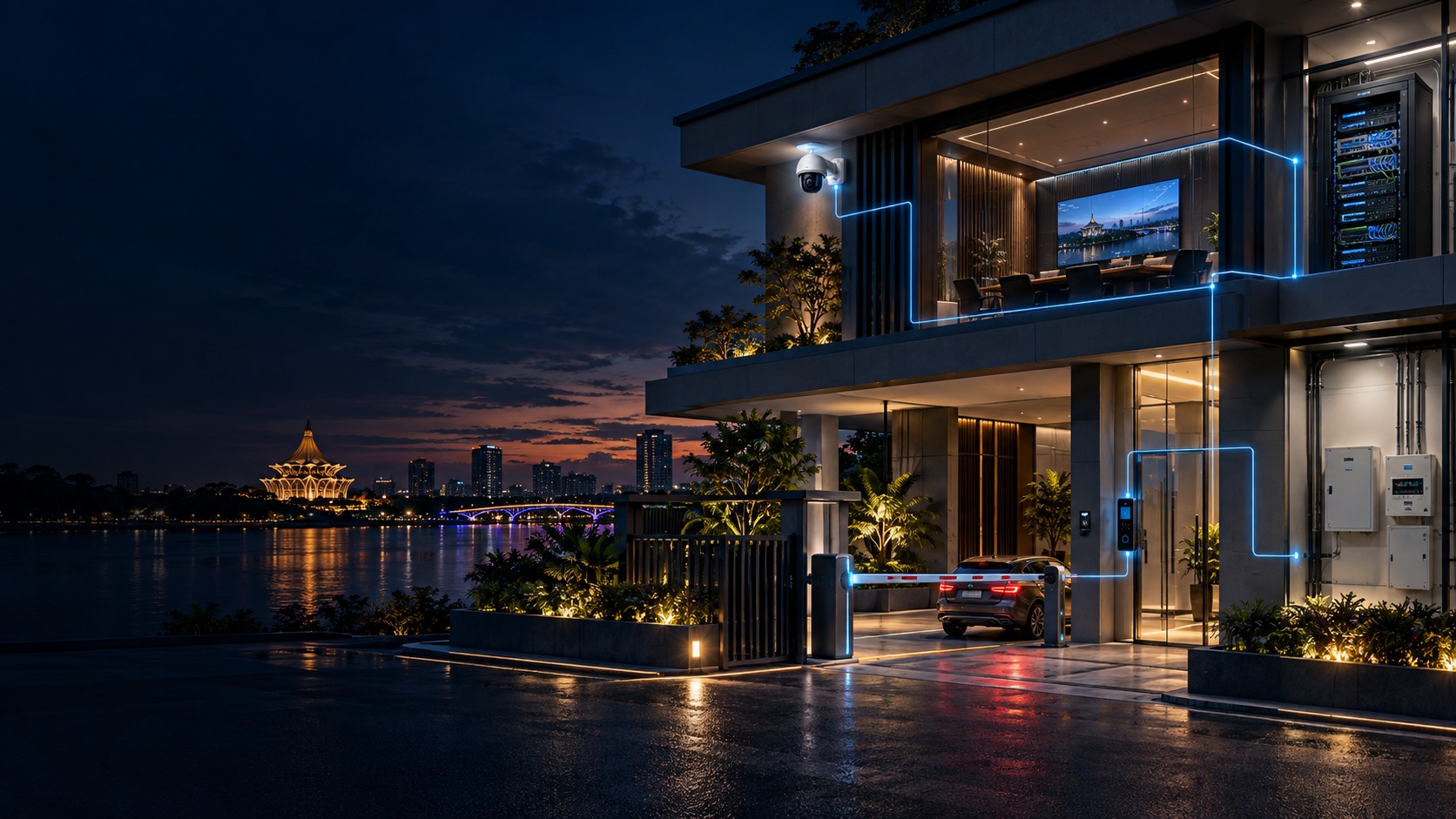
Half of office 'security' problems are actually network problems: messy cabling nobody dares touch, WiFi that drops in the meeting room, a server corner that's a fire hazard. We fix the infrastructure and the security together.
Industry solution
An office needs useful reception views during the day and a different response plan after closing, without losing control of staff access, network accounts or essential equipment.
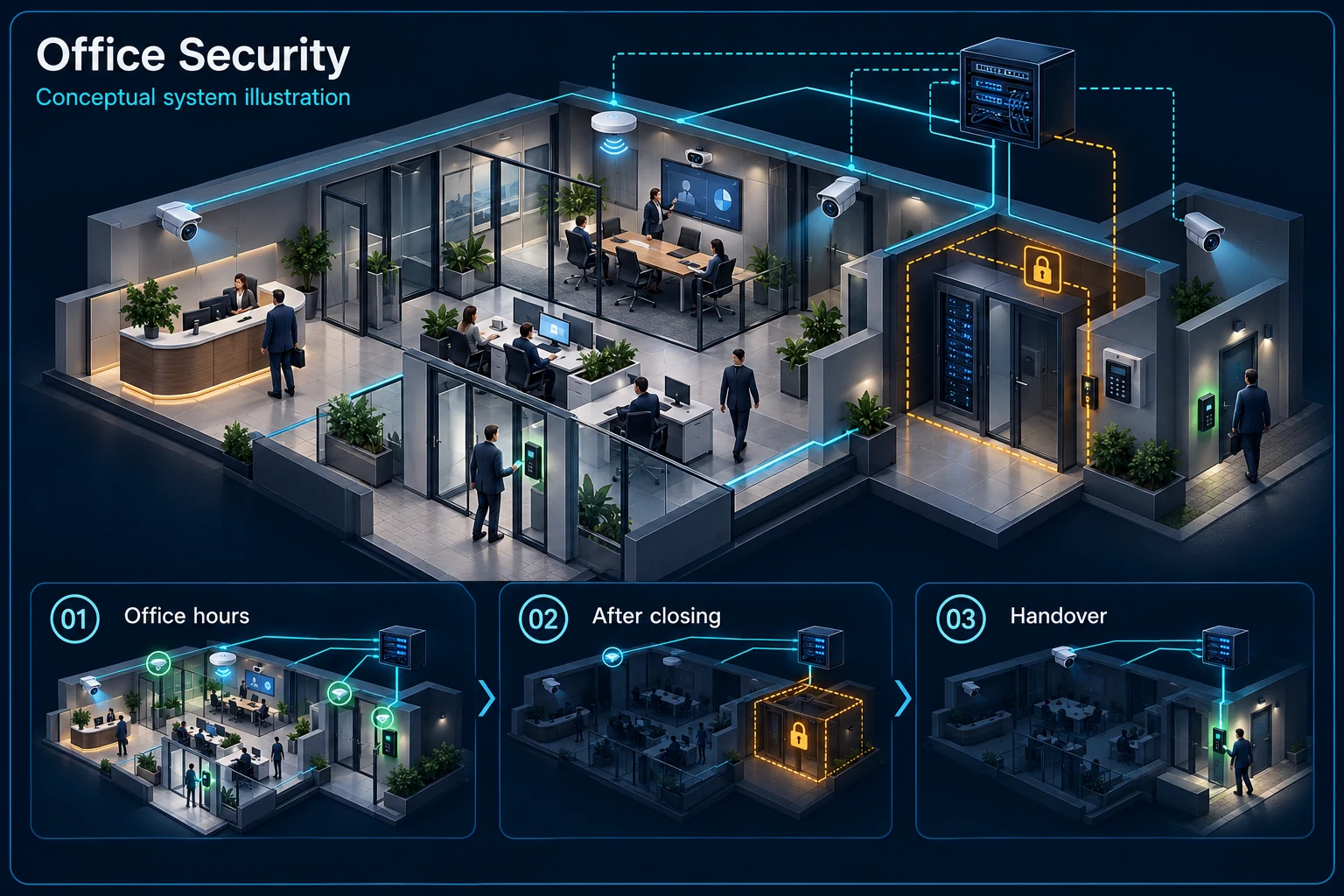
Reception, working areas and restricted rooms are planned with different operating responsibilities.
Reception and working areas have expected movement; restricted-room access remains separate.
Office hours: Reception and working areas have expected movement; restricted-room access remains separate.
After closing: Agree the closing check, warning areas and escalation contact for an event.
Late work / cleaning: Use an approved time and route with responsibility for restoring the normal mode.
Staff and visitors
Normal movement
Restricted access
After-hours review
Normal arrivals, meetings and deliveries should remain convenient. Confirm camera views, visitor handling and authorised playback without treating every person as an intrusion.
List rooms with different access rights and an agreed escalation contact. Door access logs, CCTV evidence and network administration are distinct records, even when reviewed together.
Record who may work after hours, which routes remain active and who restores the normal armed condition. A late worker is not automatically recognised by a camera.
Include user roles, Wi-Fi and network details, door-access administration, attendance responsibilities, AV operation and approved UPS loads in the relevant handover documents.
Review a limited area or time window and name the person responsible for restoring the normal state. The installed system must support and demonstrate the agreed arrangement.
They should be planned as separate roles. Handover identifies the owner of each system and the access needed for viewing, configuration and support.
CCTV scene planning · Office & workplace
Office CCTV in Kuching is one part of the workplace plan. Keep Wi-Fi, structured cabling, door access, attendance, meeting-room AV and UPS requirements in the brief while agreeing how surveillance and warnings operate.
Plan authorised views of entrances, reception and common routes. Normal staff movement is expected; agree privacy boundaries and keep any warning rule separate from routine recording.
Agree the closing check, armed areas and responsible contact. A gate or room warning is an assessed function, not an assumption that every camera event should sound a siren.
Review server, records and store-room permissions with the access system. Camera views, access logs and backup power have separate roles and must be checked as an agreed workflow.
Provide an approved late-working or cleaning mode, with named responsibility for arming and restoring it. Test the actual routes; do not assume detection rules can identify an authorised worker.
Agree the areas and time windows that remain in normal use, the areas still restricted, and who changes the mode. The selected system must be checked for the required scheduling or manual controls and the restoration step demonstrated.
They remain separate items in the assessed office scope. Share existing equipment and the intended workflow; compatibility, software, access permissions, network work and backup power are confirmed before those items are included.
Plus is an optional upgrade to review after the scene and base system are chosen. Confirm the exact model, supported function, connection or output and any external devices; nothing is included automatically.
A switch balanced on a shelf, unlabeled cables, and nobody knows which port feeds which desk — until something fails on a deadline day.
One router at reception was never going to cover the whole floor. Video calls stutter exactly where clients are watching.
Glass doors with one shared key or a passcode everyone knows — including staff who resigned last year.
Sign-in sheets and group-chat 'on the way' messages instead of actual clock-in records HR can rely on.
Company data on machines with no UPS, no access control, sitting under the aircon drip tray.
Offices that renovated beautifully but ran no network points — now trunking crawls across designer walls.
Every office system — cameras, access, attendance, meeting room AV — runs on the network. So we design the cabling and rack first, then layer the security on top. Done in this order, one contractor, one accountability.
HR enrols the new hire's face once. That single profile opens the front door, records daily attendance for payroll, and appears in access logs. When someone resigns, one deletion revokes everything — no chasing keys, no changing passcodes, no wondering who still has copies. That's what integrated door access and attendance means in practice, and it's why we recommend combining them on one platform.
The best time — cabling, WiFi, access and CCTV planned into the renovation drawings, so nothing crawls across finished walls later.
Rack cleanup, cable tracing and relabeling, WiFi redesign — bringing an inherited network to a state someone can actually maintain.
Office network is fine, but you need door access, CCTV or attendance added — we integrate with what's already there instead of ripping it out.
For switches, wireless, fibre and structured-network product families, see the separate network catalogue. HJ Security keeps the work installation-led: survey, cabling, rack layout, configuration, testing and handover.
Before walls and ceilings close, share the fit-out plans so routes, mounting positions and power or network points can be coordinated. Cost, access and visible containment depend on the actual building and design.
Some supported terminals and software can provide both workflows. Confirm the exact model, credential methods, software and attendance requirements, then demonstrate door entry and clocking separately before acceptance.
Renovating, moving in, or fixing an inherited mess — tell us which, and we'll survey.
An industry outcome may combine several systems. Use these diagrams to understand each system boundary, then confirm the functions and quantities required for the actual site.

Defines the shared infrastructure and separate service boundaries for network, WiFi, SIP telephony and TV media distribution.
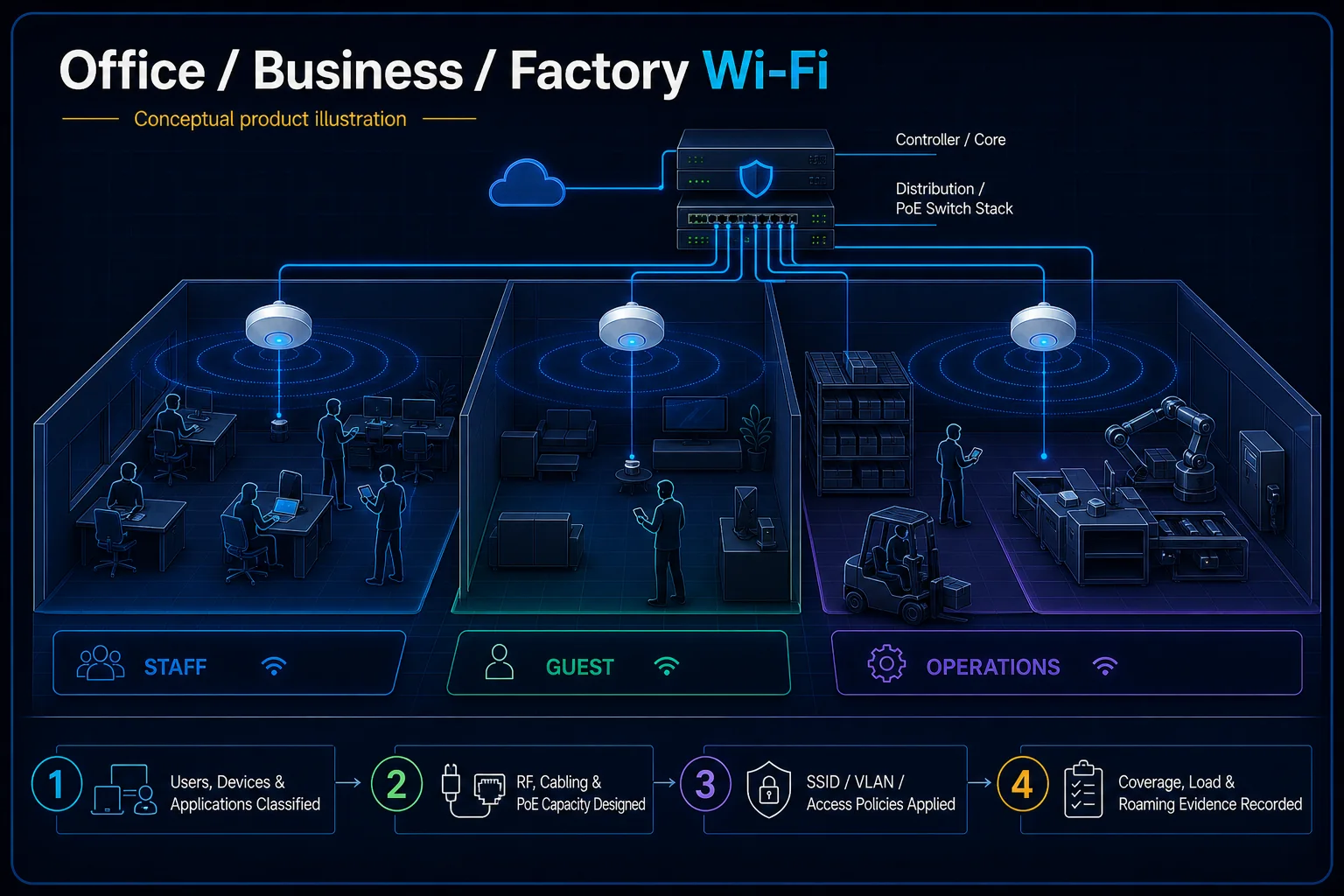
Planning connection: Plan office coverage and user capacity around work areas, meeting rooms and the wired network. Confirm access-point positions and authorised networks on site rather than assuming that more devices alone solve coverage.
Open component 04 in the complete Solution →
Connects credentials, readers or terminals, permissions, door hardware, safe release and related identity workflows.
Planning connection: Separate staff, visitor and restricted-room access, then define the controlled doors and permission owner. Access hardware, exit arrangements and any attendance integration need their own agreed interfaces.
Open component 02 in the complete Solution →
Connects room sources, processing, presentation, conferencing, sound, visual output and operator control.
Planning connection: Choose how staff and visitors share content in the office's actual meeting spaces. Confirm source connections, wireless presentation requirements and the display or audio path instead of assuming all devices will interoperate.
Open component 03 in the complete Solution →
Connects employee enrolment and clocking events to schedules, approvals, reports and a confirmed payroll boundary.
Planning connection: Choose the office's clocking method and record how attendance events are reviewed and approved. Identity capture does not by itself define shift rules, payroll calculations or automatic door-access permissions.
Open component 01 in the complete Solution →