Installation package
Proactive Defence Pro IP CCTV and Independent Alarm Systems
Proactive Defence Pro combines the IP camera-response family with an independent alarm panel, keypad and separate siren in the reference scope. It is suited to customers who want the recording and camera layer planned together with a clear arming routine. It is not automatically the same configuration as Defence Plus.
How this package fits together
Proactive Defence Pro Canvas
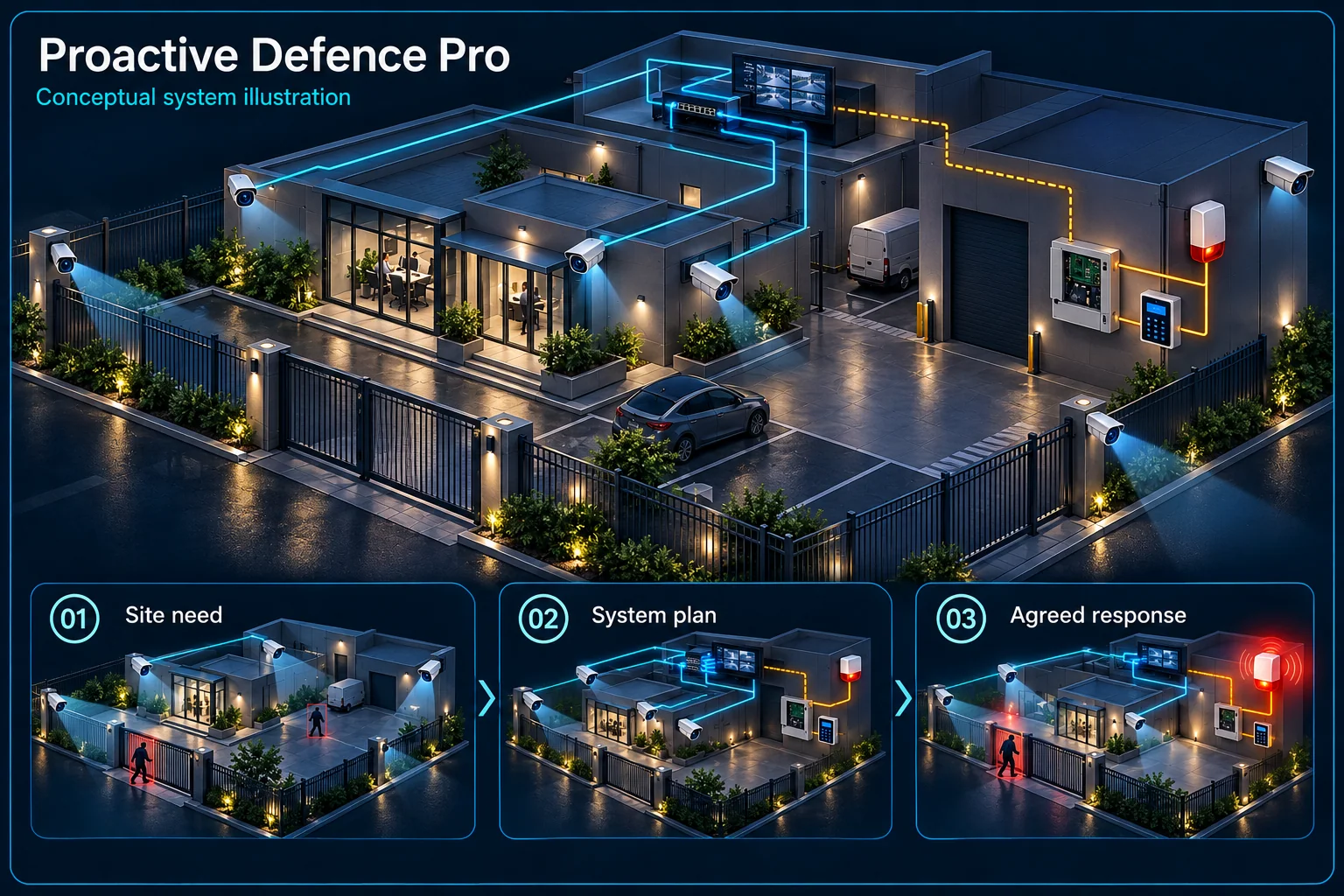
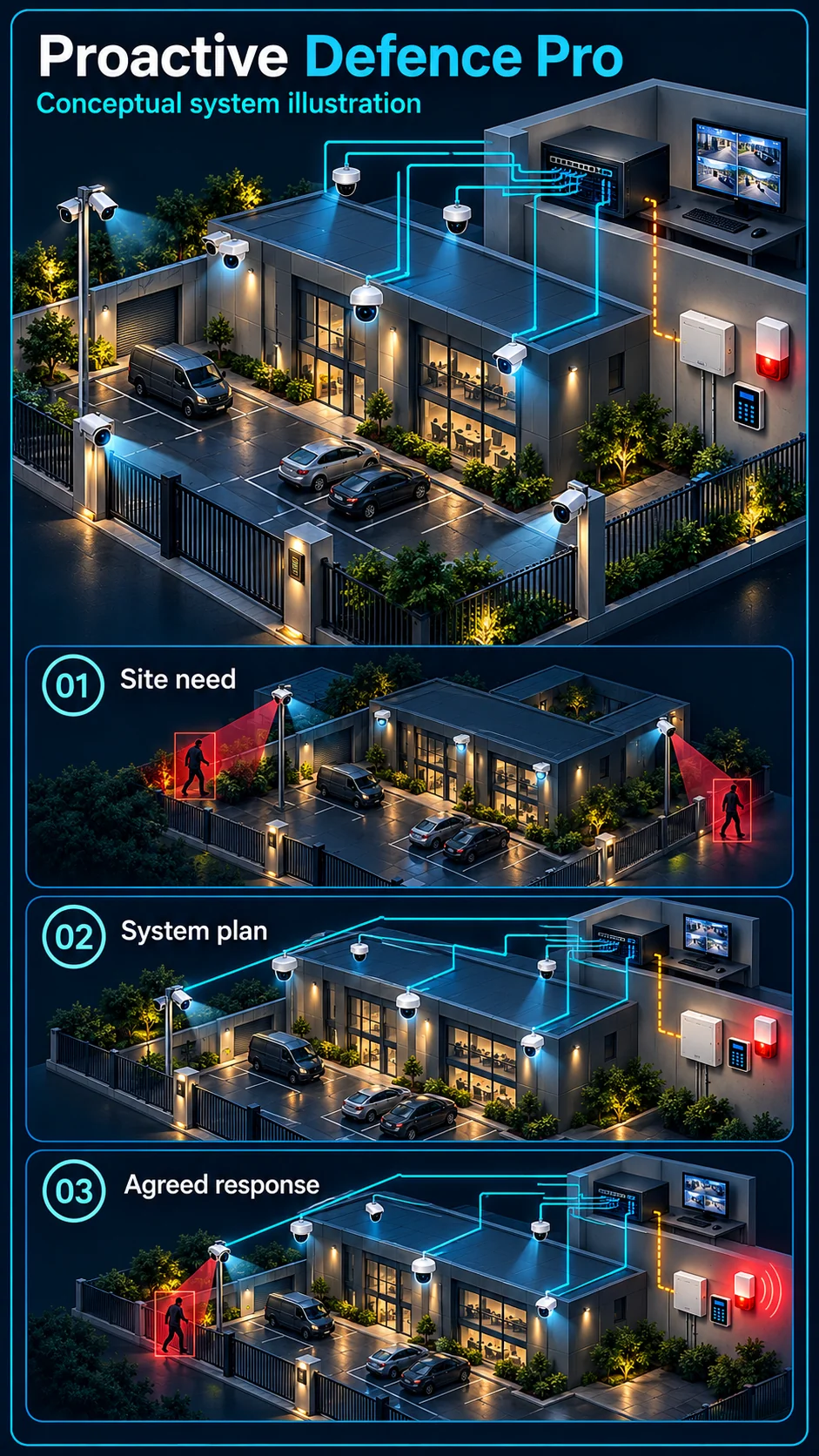
System planning notes
An IP evidence layer and an independently armed alarm layer
The camera-to-alarm bridge is conditional, while the roles of recording and arming stay separate.
- Solid line: illustrated functional path or agreed test route.
- Dashed line: optional device or compatibility to confirm.
- IP transport and independent alarm control remain different layers.
- Dashed integration links are not a claim that a specific property has already passed linkage tests.
Exact supported targets and rules
Video and compatible event evidence
Interface and configuration to verify
Armed-state and output rules
Authorised mode changes
Independent alarm response
- E1: IP camera events → NVR recordingIP recording
- E2: IP camera events → Approved integration pathCompatible event path — optional / compatibility to confirm
- E3: Approved integration path → Alarm controllerConfigured linkage — optional / compatibility to confirm
- E4: User keypad → Alarm controllerArm / disarm
- E5: Alarm controller → Separate sirenAgreed output
Two control layers in one coordinated plan
IP cameras and the NVR
Selected cameras provide their stated target, audio and local warning functions, while the network and NVR support transport, recording and review. Exact camera variants and recorder modes remain important even when all devices use an IP connection.
Independent alarm control
The alarm panel applies the chosen armed-state logic. The keypad and independent siren have different purposes from a camera speaker. Any detector list and additional output equipment should be explicit rather than inferred from a supplier's kit name.
Define the bridge between video and alarm
Choose an event and an interface
State which supported camera or recorder event should be passed to the alarm controller. Confirm the actual compatible route, not just common branding. Interfaces, licensing where relevant, firmware and panel configuration can affect the available workflow.
Agree what each arming mode does
Office hours, after closing and permitted late access can need different behaviour. Decide whether camera warning, independent siren and notifications follow the same schedule or separate rules. Show the nominated user how to make and restore an exception.
Where Defence Pro fits
A property with distinct response areas
A front entrance, service route and restricted room may not need identical outputs. Plan the views and alarm zones around each area's use, maintaining privacy and avoiding unnecessary warning during normal authorised movement.
Pro is not a Plus specification
Defence Pro identifies the IP family with independent alarm scope. Plus refers to a specified upgrade discussion. Neither name establishes all-channel analytics, a performance multiplier or compatibility with an arbitrary Air Horn or additional strobe.
Handover as an operating workflow
Demonstrate the complete event route
Where linkage is approved, trigger the selected event and verify its arrival, arming condition, actual output and reset. Also check the event's recording and any configured notification so the evidence and response agree.
Assign access and recovery responsibilities
Document who may review recordings, arm or disarm, manage accounts and request changes. Explain what depends on network connectivity and what backup power covers. These responsibilities help the customer operate both layers without relying on one shared password.
Questions about Proactive Defence Pro
Is Defence Pro already a fully linked installation?
The name describes reference scope, not completed commissioning at a particular property. The compatible event route and accepted site behaviour must still be configured and demonstrated.
Can cameras and alarm equipment operate independently?
They may have separate recording, arming and output behaviour. The desired independent and coordinated modes should be written into the actual design and explained during handover.
Does Defence Pro include electric fencing?
No automatic fence scope is implied. An electric fence is a distinct perimeter system requiring its own approved equipment, safety review, installation and testing.