Installation package
Proactive Pro IP CCTV and Camera Warning in Kuching
Proactive Pro places selected target detection, two-way talk and sound-and-light warning in an IP-camera system. It suits a defined area where an appropriate event should lead to a local camera response while the NVR keeps the video record. Pro describes the IP family; it does not add independent alarm control by itself.
How this package fits together
Proactive Pro Canvas
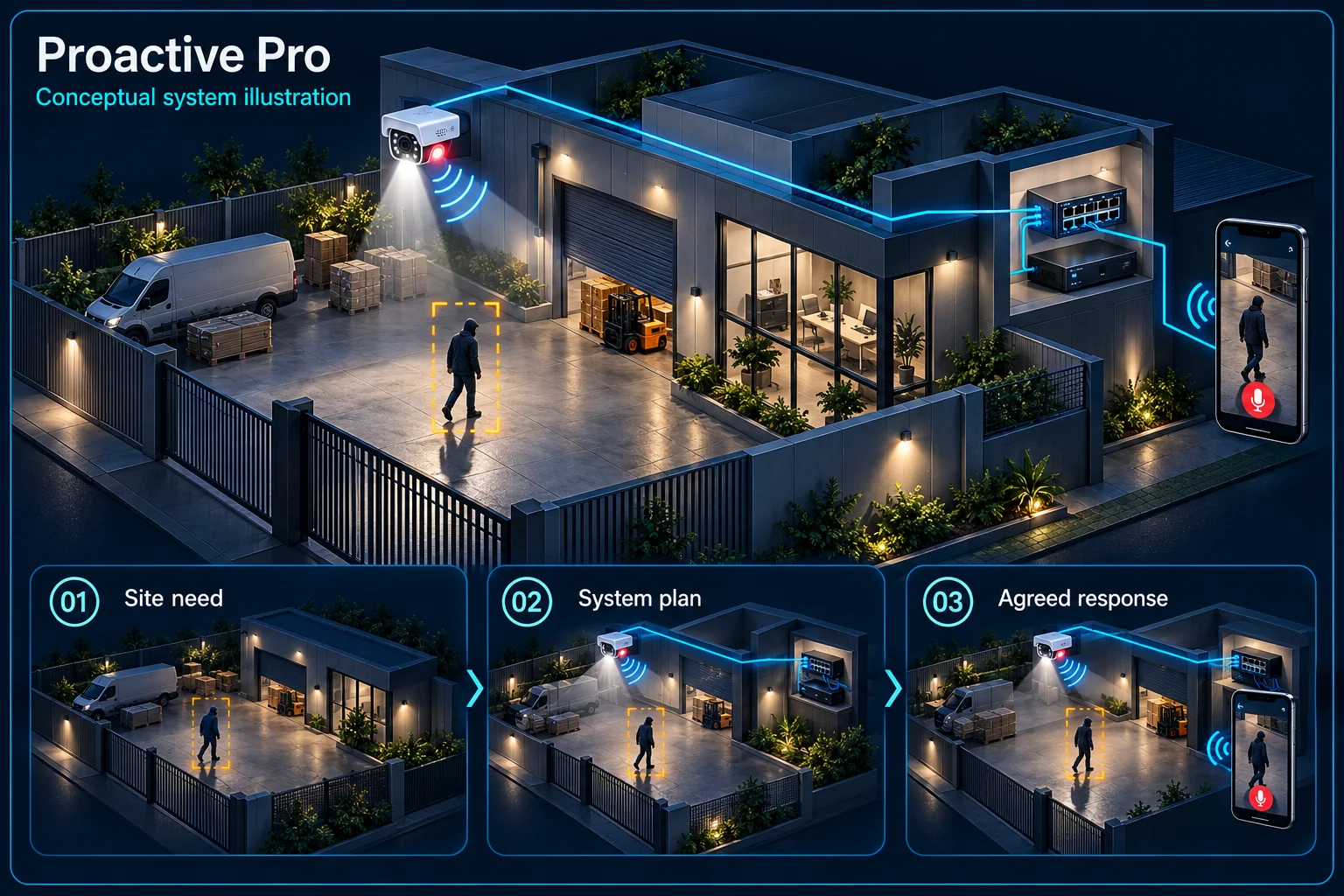
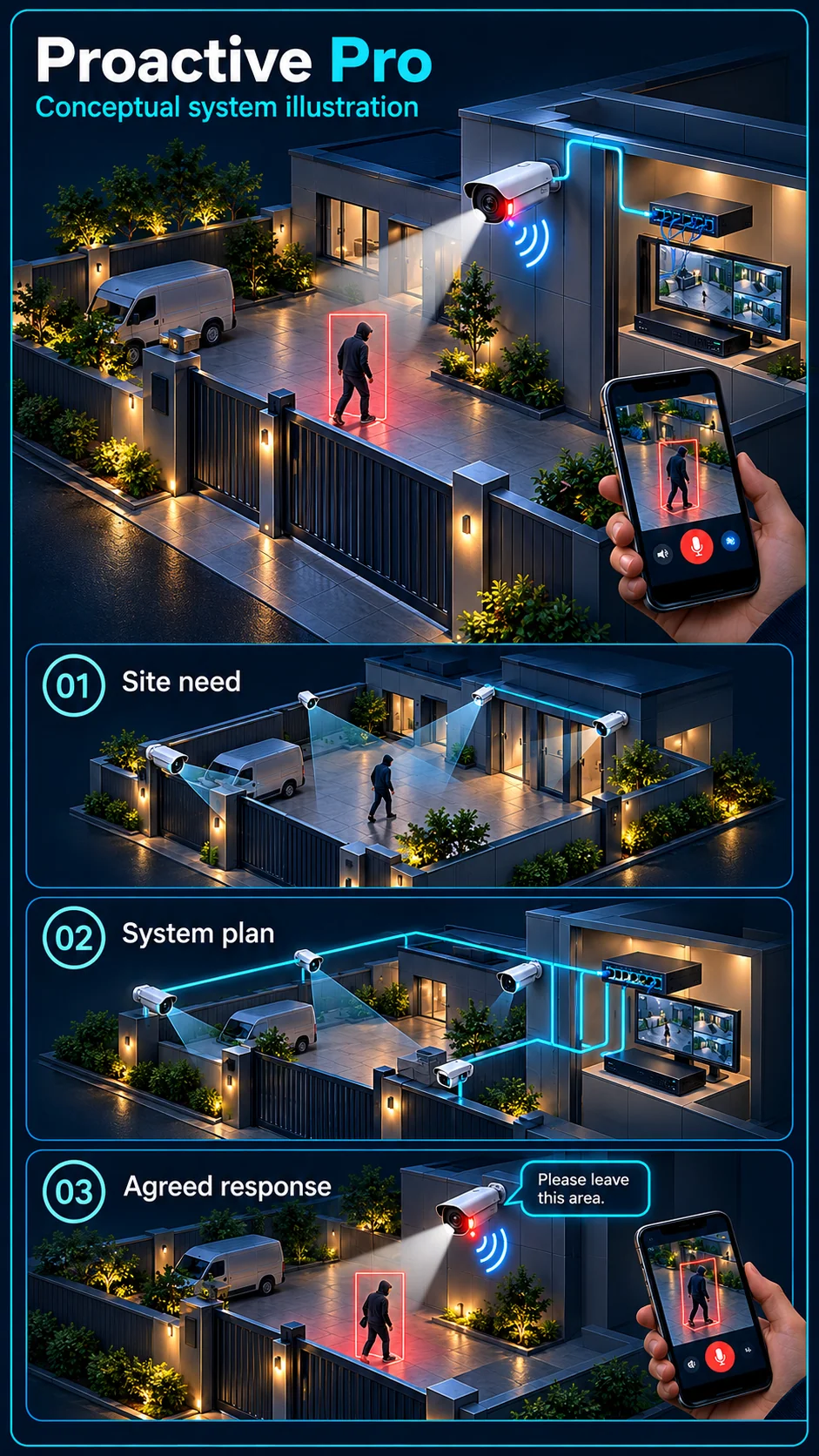
System planning notes
Camera-side response with a separate NVR evidence path
A selected IP camera handles supported events; recording and user communication remain visible as separate routes.
- Solid line: illustrated functional path or agreed test route.
- Dashed line: optional device or compatibility to confirm.
- Camera analysis does not turn all NVR inputs into recorder-side analytics channels.
- The manual talk route is distinct from automatic event warning; no alarm panel is shown as included.
Actual camera capability and schedule
Local sound and warning light
Assessed connection and supply
Selected video and event recording
Manual response after review
- E1: Agreed target rule → IP warning cameraConfigured camera response
- E2: IP warning camera → PoE / IP networkVideo and event data
- E3: PoE / IP network → NVR evidenceRecording path
- E4: Authorised talk-back → IP warning cameraSupported manual talk
- E5: PoE / IP network → IP warning cameraPoE where selected
Separate camera work from recorder work
The chosen camera supplies its functions
Confirm the full camera model for microphone, speaker, warning light and supported target events. Features on a related model or a different suffix must not be copied across. Camera-side processing is not evidence of the NVR's own analysis capacity.
The NVR preserves the recording
The NVR receives compatible streams and event information according to its supported configuration. Storage, network transport and retrieval still need design. A camera sounding a warning does not prove that the intended event clip is recorded correctly.
Give the response an appropriate rule
Draw a boundary for the actual activity
Choose the protected approach, direction and operating hours before enabling camera warning. Normal staff or family movement may need a viewing-only mode. Human target filtering does not identify whether a person is authorised to be there.
Confirm each requested event
Human classification, line crossing and intrusion can have different model, firmware and mode requirements. Record the event needed at each camera. Do not label every input as fully analysed solely because the installation uses IP cameras.
Choose the right response layer
Automatic warning and manual talk
A configured rule can operate the selected camera's warning functions. An authorised person may also use live talk-back after reviewing the view. These are separate workflows, with volume and permissions appropriate to the premises.
When to review Defence Pro
If the requirement includes independent arming control, keypad operation and a separate alarm siren, review Proactive Defence Pro. An external alarm path is not assumed in Proactive Pro merely because the camera already has sound and light.
Verify response and evidence together
Test real approaches and allowed activity
Walk the selected boundary by day and night and check the permitted route as well. Review missed and unwanted detections. Where animals or moving vegetation are relevant, include them in the site acceptance discussion rather than promising universal filtering.
Demonstrate each output separately
Check recording, configured phone notification, camera siren, warning light and live talk-back individually. Show who can change the active schedule and how the customer restores it after a temporary exception.
Questions about Proactive Pro
Does Proactive Pro include an independent alarm panel?
Not in this reference plan. Proactive Defence Pro is the related independent-alarm scope; exact installed equipment and linkage still need approval.
Does camera AI mean the recorder analyses every channel?
No. Camera-side events, NVR-side analysis and the number of recordable inputs are different capacities. Each requested event and processing location must be identified.
Can I keep recording while warnings are paused?
A suitable design can separate recording from warning schedules. The actual supported behaviour must be configured and demonstrated with the customer's chosen mode.