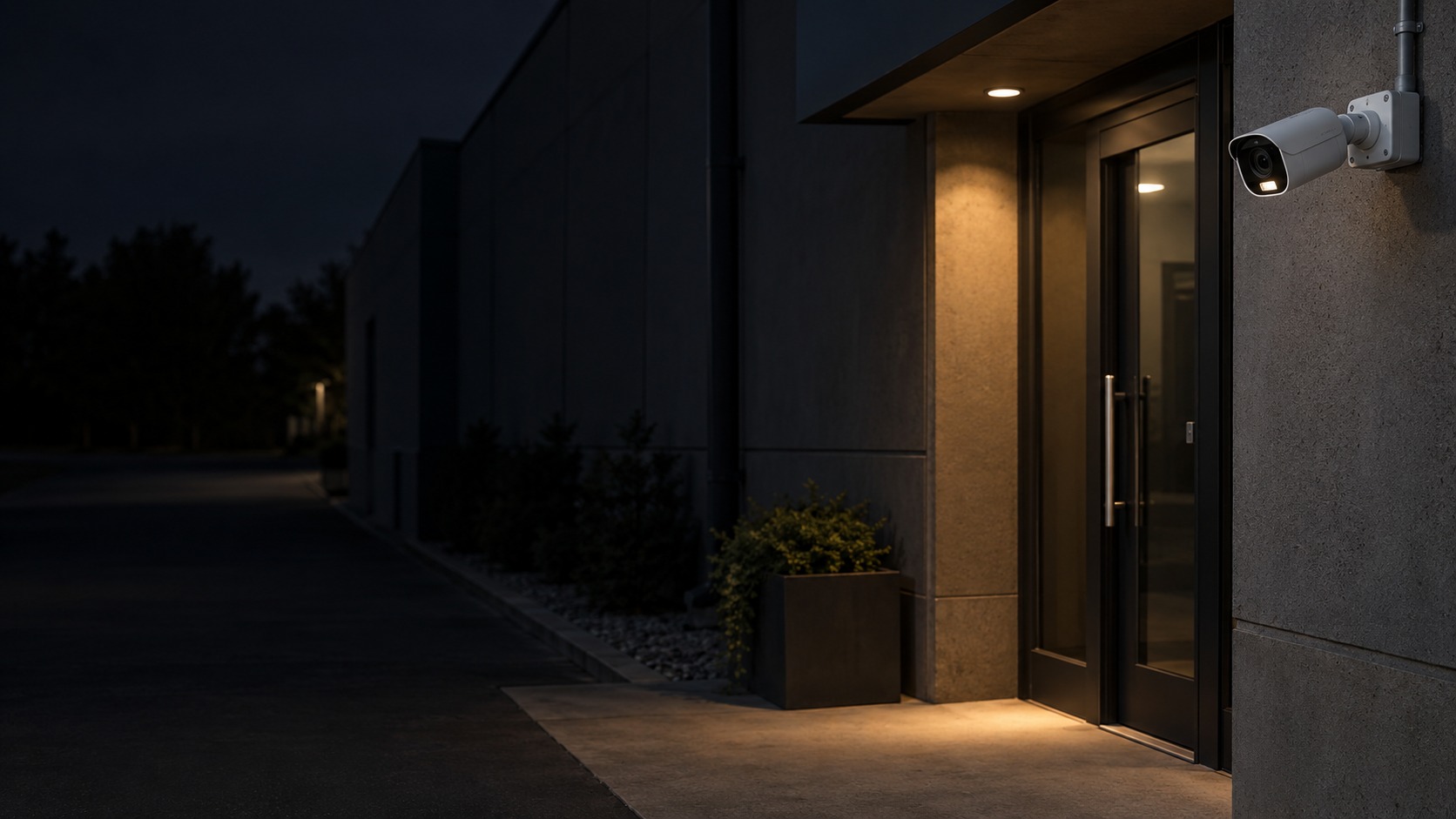
Camera and practical supplementary light at a night entrance – Active Deterrence CCTV in Kuching & Sarawak (illustration)

Active Deterrence CCTV in Kuching & Sarawak

Add configured sound or light warnings to selected CCTV event zones where the equipment supports them. HJ defines the qualifying event, operating hours and response owner, then tests recording and warning behaviour; automated deterrence is separate from ordinary night illumination or live talk-back.

System selection and integration guideCCTV / Video Surveillance
Special CCTVActive Deterrence CCTV
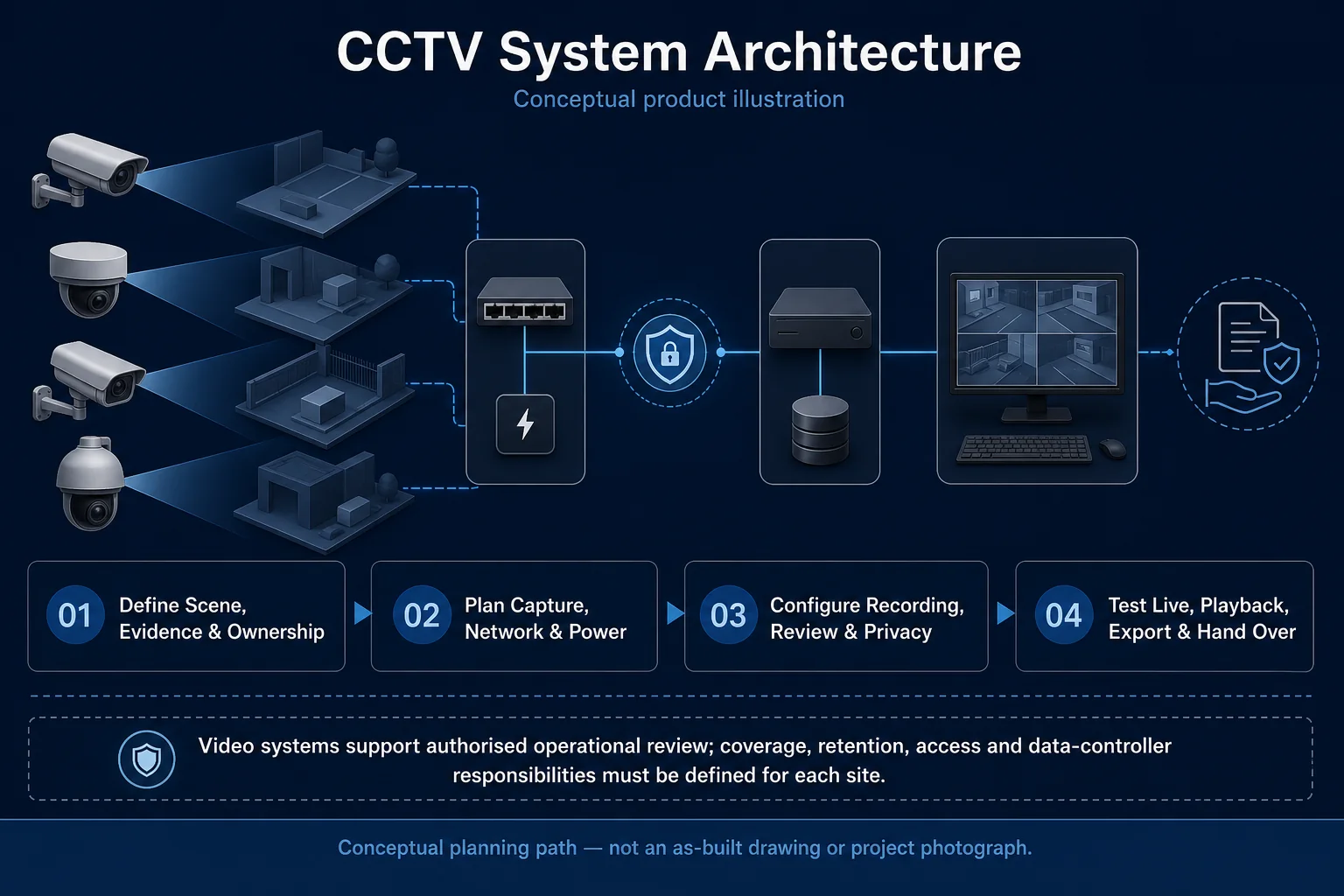
CCTV System Architecture system diagram
  1. 01Active Deterrence CCTV
  2. 02Coverage, lighting and response behaviour
  3. 03Transport & storage
  4. 04representative day and night clips
Conceptual Active Deterrence CCTV product and system illustration.
Illustration & scope boundary

Conceptual Active Deterrence CCTV product and system illustration for Special CCTV. Final device form, model, interfaces and quantities are confirmed from the assessed scope and approved product data. Conceptual evidence and response path for Active Deterrence CCTV, derived from this page's scope, interfaces and acceptance record.

Conceptual planning path — not an as-built drawing or project photograph.

System feature

Camera Siren, Strobe & Active Deterrence

A selected camera can do more than record if it supports an appropriate sound or light warning. The useful design question is what event should produce that response, at what time and for whom. Camera warning remains distinct from an independent alarm system.

Camera Siren & Strobe Canvas

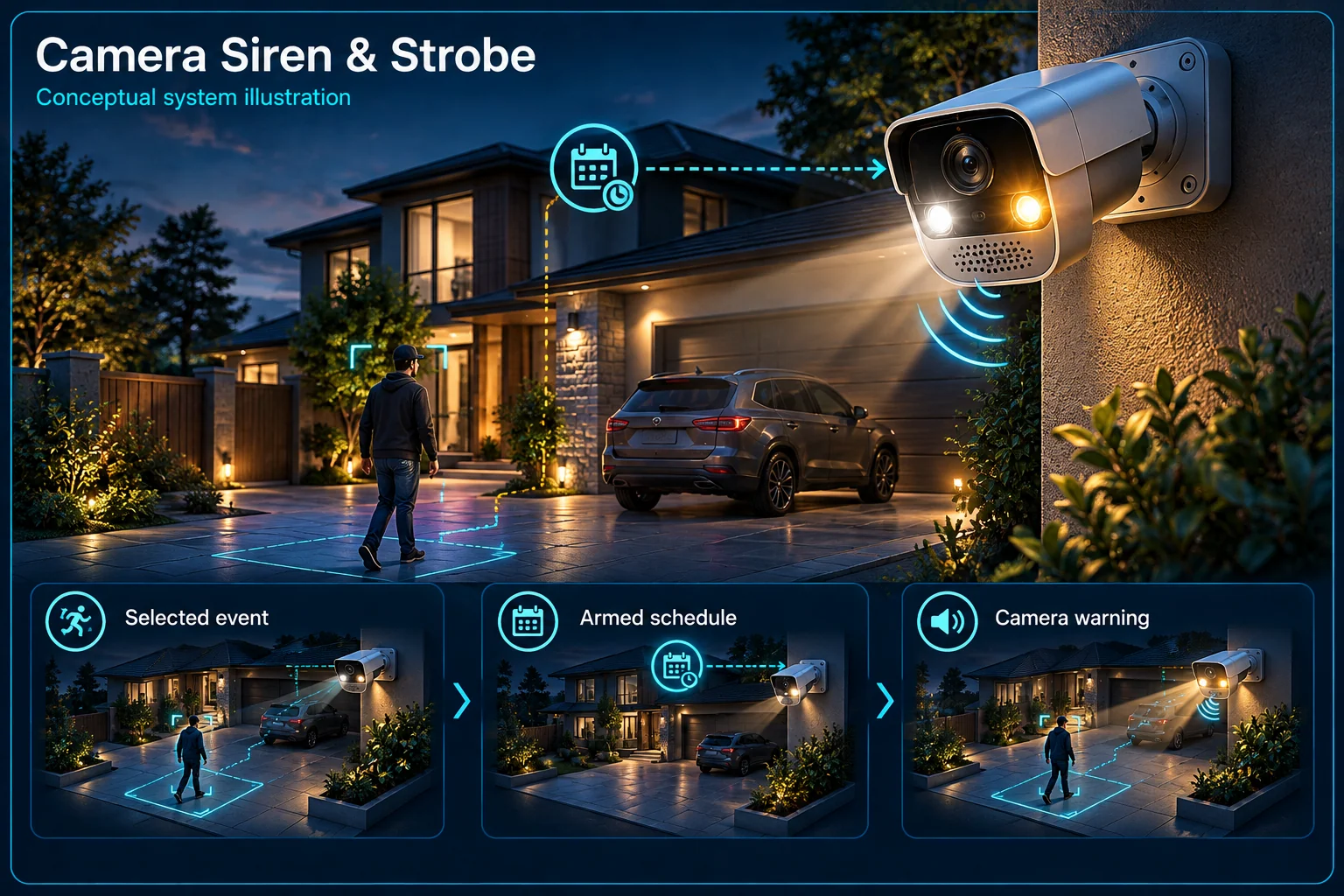
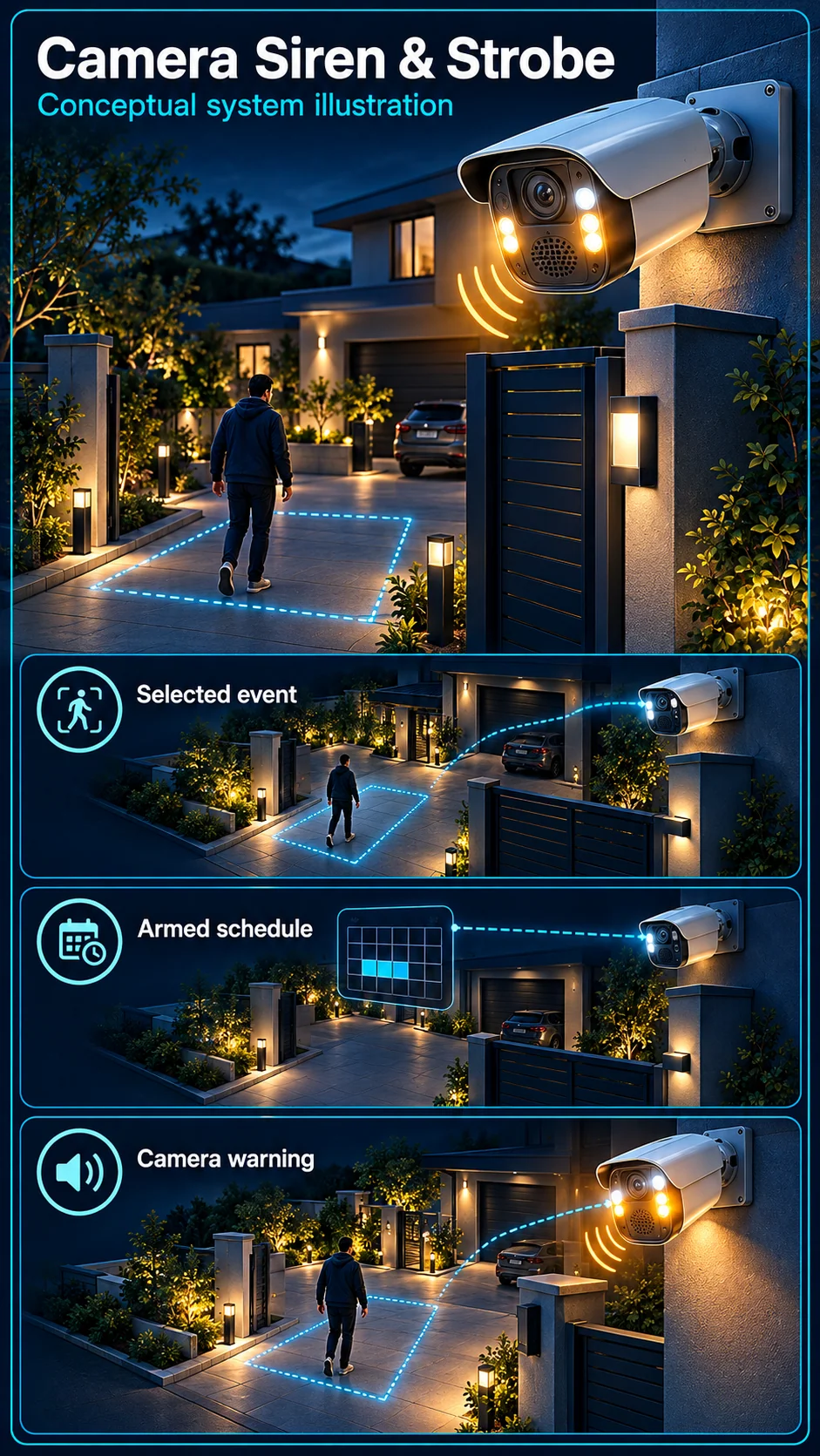
Active Deterrence CCTV in Kuching & Sarawak – system diagram
Conceptual system illustration. Final configuration depends on the approved site scope.View full-size desktop imageView full-size mobile image
System planning notes

From a qualifying event to the camera's own warning

The camera response is shown without implying that an independent alarm panel or external siren is included.

From a qualifying event to the camera's own warningThe camera response is shown without implying that an independent alarm panel or external siren is included.E1E2E3E401Supported event02Armed schedule03Warning camera04Camera warninglight05Camera audiowarningFrom a qualifying event to the camera's own warningThe camera response is shown without implying that an independent alarm panel or external siren is included.E1E2E3E401Supported event02Armed schedule03Warning camera04Camera warning light05Camera audio warning
  • Solid line: illustrated functional path or agreed test route.
  • Dashed line: optional device or compatibility to confirm.
  • The diagram describes camera outputs, not an independent alarm system.
  • Optional outputs and supported event rules are checked per exact model.
Supported event

Selected target and scene rule

Armed schedule

Routine movement handled separately

Warning camera

Exact siren / strobe hardware

Camera warning light

Not ordinary supplemental illumination

Camera audio warning

Selected behaviour and output level

Read the connections
  1. E1: Supported event → Armed scheduleApply conditions
  2. E2: Armed schedule → Warning cameraConfigured trigger
  3. E3: Warning camera → Camera warning lightWhere selected — optional / compatibility to confirm
  4. E4: Warning camera → Camera audio warningWhere selected — optional / compatibility to confirm
Conceptual system diagram. Final configuration depends on the approved site scope.

Identify the warning hardware

Camera audio and warning light are separate outputs

The exact camera selection determines whether it has a speaker, siren function, warning strobe or another supported response. List the outputs actually included in the approved scope. Do not assume every wireless camera or every Pro model has all warning hardware.

Supplemental white light is not a warning strobe

A light used to improve the image has a different purpose from a flashing warning intended to attract attention. Review their settings independently. Similar marketing terms or a bright camera picture do not establish that a warning strobe is installed.

Build an event rule before enabling noise

Target, place and armed time belong together

A warning at a private side entrance after closing is different from a warning on every movement in a busy yard. Use only supported events and target filtering. Agree normal activities and an appropriate armed period with the people responsible for the site.

Give occupants a controlled operating mode

Family activity, late staff and cleaning work may require an agreed warning pause or alternative schedule. Explain how recording and the warning rule are handled in that mode. The camera should not be assumed to recognise authorised occupants by appearance.

Understand the response boundary

A warning camera is not an alarm panel

A camera's own output acts at the camera. A separate alarm controller, keypad and external siren are a different installed scope. Combining them requires a compatible event path and commissioning; the presence of one warning function does not establish the other.

A deterrent is not a guaranteed outcome

Sound and light may draw attention or prompt an operator to review an event, but they do not guarantee that an incident stops. Agree what the responsible person should do and how any notification is handled. Avoid unqualified claims about prevention or response availability.

Accept the warning at the site

Test normal and armed situations

Demonstrate the selected trigger with appropriate day and night examples. Include expected routine movement as well as the intended warning scenario. Inspect the event clip, timing and actual outputs without using repeated loud demonstrations as a substitute for a documented test.

Check stopping, muting and user handover

Verify the agreed way to stop or suspend a warning and restore the normal schedule. Review nearby occupants, working hours and the intended output level. Record the camera, rule, permissions and accepted behaviour so later changes remain understandable.

Questions about Camera Siren, Strobe & Active Deterrence

Is active deterrence the same as two-way talk?

No. Two-way talk is a live user communication path. Automatic deterrent warning follows a configured event and supported output. A selected camera may have both, one or neither.

Does this mean an external siren is included?

No. This page explains camera-mounted warning outputs. An independent siren and its controller, power and integration are separately defined in the installed scope.

Can warnings be paused while recording continues?

That arrangement must be checked for the selected equipment and operating mode. Demonstrate the intended recording and warning behaviour during handover, including how the user restores the armed schedule.

Continue your planning

What Active Deterrence CCTV covers

Add configured sound or light warnings to selected CCTV event zones where the equipment supports them. HJ defines the qualifying event, operating hours and response owner, then tests recording and warning behaviour; automated deterrence is separate from ordinary night illumination or live talk-back.

It sits in CCTV / Video Surveillance under Special CCTV. The final deliverable is shaped by the intended outcome, the installed or proposed environment and the interfaces that must be owned, supplied, integrated and tested.

When to use this page

The zone and event, warning hours and permitted sound level, nearby residents, manual override, camera and recorder support and the operator response.
Typical environments to assess

  • Home gates with an agreed night-lighting policy
  • Shop entrances and sheltered after-hours approaches
  • Warehouse access points with an operator response plan

Engineering SOP & Handover Checklist

From the initial brief to the handover record: what to prepare, check and confirm with HJ.

01

Operational Purpose & Workflow

Add configured sound or light warnings to selected CCTV event zones where the equipment supports them. HJ defines the qualifying event, operating hours and response owner, then tests recording and warning behaviour; automated deterrence is separate from ordinary night illumination or live talk-back.

02

Pre-Attendance Evidence

The zone and event, warning hours and permitted sound level, nearby residents, manual override, camera and recorder support and the operator response.
03

Diagnostic & Testing Path

Coordinate night exposure and permitted lighting with recording and any separately supported warning or audio functions. Keep illumination, automatic deterrence and live talk-back distinct in the approved scope.

04

System & Responsibility Boundary

Unwanted triggers or unsuitable warning hours can disturb neighbours and operators. The warning must be limited to approved zones and supported devices, with a way to disable it and review the recorded event.

05

Acceptance & Handover Record

Record event rules, schedules, permitted audio or light response, manual override and representative trigger/non-trigger tests alongside the video and response-owner handover.

Engineering Scope, Regulatory & Service Boundaries

Responsibility and evidence boundary

HJ coordinates assessment, engineering, installation, integration, testing and lifecycle support only for the scope recorded in the quotation. ISD handles catalogue, model, datasheet, supply and availability enquiries. Customer, consultant, builder and appointed-specialist responsibilities remain explicit.

Identity, image, credential and movement data require an authorised controller, lawful access, proportionate collection, retention rules and recorded administrator responsibility.

This focused topic remains connected to its complete system owner. Final models, quantities, interfaces and included work are confirmed in the assessed quotation.

Questions before proceeding

Use the answers as a planning boundary; site conditions and written scope remain decisive.

Does a white camera light mean it has an automatic alarm siren?

No. Supplementary illumination, warning strobes, audio warnings and two-way talk are separate capabilities. Confirm the selected model and configure the permitted response; a warning is not a guarantee that an intruder will stop.

How should night performance be checked?

Use the real after-dark conditions and representative movement at the required distance. Review recorded footage as well as live view, including reflections, glare, light spill and any permitted supplementary lighting.

What should I send HJ for Active Deterrence CCTV?

The zone and event, warning hours and permitted sound level, nearby residents, manual override, camera and recorder support and the operator response. Share authorised equipment and scene information; do not send passwords or personal footage through a public form.
Planning Active Deterrence CCTV? Tell HJ about your site

Tell us where it will be used, what it needs to do and what equipment you already have. HJ will recommend the right system, explain who is responsible for what, and agree the next step with you.