Portrait lobby signage display – Digital Signage CMS in Kuching & Sarawak (illustration)

Digital Signage CMS in Kuching & Sarawak

Give authorised staff a clear route to publish content to the right screens. HJ plans the supported signage CMS, player groups, publishing roles and schedules, then verifies an approved update on the actual display. Content rights, subscriptions and offline functions depend on the chosen platform.

System selection and integration guideDigital Signage
Digital SignageDigital Signage CMS
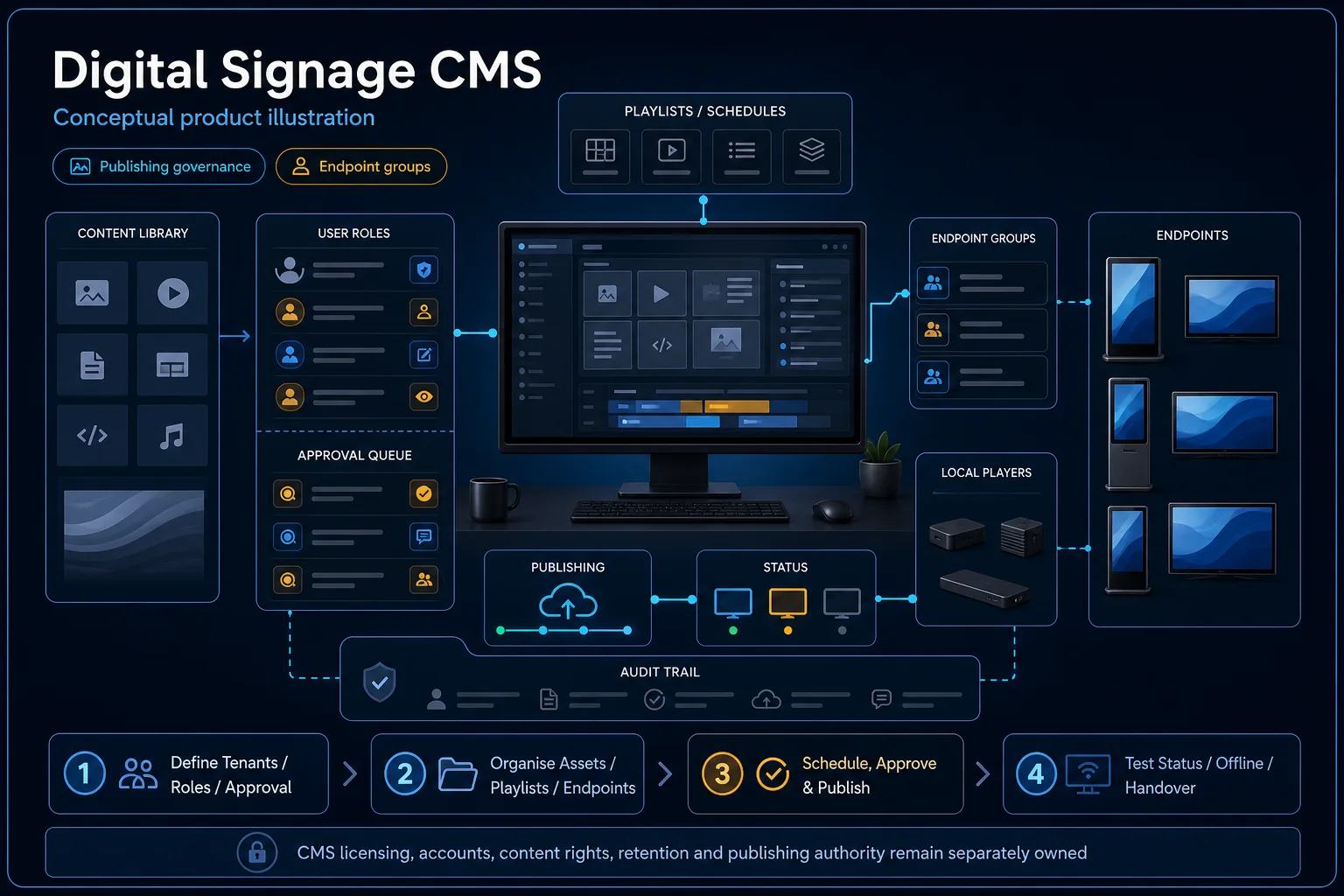
Digital Signage CMS system diagram
  1. 01Digital Signage CMS
  2. 02Viewing distance, content and control
  3. 03Distribution
  4. 04display enrolment and online state
Conceptual Digital Signage CMS product and system illustration.
Illustration & scope boundary

Conceptual Digital Signage CMS product and system illustration for Digital Signage. Final device form, model, interfaces and quantities are confirmed from the assessed scope and approved product data. Conceptual source-to-audience signal path for Digital Signage CMS, derived from this page's scope, interfaces and acceptance record.

Conceptual planning path — not an as-built drawing or project photograph.

What Digital Signage CMS covers

Give authorised staff a clear route to publish content to the right screens. HJ plans the supported signage CMS, player groups, publishing roles and schedules, then verifies an approved update on the actual display. Content rights, subscriptions and offline functions depend on the chosen platform.

It sits in Digital Signage under Digital Signage. The final deliverable is shaped by the intended outcome, the installed or proposed environment and the interfaces that must be owned, supplied, integrated and tested.

When to use this page

CMS/player versions, screen groups, publisher and approver roles, content format, schedule, network and subscription owner.

Typical environments to assess

  • Retail and hotel reception display locations.
  • Office and mall information screens.
  • Existing signage fleets with authorised content publishers.

Engineering SOP & Handover Checklist

From the initial brief to the handover record: what to prepare, check and confirm with HJ.

01

Operational Purpose & Workflow

Give authorised staff a clear route to publish content to the right screens. HJ plans the supported signage CMS, player groups, publishing roles and schedules, then verifies an approved update on the actual display. Content rights, subscriptions and offline functions depend on the chosen platform.

02

Pre-Attendance Evidence

CMS/player versions, screen groups, publisher and approver roles, content format, schedule, network and subscription owner.

03

Diagnostic & Testing Path

Connect the approved screen and player to the supported CMS, network and publication account. Identify who creates, approves and publishes licensed content, and which schedule, local storage or remote management functions the chosen system actually supports.

04

System & Responsibility Boundary

Verify a sample approved item from publishing through the player to the actual screen, including orientation and schedule. Check restart and disconnected-network behaviour where supported; an online CMS page alone does not establish successful playback.

05

Acceptance & Handover Record

Retain display/player IDs, supported software versions, screen groups, publisher roles, tested schedule and content requirements. Document subscription ownership, network dependencies and unresolved playback or access limits.

Engineering Scope, Regulatory & Service Boundaries

Responsibility and evidence boundary

HJ coordinates assessment, engineering, installation, integration, testing and lifecycle support only for the scope recorded in the quotation. ISD handles catalogue, model, datasheet, supply and availability enquiries. Customer, consultant, builder and appointed-specialist responsibilities remain explicit.

Final scope, quantities, compatibility, access, programme, availability and responsibility are confirmed during assessment and quotation.

This focused topic remains connected to its complete system owner. Final models, quantities, interfaces and included work are confirmed in the assessed quotation.

Questions before proceeding

Use the answers as a planning boundary; site conditions and written scope remain decisive.

Will every signage CMS work with the existing players?

No. Confirm the exact player, operating system, CMS version, supported content and licensing. Test publication and playback on the installed combination before promising remote management or offline features.

Which interfaces and responsibilities need confirmation?

Connect the approved screen and player to the supported CMS, network and publication account. Identify who creates, approves and publishes licensed content, and which schedule, local storage or remote management functions the chosen system actually supports.

What should be verified and recorded before handover?

Verify a sample approved item from publishing through the player to the actual screen, including orientation and schedule. Check restart and disconnected-network behaviour where supported; an online CMS page alone does not establish successful playback. Retain display/player IDs, supported software versions, screen groups, publisher roles, tested schedule and content requirements. Document subscription ownership, network dependencies and unresolved playback or access limits.

Planning Digital Signage CMS? Tell HJ about your site

Tell us where it will be used, what it needs to do and what equipment you already have. HJ will recommend the right system, explain who is responsible for what, and agree the next step with you.