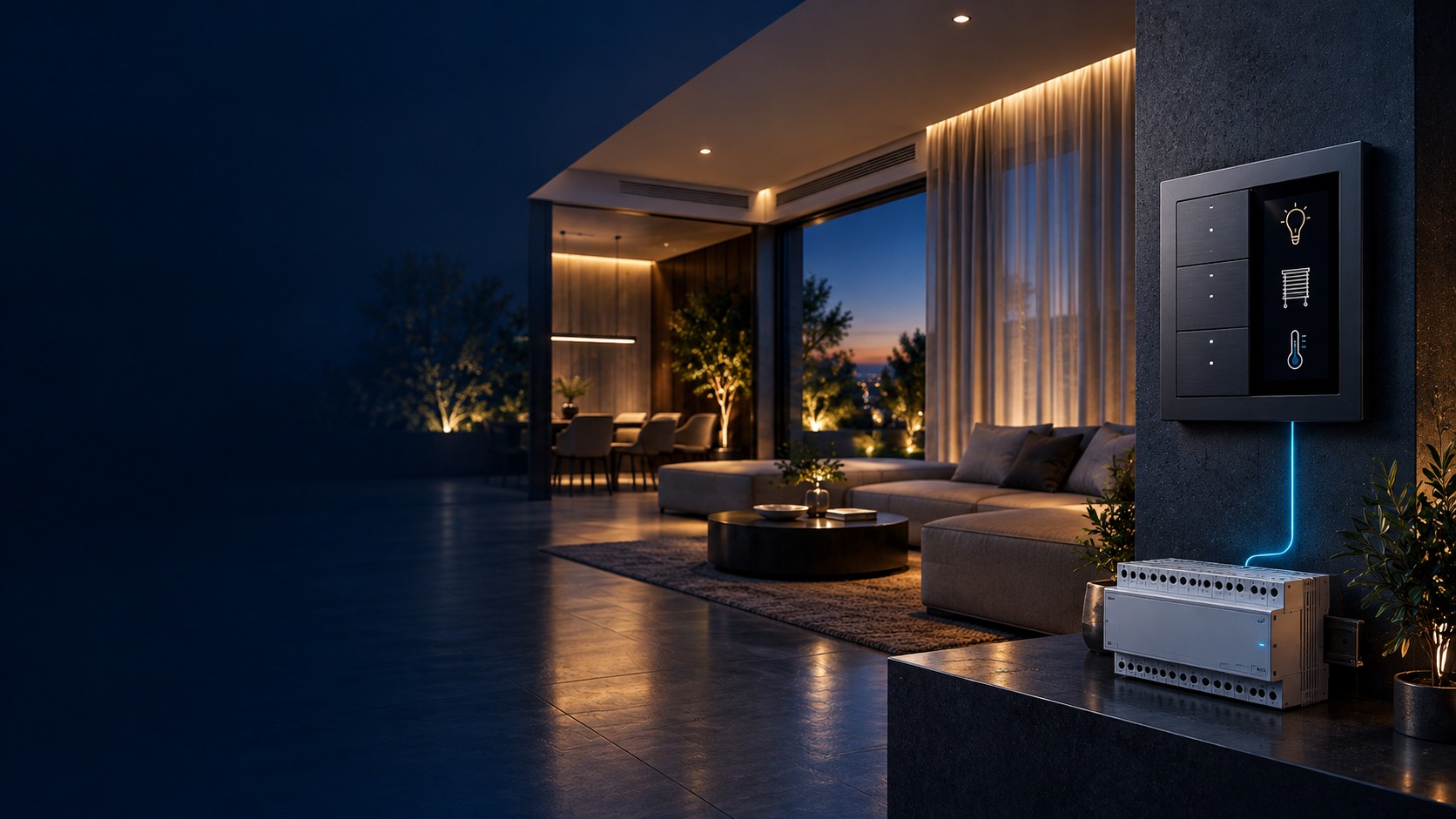
KNX room-control panel, actuator and interior illustrating lighting, blinds and climate control (illustration)

KNX Scene / Touch Panel / Sensor in Kuching & Sarawak

Use keypads, touch panels and sensors to trigger agreed room scenes. Each command and feedback path is mapped to compatible KNX devices, with local controls and operating priorities tested at handover.

System selection and integration guideKNX Automation
KNXKNX Scene / Touch Panel / Sensor
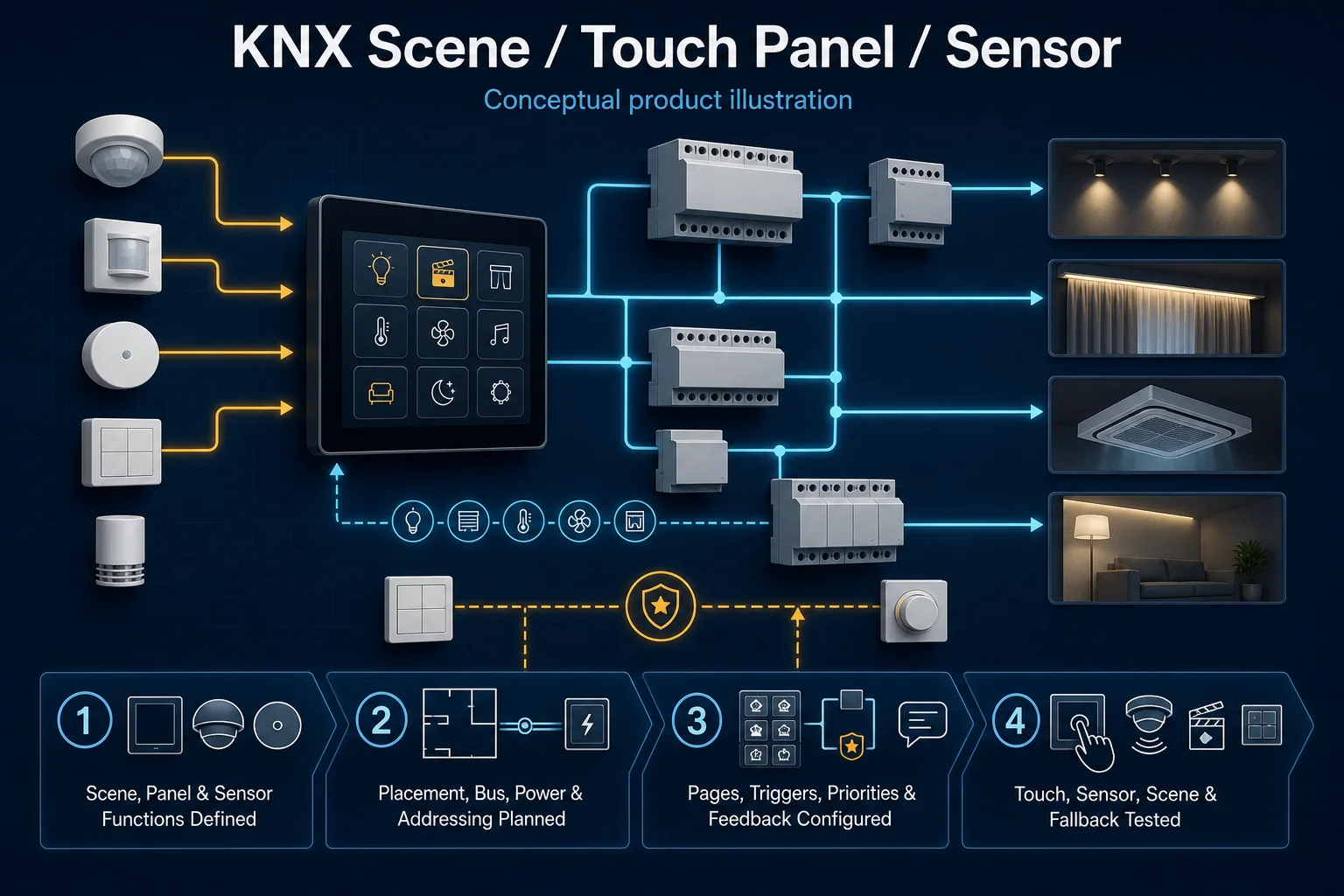
KNX Scene, Touch Panel and Sensor system diagram
  1. 01KNX Scene / Touch Panel / Sensor
  2. 02Points, protocols and control responsibility
  3. 03Field interface
  4. 04physical and group-address tests
Conceptual KNX Scene / Touch Panel / Sensor product and system illustration.
Illustration & scope boundary

Conceptual KNX Scene / Touch Panel / Sensor product and system illustration for KNX. Final device form, model, interfaces and quantities are confirmed from the assessed scope and approved product data. Conceptual sense, decide and control loop for KNX Scene / Touch Panel / Sensor, derived from this page's scope, interfaces and acceptance record.

Conceptual planning path — not an as-built drawing or project photograph.

What KNX Scene / Touch Panel / Sensor covers

KNX-based lighting, curtain, HVAC, scene, sensor and building automation.

It sits in KNX Automation under KNX. The final deliverable is shaped by the intended outcome, the installed or proposed environment and the interfaces that must be owned, supplied, integrated and tested.

Before you choose

For KNX Scene / Touch Panel / Sensor, HJ reviews point and function list, topology, lines and power supplies, group addresses, ETS ownership, sequences and gateways. Agree the scope before work begins. Testing and handover cover physical and group-address tests, scene, schedule and priority tests, bus fault, gateway and ETS handover, as applicable to the selected system. Where systems share infrastructure, confirm the capacity, compatible interfaces and operating requirements for this configuration.

Typical environments to assess

  • Commercial premises
  • Industrial or institutional sites
  • Residential or mixed-use sites
  • New build and retrofit projects

Engineering SOP & Handover Checklist

From the initial brief to the handover record: what to prepare, check and confirm with HJ.

01

Operational Purpose & Workflow

Define KNX as the operating result for KNX Scene / Touch Panel / Sensor, including the users, process and exceptions it must serve.

KNX Scene / Touch Panel / Sensor focuses on KNX. Uses a commissioned KNX fieldbus and group-address model to coordinate lighting, shades, HVAC, sensors and scenes.

02

Pre-Attendance Evidence

For KNX Scene / Touch Panel / Sensor, confirm point and function list, topology, lines and power supplies, group addresses, ETS ownership, sequences and gateways.

For KNX Scene / Touch Panel / Sensor, record point and function list, topology, lines and power supplies, group addresses, ETS ownership, sequences and gateways; add point lists, controlled loads or plant, protocols, scenes or sequences, accounts, source files, manual fallback and operator roles.

03

Diagnostic & Testing Path

Map Sensor, meter or command → Control & integration logic → Field interface → Dashboard, trend & handover for KNX Scene / Touch Panel / Sensor and identify every interface owned by HJ, the customer, ISD supply or an appointed specialist.

04

System & Responsibility Boundary

KNX commissioning depends on compatible devices and controlled ETS project files; BMS and plant responsibilities stay separate. Final models, capacities and quantities still follow survey, compatibility and availability.

KNX commissioning depends on compatible devices and controlled ETS project files; BMS and plant responsibilities stay separate. Cloud lifecycle, missing source files, incompatible field devices and unowned plant can make dashboard control misleading or unsafe.

05

Acceptance & Handover Record

For KNX Scene / Touch Panel / Sensor, record physical and group-address tests, scene, schedule and priority tests, bus fault, gateway and ETS handover; also agree point-to-point function test, scene, schedule, trend or alarm test, backup, export and operator handover before handover.

Accept KNX Scene / Touch Panel / Sensor with physical and group-address tests, scene, schedule and priority tests, bus fault, gateway and ETS handover; retain point-to-point results, scenes or sequences, alarm and trend behaviour, priority and fallback tests, backups and operator handover.

Engineering Scope, Regulatory & Service Boundaries

Responsibility and evidence boundary

HJ coordinates assessment, engineering, installation, integration, testing and lifecycle support only for the scope recorded in the quotation. ISD handles catalogue, model, datasheet, supply and availability enquiries. Customer, consultant, builder and appointed-specialist responsibilities remain explicit.

Final scope, quantities, compatibility, access, programme, availability and responsibility are confirmed during assessment and quotation.

This focused topic remains connected to its complete system owner. Final models, quantities, interfaces and included work are confirmed in the assessed quotation.

Questions before proceeding

Use the answers as a planning boundary; site conditions and written scope remain decisive.

What should be decided about KNX versus smart home for the KNX topic KNX Scene / Touch Panel / Sensor?

KNX Scene / Touch Panel / Sensor focuses on KNX within KNX. Uses a commissioned KNX fieldbus and group-address model to coordinate lighting, shades, HVAC, sensors and scenes. The approved selection must respect this boundary: KNX commissioning depends on compatible devices and controlled ETS project files; BMS and plant responsibilities stay separate.

Which site inputs and handover evidence shape KNX Scene / Touch Panel / Sensor?

Confirm point and function list, topology, lines and power supplies, group addresses, ETS ownership, sequences and gateways. Record physical and group-address tests, scene, schedule and priority tests, bus fault, gateway and ETS handover, then complete point-to-point function test, scene, schedule, trend or alarm test, backup, export and operator handover against the approved scope.

Does this page mean the listed hardware is in stock?

No. HJ handles engineering, installation and integration. ISD handles product-family, model, datasheet, supply and availability enquiries separately.

Planning KNX Scene / Touch Panel / Sensor? Tell HJ about your site

Tell us where it will be used, what it needs to do and what equipment you already have. HJ will recommend the right system, explain who is responsible for what, and agree the next step with you.