Video Conference & Interactive Display Service in Kuching
Troubleshoot conferencing and interactive-display functions as linked but distinct paths. HJ checks the endpoint, camera/audio, display source, sharing receiver and touch return, tests the approved local and remote tasks, and documents any unsupported software, account or connection before corrective work.
Installed system + service modeVideo Conference & Interactive Display Service in Kuching
01Video Conference & Interactive Display Service in Kuching
02Maintenance / Service
03Zones, audibility and source control
04each source-to-output route
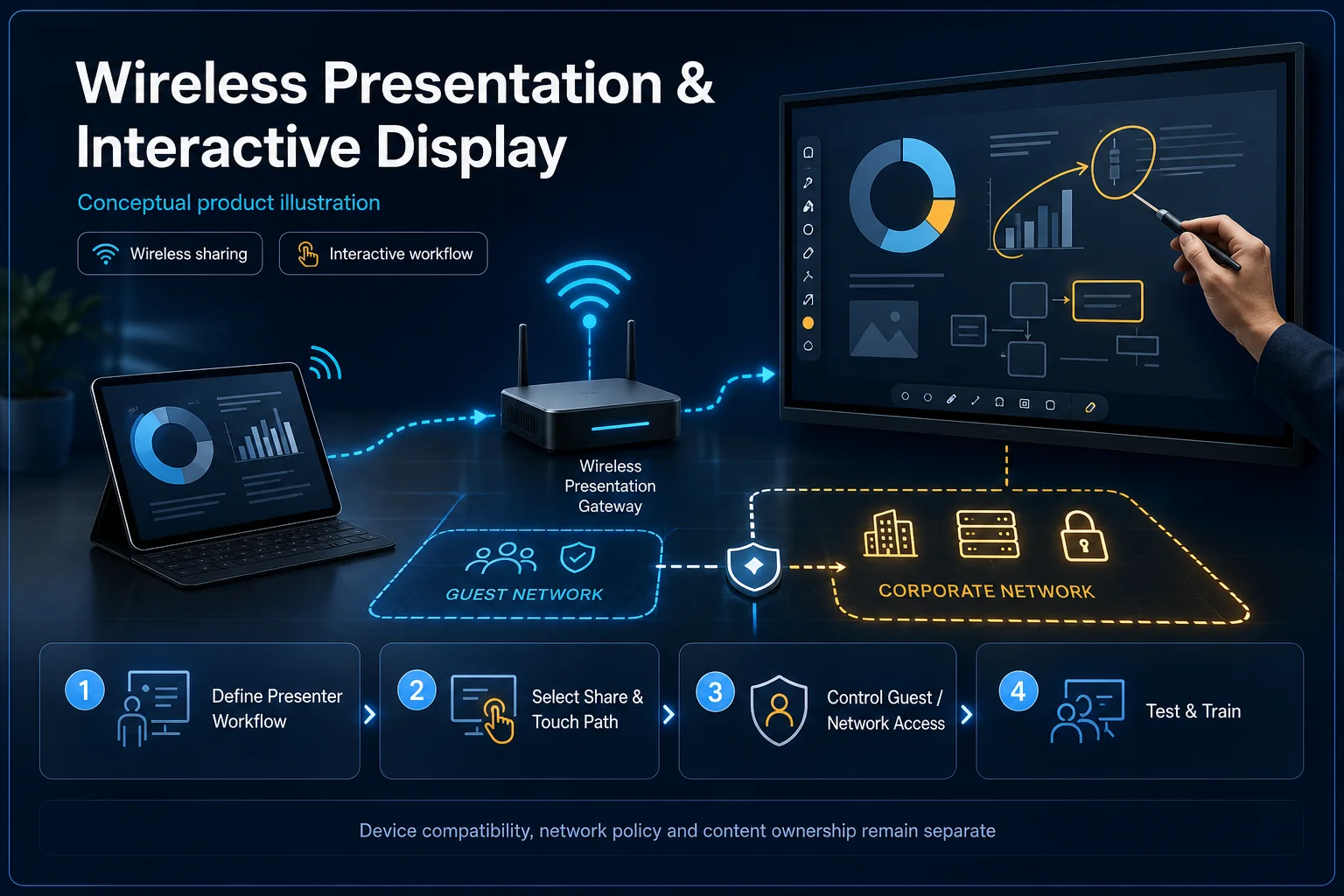
Illustrative sharing, receiver and interactive-display path. Remote conferencing, camera/audio and room-platform licensing remain separately confirmed; drawn features are not automatic. Conceptual Video Conference & Interactive Display Service system illustration. Video Conference & Interactive Display Service in Kuching combines the installed-system path with the stated service mode; diagnosis and corrective scope remain subject to inspection and approval. Conceptual source-to-audience signal path for Video Conference & Interactive Display Service in Kuching, derived from this page's scope, interfaces and acceptance record.
Conceptual planning path — not an as-built drawing or project photograph.
Before booking a service visit
Tell us the fault and your location. Diagnostic attendance, repairs, parts and any travel charges are confirmed with you before work.
What Video Conference & Interactive Display Service in Kuching covers
Troubleshoot conferencing and interactive-display functions as linked but distinct paths. HJ checks the endpoint, camera/audio, display source, sharing receiver and touch return, tests the approved local and remote tasks, and documents any unsupported software, account or connection before corrective work.
It sits in PA / AV Service under Audiovisual. The final deliverable is shaped by the intended outcome, the installed or proposed environment and the interfaces that must be owned, supplied, integrated and tested.
When to use this page
Failed call/sharing/touch task, endpoint and display/receiver models, client software, routes, IT authority and sample test material.
Typical environments to assess
Training and collaborative meeting rooms.
Business presentation spaces with known laptop sources.
Existing interactive-display and wireless-sharing installations.
Engineering SOP & Handover Checklist
From the initial brief to the handover record: what to prepare, check and confirm with HJ.
01
Operational Purpose & Workflow
Troubleshoot conferencing and interactive-display functions as linked but distinct paths. HJ checks the endpoint, camera/audio, display source, sharing receiver and touch return, tests the approved local and remote tasks, and documents any unsupported software, account or connection before corrective work.
02
Pre-Attendance Evidence
Failed call/sharing/touch task, endpoint and display/receiver models, client software, routes, IT authority and sample test material.
03
Diagnostic & Testing Path
Confirm the laptop/receiver/display path, supported sharing method, touch return and approved network. Presentation, annotation and video conferencing are separate functions; touchscreen or wireless-sharing hardware does not automatically support every app or guest device.
04
System & Responsibility Boundary
Test an agreed laptop presentation, reconnection and supported touch/annotation workflow. Check resolution, sound and delay in the actual room; use approved test material and document incompatible devices or unsupported features.
05
Acceptance & Handover Record
Retain display/receiver IDs, supported client versions, signal/network paths and sample sharing/touch tests. Hand over guest and operator steps, licences and the fallback cable path where included.
Engineering Scope, Regulatory & Service Boundaries
Responsibility and evidence boundary
HJ coordinates assessment, engineering, installation, integration, testing and lifecycle support only for the scope recorded in the quotation. ISD handles catalogue, model, datasheet, supply and availability enquiries. Customer, consultant, builder and appointed-specialist responsibilities remain explicit.
Final scope, quantities, compatibility, access, programme, availability and responsibility are confirmed during assessment and quotation.
Installed platform, authorised ownership, parts compatibility and serviceability are checked before any repair or restoration outcome is proposed.
Related Systems, Installation & Support
See related systems, how HJ installs them, and support for equipment you already have.
Use the answers as a planning boundary; site conditions and written scope remain decisive.
Can a display touch fault be fixed by changing the conferencing app?
Not necessarily. Check the physical touch-return connection, supported receiver/client and display settings separately from the call endpoint and platform. Test the reported function before approving software or hardware changes.
Which interfaces and responsibilities need confirmation?
Confirm the laptop/receiver/display path, supported sharing method, touch return and approved network. Presentation, annotation and video conferencing are separate functions; touchscreen or wireless-sharing hardware does not automatically support every app or guest device.
What should be verified and recorded before handover?
Test an agreed laptop presentation, reconnection and supported touch/annotation workflow. Check resolution, sound and delay in the actual room; use approved test material and document incompatible devices or unsupported features. Retain display/receiver IDs, supported client versions, signal/network paths and sample sharing/touch tests. Hand over guest and operator steps, licences and the fallback cable path where included.
Need Video Conference & Interactive Display Service? Tell HJ about your system
Tell us what the system is, what is going wrong or what you want checked. HJ will confirm the work needed, explain who is responsible for what, and agree the next step with you before any work starts.