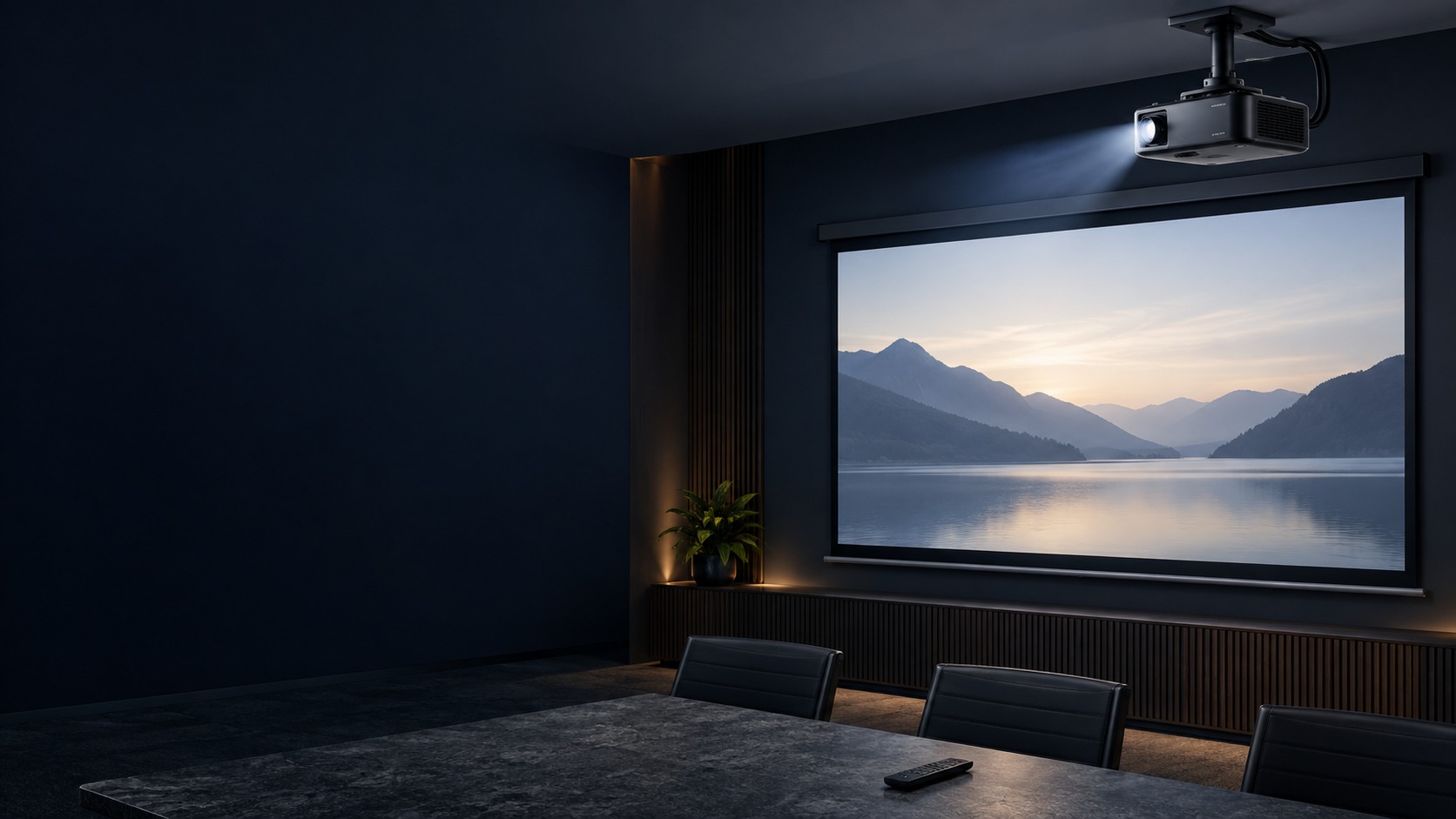
Ceiling-mounted projector and projection screen in a training room (illustration)

Office / Classroom / Meeting Room Projector in Kuching & Sarawak

Make presentations readable from the intended seats in an office, classroom or meeting room. HJ checks screen size, projector distance, lighting, source connection and everyday controls.

System selection and integration guideProjector
ProjectionOffice / Classroom / Meeting Room Projector
Office, Classroom and Meeting Room Projector system diagram
  1. 01Office / Classroom / Meeting Room Projector
  2. 02Room use, sightlines and collaboration workflow
  3. 03Distribution
  4. 04image geometry, focus and alignment
Conceptual Office / Classroom / Meeting Room Projector product and system illustration.
Illustration & scope boundary

Conceptual Office / Classroom / Meeting Room Projector product and system illustration for Projection. Final device form, model, interfaces and quantities are confirmed from the assessed scope and approved product data. Conceptual source-to-audience signal path for Office / Classroom / Meeting Room Projector, derived from this page's scope, interfaces and acceptance record.

Conceptual planning path — not an as-built drawing or project photograph.

What Office / Classroom / Meeting Room Projector covers

Make presentations readable from the intended seats in an office, classroom or meeting room. HJ checks screen size, projector distance, lighting, source connection and everyday controls.

It sits in Projector under Projection. The final deliverable is shaped by the intended outcome, the installed or proposed environment and the interfaces that must be owned, supplied, integrated and tested.

When to use this page

Make presentations readable from the intended seats in an office, classroom or meeting room. HJ checks screen size, projector distance, lighting, source connection and everyday controls. Measure target image size, seated viewing distance, throw distance, ambient light and mounting access. Record projector and lens identity, screen surface, sources and movement or control interfaces.
Typical environments to assess

  • Offices and meeting rooms
  • Classrooms and training facilities
  • Halls and large audience areas
  • Existing projection and screen systems

Engineering SOP & Handover Checklist

From the initial brief to the handover record: what to prepare, check and confirm with HJ.

01

Operational Purpose & Workflow

Define Projection as the operating result for Office / Classroom / Meeting Room Projector, including the users, process and exceptions it must serve.

Make presentations readable from the intended seats in an office, classroom or meeting room. HJ checks screen size, projector distance, lighting, source connection and everyday controls.

02

Pre-Attendance Evidence

For Office / Classroom / Meeting Room Projector, confirm image size and viewing distance, throw ratio, lens shift and ambient light, screen, mount, source and service access.

Measure target image size, seated viewing distance, throw distance, ambient light and mounting access. Record projector and lens identity, screen surface, sources and movement or control interfaces.

03

Diagnostic & Testing Path

Map Source → Signal processing & control → Distribution → Presentation & operator handover for Office / Classroom / Meeting Room Projector and identify every interface owned by HJ, the customer, ISD supply or an appointed specialist.

04

System & Responsibility Boundary

Brightness claims, throw ratios and screen gain must be evaluated in the real room; projector resolution cannot improve low-quality content. Final models, capacities and quantities still follow survey, compatibility and availability.

Laser light source and short-throw lens geometry are separate characteristics. Brightness, focus and visibility depend on the room, screen and content; screen movement and overhead mounting need authorised installation.

05

Acceptance & Handover Record

For Office / Classroom / Meeting Room Projector, record image geometry, focus and alignment, brightness and visibility sample, source, screen movement and control workflow; also agree source-to-output signal test, zone, scene or input recall, operator control and handover before handover.

Check representative content from the intended seats, image geometry, focus, source switching and supported controls. Where applicable, test screen movement and record mounting and service access.

Engineering Scope, Regulatory & Service Boundaries

Responsibility and evidence boundary

HJ coordinates assessment, engineering, installation, integration, testing and lifecycle support only for the scope recorded in the quotation. ISD handles catalogue, model, datasheet, supply and availability enquiries. Customer, consultant, builder and appointed-specialist responsibilities remain explicit.

Final scope, quantities, compatibility, access, programme, availability and responsibility are confirmed during assessment and quotation.

This focused topic remains connected to its complete system owner. Final models, quantities, interfaces and included work are confirmed in the assessed quotation.

Questions before proceeding

Use the answers as a planning boundary; site conditions and written scope remain decisive.

What should be decided about required lumens for the Projection topic Office / Classroom / Meeting Room Projector?

Office / Classroom / Meeting Room Projector focuses on Projection within Projection. Forms a correctly sized and visible projected image across a defined throw, screen, ambient-light and mounting geometry. The approved selection must respect this boundary: Brightness claims, throw ratios and screen gain must be evaluated in the real room; projector resolution cannot improve low-quality content.

Which site inputs and handover evidence shape Office / Classroom / Meeting Room Projector?

Confirm image size and viewing distance, throw ratio, lens shift and ambient light, screen, mount, source and service access. Record image geometry, focus and alignment, brightness and visibility sample, source, screen movement and control workflow, then complete source-to-output signal test, zone, scene or input recall, operator control and handover against the approved scope.

Does this page mean the listed hardware is in stock?

No. HJ handles engineering, installation and integration. ISD handles product-family, model, datasheet, supply and availability enquiries separately.

Planning Office / Classroom / Meeting Room Projector? Tell HJ about your site

Tell us where it will be used, what it needs to do and what equipment you already have. HJ will recommend the right system, explain who is responsible for what, and agree the next step with you.