
Hikvision Video Intercom in Kuching & Sarawak

Gate, home, condominium and office intercom, including lift and door-access integration. This page focuses on Intercom within Video Intercom, with site inputs, interfaces, verification and responsibility kept visible.

System selection and integration guideVideo Intercom
IntercomHikvision Video Intercom
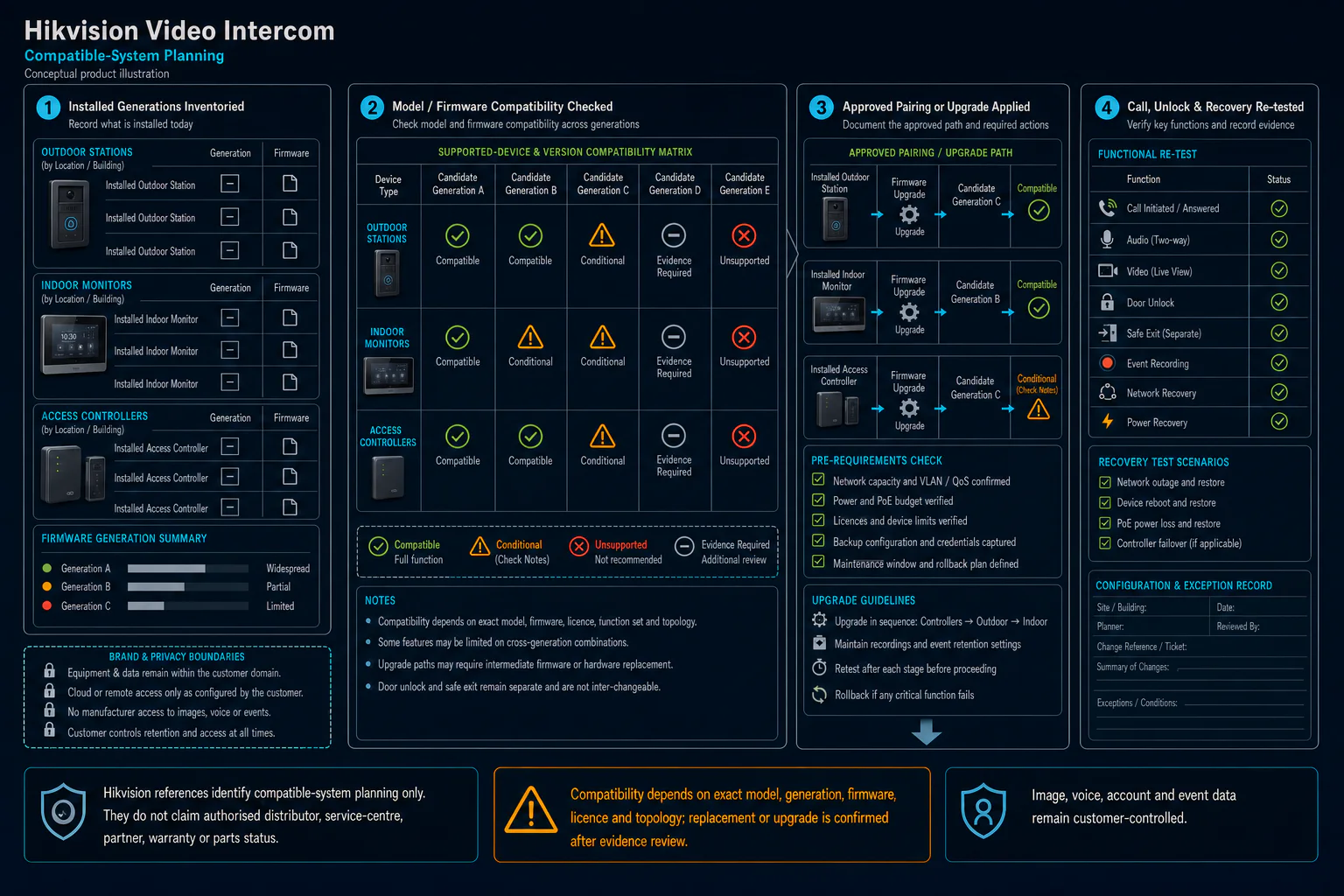
Conceptual compatible-system Hikvision Video Intercom canvas showing evidence-neutral installed-device inventory, compatibility review, controlled upgrade and functional re-test without an authorisation claim.
  1. 01Hikvision Video Intercom
  2. 02Call path, release and escalation
  3. 03Door, lane or workflow interface
  4. 04call, answer and two-way audio
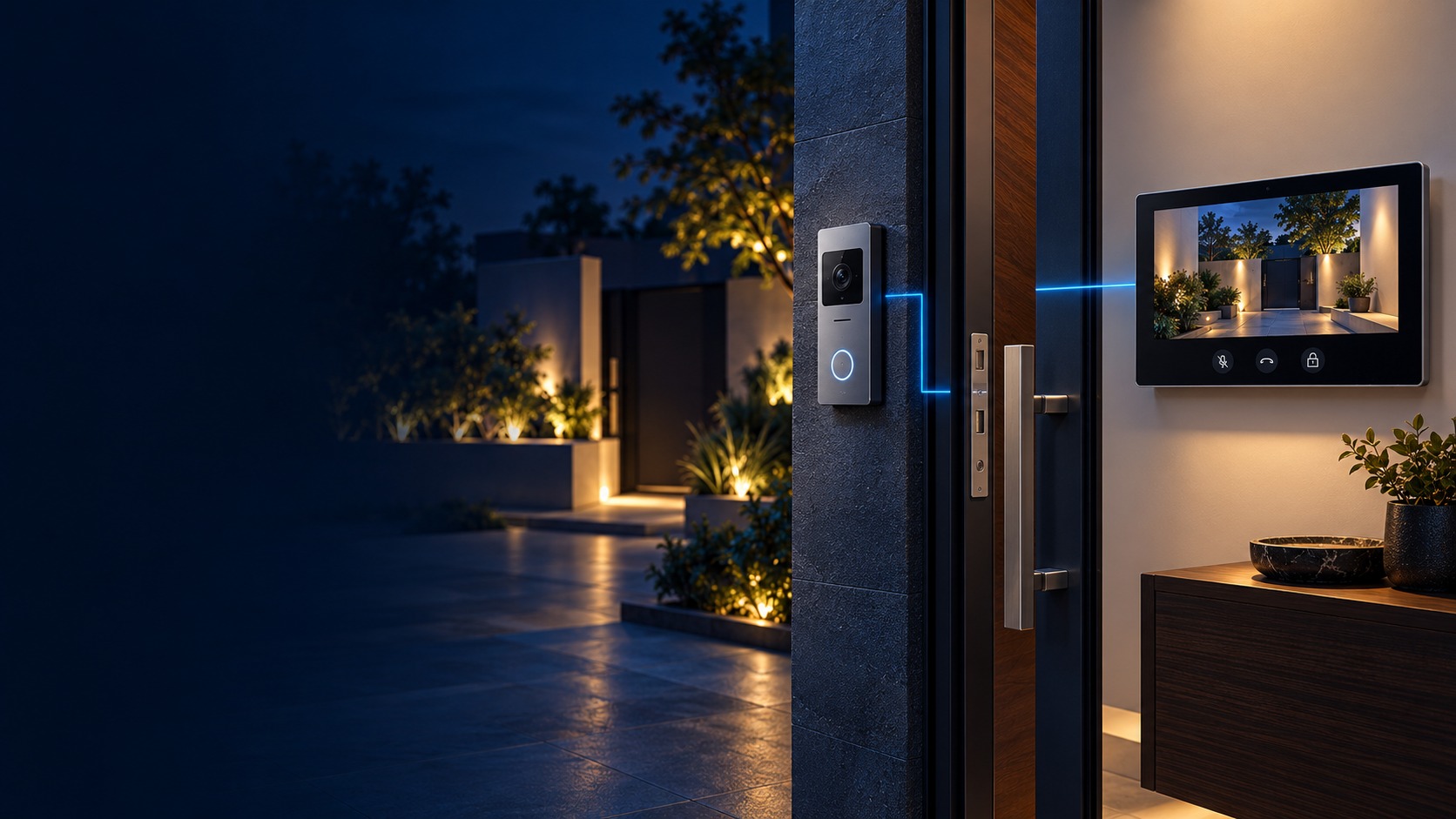
Conceptual Hikvision Video Intercom product and system illustration.
Illustration & scope boundary

Conceptual Hikvision Video Intercom product and system illustration for Intercom. Final device form, model, interfaces and quantities are confirmed from the assessed scope and approved product data. Conceptual identity and permission path for Hikvision Video Intercom, derived from this page's scope, interfaces and acceptance record.

Conceptual planning path — not an as-built drawing or project photograph.

What Hikvision Video Intercom covers

Gate, home, condominium and office intercom, including lift and door-access integration.

It sits in Video Intercom under Intercom. The final deliverable is shaped by the intended outcome, the installed or proposed environment and the interfaces that must be owned, supplied, integrated and tested.

When to use this page

Use this page when Hikvision Video Intercom is the specific system decision, not merely one line inside a wider Video Intercom quotation. Its exact focus is Hikvision station-generation compatibility. Assessment records calling points and answering groups, network, power and acoustic environment, unlock authority, failover and escalation flow, indoor station, outdoor station and controller firmware and closes with call, answer and two-way audio, video, night view and authorised unlock, missed-call, offline and failover cases, supported pairing and upgrade record. Adjacent Video Intercom options may share infrastructure while requiring different capacity, interfaces, operating rules or evidence, so the selection and handover result remain independently reviewable.

Typical environments to assess

  • Landed homes
  • Apartments and condominiums
  • Renovation or retrofit sites
  • New residential developments
identity access

Field decision dossier

Use these four records to keep Hikvision Video Intercom distinct from adjacent systems or service tasks.

01

Operational purpose

Hikvision Video Intercom focuses on Hikvision station-generation compatibility. Creates an audio and video call path from an entrance to an authorised responder with a separately controlled door-release action.

02

Site evidence to collect

For Hikvision Video Intercom, record calling points and answering groups, network, power and acoustic environment, unlock authority, failover and escalation flow, indoor station, outdoor station and controller firmware; add user groups, credentials, schedules, controlled openings, safe-exit behaviour, privacy ownership and exception handling.

03

Primary failure boundary

Call quality and remote unlock depend on network, power, acoustics and authorised release rules; intercom does not itself make the door safe. Door, lane, lift or enrolment conditions can invalidate software rules, while emergency release and data-controller duties override convenience.

04

Acceptance record

Accept Hikvision Video Intercom with call, answer and two-way audio, video, night view and authorised unlock, missed-call, offline and failover cases, supported pairing and upgrade record; retain granted, denied, expired and emergency scenarios, physical interface state, administrator roles and event-log evidence.

Engineering and service decisions

These checkpoints make this page specific to Hikvision Video Intercom rather than a generic keyword page.

01

Hikvision Video Intercom outcome

Define Hikvision station-generation compatibility as the operating result for Hikvision Video Intercom, including the users, process and exceptions it must serve.

02

Site and design inputs

For Hikvision Video Intercom, confirm calling points and answering groups, network, power and acoustic environment, unlock authority, failover and escalation flow, indoor station, outdoor station and controller firmware.

03

Integration path

Map Identity or request → Authorisation rule → Door, lane or workflow interface → Event & exception record for Hikvision Video Intercom and identify every interface owned by HJ, the customer, ISD supply or an appointed specialist.

04

Selection constraint

Call quality and remote unlock depend on network, power, acoustics and authorised release rules; intercom does not itself make the door safe. Final models, capacities and quantities still follow survey, compatibility and availability.

05

Acceptance evidence

For Hikvision Video Intercom, record call, answer and two-way audio, video, night view and authorised unlock, missed-call, offline and failover cases, supported pairing and upgrade record; also agree authorised and denied transactions, safe release or exception behaviour, event time and operator record before handover.

Responsibility and evidence boundary

HJ coordinates assessment, engineering, installation, integration, testing and lifecycle support only for the scope recorded in the quotation. ISD handles catalogue, model, datasheet, supply and availability enquiries. Customer, consultant, builder and appointed-specialist responsibilities remain explicit.

Brand names identify compatibility or installed-platform enquiries only. They do not claim authorised distributor, service-centre, partner, warranty or parts status.

Identity, image, credential and movement data require an authorised controller, lawful access, proportionate collection, retention rules and recorded administrator responsibility.

This focused topic remains connected to its complete system owner. Final models, quantities, interfaces and included work are confirmed in the assessed quotation.
Questions before proceeding

Use the answers as a planning boundary; site conditions and written scope remain decisive.

What should be decided about which station generations are compatible for the Intercom topic Hikvision Video Intercom?

Hikvision Video Intercom focuses on Hikvision station-generation compatibility within Intercom. Creates an audio and video call path from an entrance to an authorised responder with a separately controlled door-release action. The approved selection must respect this boundary: Call quality and remote unlock depend on network, power, acoustics and authorised release rules; intercom does not itself make the door safe.

Which site inputs and handover evidence shape Hikvision Video Intercom?

Confirm calling points and answering groups, network, power and acoustic environment, unlock authority, failover and escalation flow, indoor station, outdoor station and controller firmware. Record call, answer and two-way audio, video, night view and authorised unlock, missed-call, offline and failover cases, supported pairing and upgrade record, then complete authorised and denied transactions, safe release or exception behaviour, event time and operator record against the approved scope.

Does this page mean the listed hardware is in stock?

No. HJ handles engineering, installation and integration. ISD handles product-family, model, datasheet, supply and availability enquiries separately.

Turn this focused topic into an assessed scope

Share the site, intended outcome, existing equipment and timing. HJ will confirm the correct system route, responsibility boundary and next step.