Operational purpose
Smart Lock App Setup & Upgrade in Kuching uses the upgrade / configuration workflow for Smart Lock. Restores a door-mounted smart lock by separating alignment, latch, battery, credential, firmware and account causes.
Fingerprint/face smart locks, batteries, alignment and user/app management. This page focuses on Smart Lock within Digital Door Lock Service, with site inputs, interfaces, verification and responsibility kept visible.
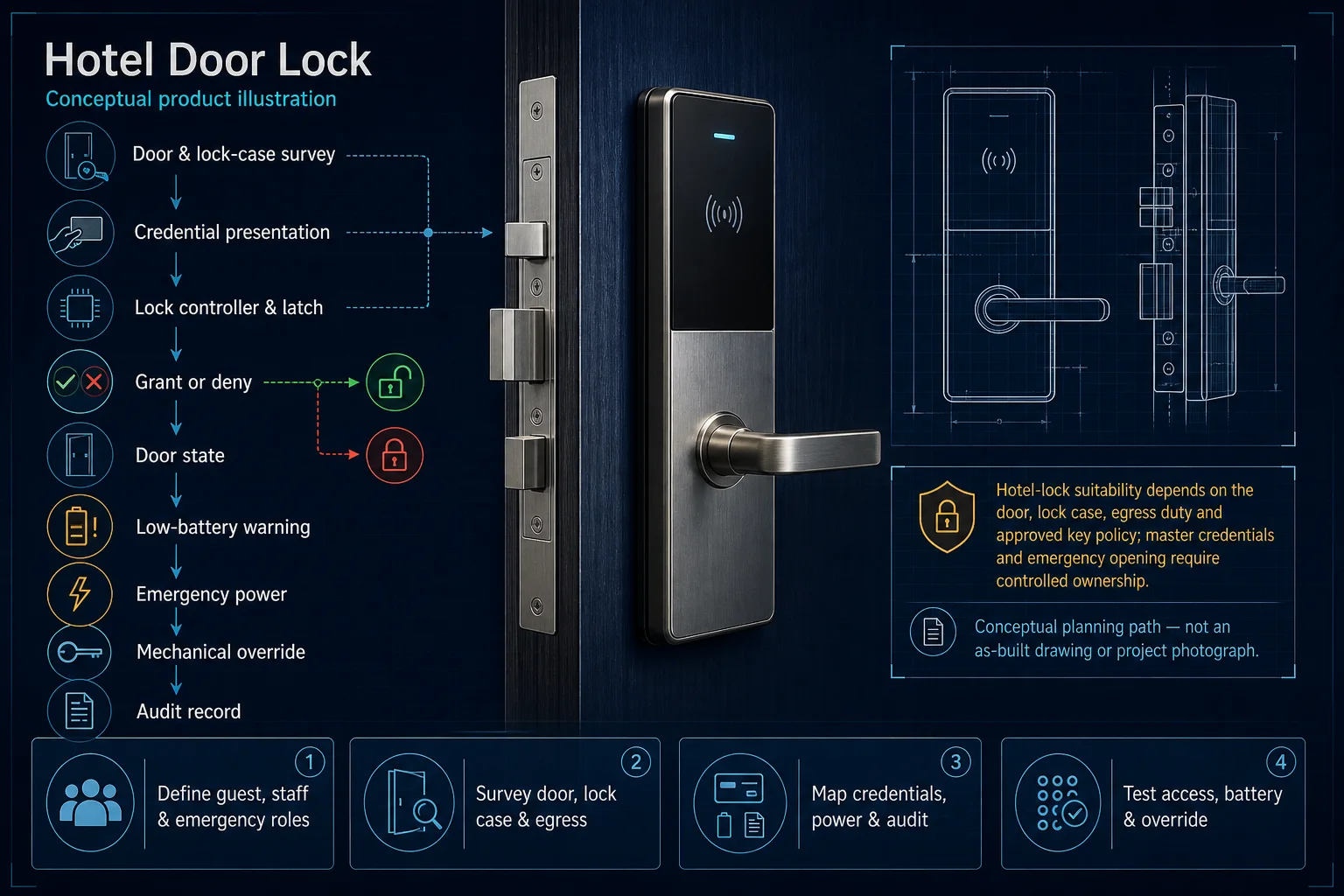
Conceptual planning path — not an as-built drawing or project photograph.
Fingerprint/face smart locks, batteries, alignment and user/app management.
It sits in Digital Door Lock Service under Smart Lock. The final deliverable is shaped by the intended outcome, the installed or proposed environment and the interfaces that must be owned, supplied, integrated and tested.
Use Smart Lock App Setup & Upgrade in Kuching when the installed system needs a upgrade / configuration workflow focused on Smart Lock, rather than a generic call-out. The work record checks door, lock model and handing, symptom and credential examples, battery, emergency key, administrator and recent changes, applies current version and dependency baseline → authorised backup and rollback plan → compatible change in an approved window → user acceptance and updated records, and closes with administrator, user and temporary credentials, latch and alignment cycles, battery, emergency power, override and account record. This separates Smart Lock App Setup & Upgrade in Kuching from other Digital Door Lock Service tasks that may touch the same equipment but require a different method and close-out record.
Use these four records to keep Smart Lock App Setup & Upgrade in Kuching distinct from adjacent systems or service tasks.
Smart Lock App Setup & Upgrade in Kuching uses the upgrade / configuration workflow for Smart Lock. Restores a door-mounted smart lock by separating alignment, latch, battery, credential, firmware and account causes.
For Smart Lock App Setup & Upgrade in Kuching, record door, lock model and handing, symptom and credential examples, battery, emergency key, administrator and recent changes; add user groups, credentials, schedules, controlled openings, safe-exit behaviour, privacy ownership and exception handling.
Reset can erase users; forced alignment or unsupported firmware can damage the lock, and fire or egress suitability remains a boundary. Door, lane, lift or enrolment conditions can invalidate software rules, while emergency release and data-controller duties override convenience.
Follow current version and dependency baseline → authorised backup and rollback plan → compatible change in an approved window → user acceptance and updated records and close with administrator, user and temporary credentials, latch and alignment cycles, battery, emergency power, override and account record; retain granted, denied, expired and emergency scenarios, physical interface state, administrator roles and event-log evidence.
These checkpoints make this page specific to Smart Lock App Setup & Upgrade in Kuching rather than a generic keyword page.
Smart Lock App Setup & Upgrade in Kuching focuses on Smart Lock and follows current version and dependency baseline → authorised backup and rollback plan → compatible change in an approved window → user acceptance and updated records. Changes a supported system through a controlled baseline, backup, implementation, rollback and re-test process.
For Smart Lock App Setup & Upgrade in Kuching, provide the reported symptom or objective, site contact, recent changes and door, lock model and handing, symptom and credential examples, battery, emergency key, administrator and recent changes.
Trace Site requirement → System interface → Configuration or work package → Verification & handover for Smart Lock App Setup & Upgrade in Kuching without assuming the visible symptom identifies the root cause.
Reset can erase users; forced alignment or unsupported firmware can damage the lock, and fire or egress suitability remains a boundary. Repair, replacement, firmware, programming and parts remain subject to authority, compatibility, warranty, access and serviceability.
Close Smart Lock App Setup & Upgrade in Kuching with administrator, user and temporary credentials, latch and alignment cycles, battery, emergency power, override and account record; record functional acceptance test, configuration and labelling record, operator handover and list every restored, deferred and excluded item.
HJ coordinates assessment, engineering, installation, integration, testing and lifecycle support only for the scope recorded in the quotation. ISD handles catalogue, model, datasheet, supply and availability enquiries. Customer, consultant, builder and appointed-specialist responsibilities remain explicit.
Final scope, quantities, compatibility, access, programme, availability and responsibility are confirmed during assessment and quotation.
Installed platform, authorised ownership, parts compatibility and serviceability are checked before any repair or restoration outcome is proposed.
Use these routes to move from this focused record into the complete system, site, capability and aftercare journey.
Use the answers as a planning boundary; site conditions and written scope remain decisive.
For this Smart Lock task, share the symptom or objective, recent changes, authorised access and door, lock model and handing, symptom and credential examples, battery, emergency key, administrator and recent changes.
Reset can erase users; forced alignment or unsupported firmware can damage the lock, and fire or egress suitability remains a boundary. HJ confirms the practical corrective route only after inspection or diagnosis.
The close-out records administrator, user and temporary credentials, latch and alignment cycles, battery, emergency power, override and account record, plus restored items, outstanding faults, approved changes and exclusions.
Share the site, intended outcome, existing equipment and timing. HJ will confirm the correct system route, responsibility boundary and next step.