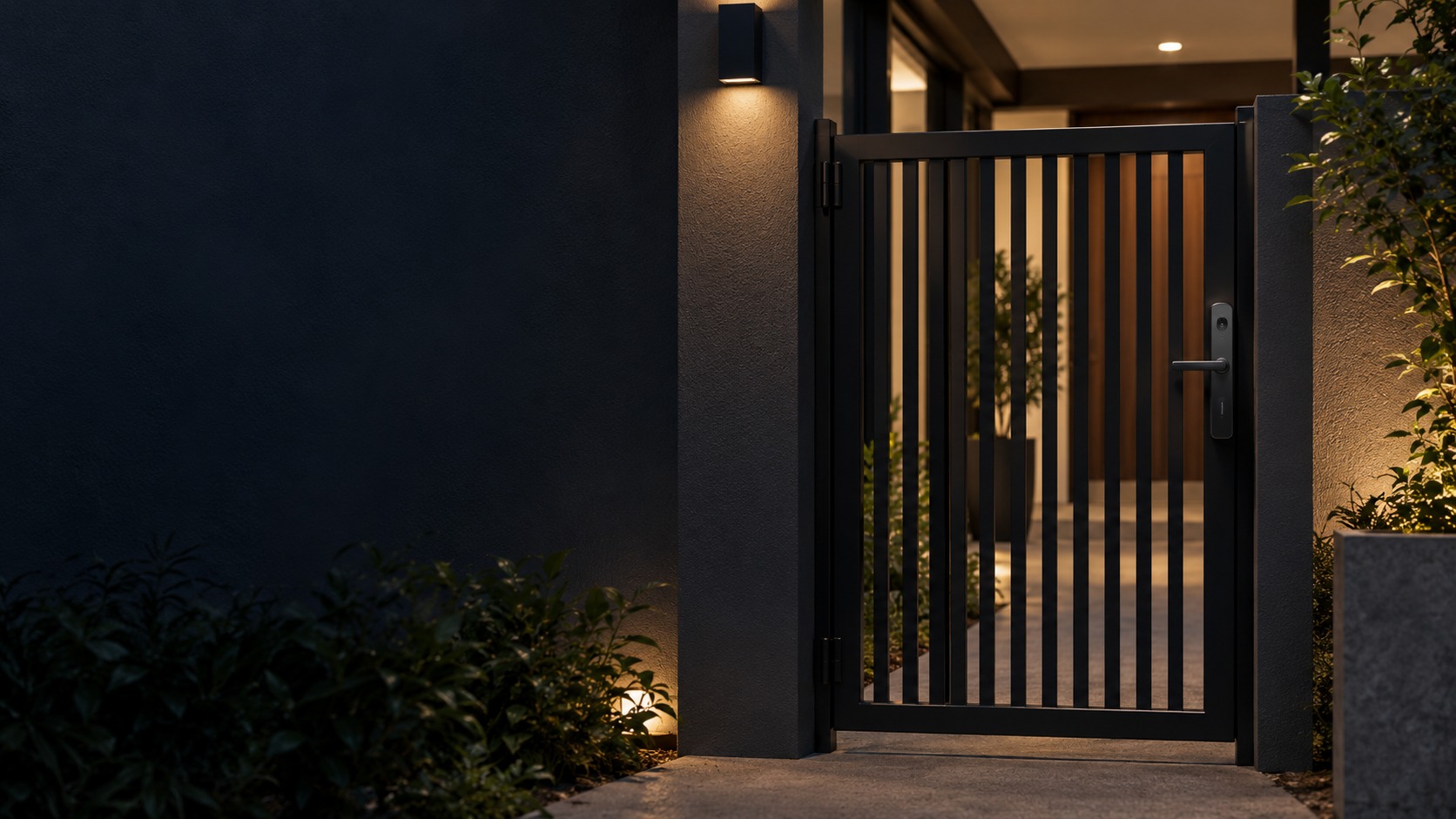
Digital lock on a covered pedestrian metal gate – Smart Gate & Metal Door Lock in Kuching & Sarawak (illustration)

Smart Gate & Metal Door Lock in Kuching & Sarawak

Assess a digital lock for a pedestrian metal door or gate against its frame, latch and exposure. HJ checks the exact mounting, weather limitations, battery access and authorised recovery method; an indoor smart lock is not automatically suitable outdoors or for a vehicle gate.

System selection and integration guideSmart Door Lock
Smart LocksSmart Gate & Metal Door Lock
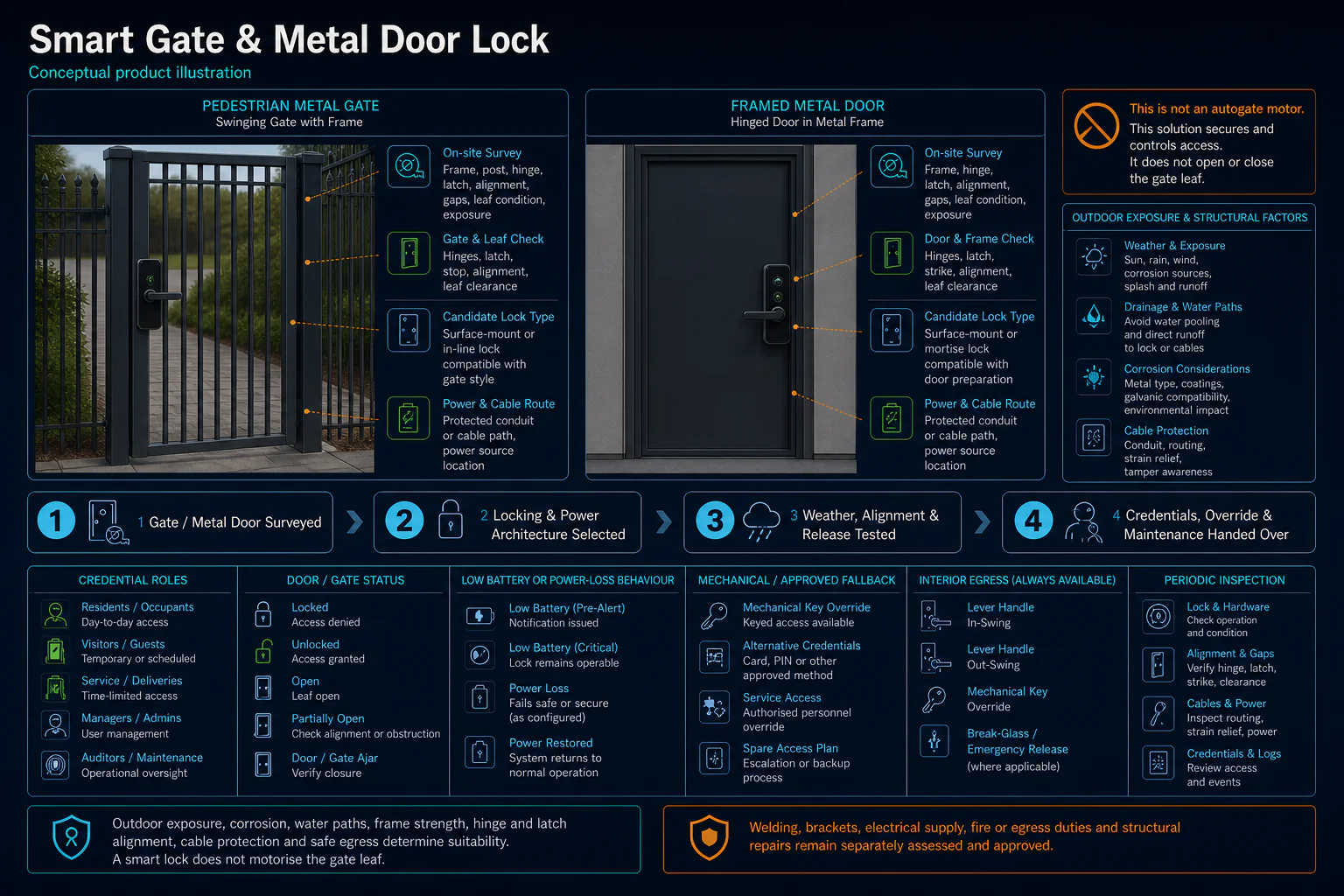
Smart Gate and Metal Door Lock system diagram
  1. 01Smart Gate & Metal Door Lock
  2. 02Credential, door hardware and safe release
  3. 03Door, lane or workflow interface
  4. 04administrator, user and temporary credentials
Conceptual Smart Gate & Metal Door Lock product and system illustration.
Illustration & scope boundary

Conceptual Smart Gate & Metal Door Lock product and system illustration for Smart Locks. Final device form, model, interfaces and quantities are confirmed from the assessed scope and approved product data. Conceptual identity and permission path for Smart Gate & Metal Door Lock, derived from this page's scope, interfaces and acceptance record.

Conceptual planning path — not an as-built drawing or project photograph.

What Smart Gate & Metal Door Lock covers

Assess a digital lock for a pedestrian metal door or gate against its frame, latch and exposure. HJ checks the exact mounting, weather limitations, battery access and authorised recovery method; an indoor smart lock is not automatically suitable outdoors or for a vehicle gate.

It sits in Smart Door Lock under Smart Locks. The final deliverable is shaped by the intended outcome, the installed or proposed environment and the interfaces that must be owned, supplied, integrated and tested.

When to use this page

Gate stile/door dimensions, rain/sun exposure, latch and alignment, exact enclosure rating, battery access, ownership and authorised opening/recovery procedure.
Typical environments to assess

  • Pedestrian metal doors or gates with assessed exposure.
  • Covered entrances with exact model/environment conditions checked.
  • Existing gate locks requiring owner-authorised recovery or adjustment.

Engineering SOP & Handover Checklist

From the initial brief to the handover record: what to prepare, check and confirm with HJ.

01

Operational Purpose & Workflow

Assess a digital lock for a pedestrian metal door or gate against its frame, latch and exposure. HJ checks the exact mounting, weather limitations, battery access and authorised recovery method; an indoor smart lock is not automatically suitable outdoors or for a vehicle gate.

02

Pre-Attendance Evidence

Gate stile/door dimensions, rain/sun exposure, latch and alignment, exact enclosure rating, battery access, ownership and authorised opening/recovery procedure.

03

Diagnostic & Testing Path

Confirm the exact lock and mortise fit, approved batteries, supported credentials, account binding and any optional gateway/network. A door-material or brand label does not prove outdoor suitability, app compatibility or remote opening.

04

System & Responsibility Boundary

Check permitted credentials, latch/strike alignment, ordinary inside opening and the model-specific authorised recovery provision. Reset or account changes require verified ownership; do not assume low battery, lost internet or a software reset has the same effect on every lock.

05

Acceptance & Handover Record

Record lock/mortise model, door condition, authorised owner/admin handover, approved users and revoked credentials, battery/recovery arrangements, test results and specialist-work boundaries. Do not publish credentials, recovery keys or bypass procedures.

Engineering Scope, Regulatory & Service Boundaries

Responsibility and evidence boundary

HJ coordinates assessment, engineering, installation, integration, testing and lifecycle support only for the scope recorded in the quotation. ISD handles catalogue, model, datasheet, supply and availability enquiries. Customer, consultant, builder and appointed-specialist responsibilities remain explicit.

Identity, image, credential and movement data require an authorised controller, lawful access, proportionate collection, retention rules and recorded administrator responsibility.

This focused topic remains connected to its complete system owner. Final models, quantities, interfaces and included work are confirmed in the assessed quotation.

Questions before proceeding

Use the answers as a planning boundary; site conditions and written scope remain decisive.

Can an indoor lock be fitted on an exposed gate?

Only when the exact lock, installation and exposure meet the manufacturer conditions and site design. Check rain/sun, frame width, alignment, battery access and opening arrangements. A covered concept image is not proof of an outdoor rating.

Which interfaces need confirmation for this scope?

Confirm the exact lock and mortise fit, approved batteries, supported credentials, account binding and any optional gateway/network. A door-material or brand label does not prove outdoor suitability, app compatibility or remote opening.

What should be verified and recorded at handover?

Check permitted credentials, latch/strike alignment, ordinary inside opening and the model-specific authorised recovery provision. Reset or account changes require verified ownership; do not assume low battery, lost internet or a software reset has the same effect on every lock. Record lock/mortise model, door condition, authorised owner/admin handover, approved users and revoked credentials, battery/recovery arrangements, test results and specialist-work boundaries. Do not publish credentials, recovery keys or bypass procedures.

Planning Smart Gate & Metal Door Lock? Tell HJ about your site

Tell us where it will be used, what it needs to do and what equipment you already have. HJ will recommend the right system, explain who is responsible for what, and agree the next step with you.