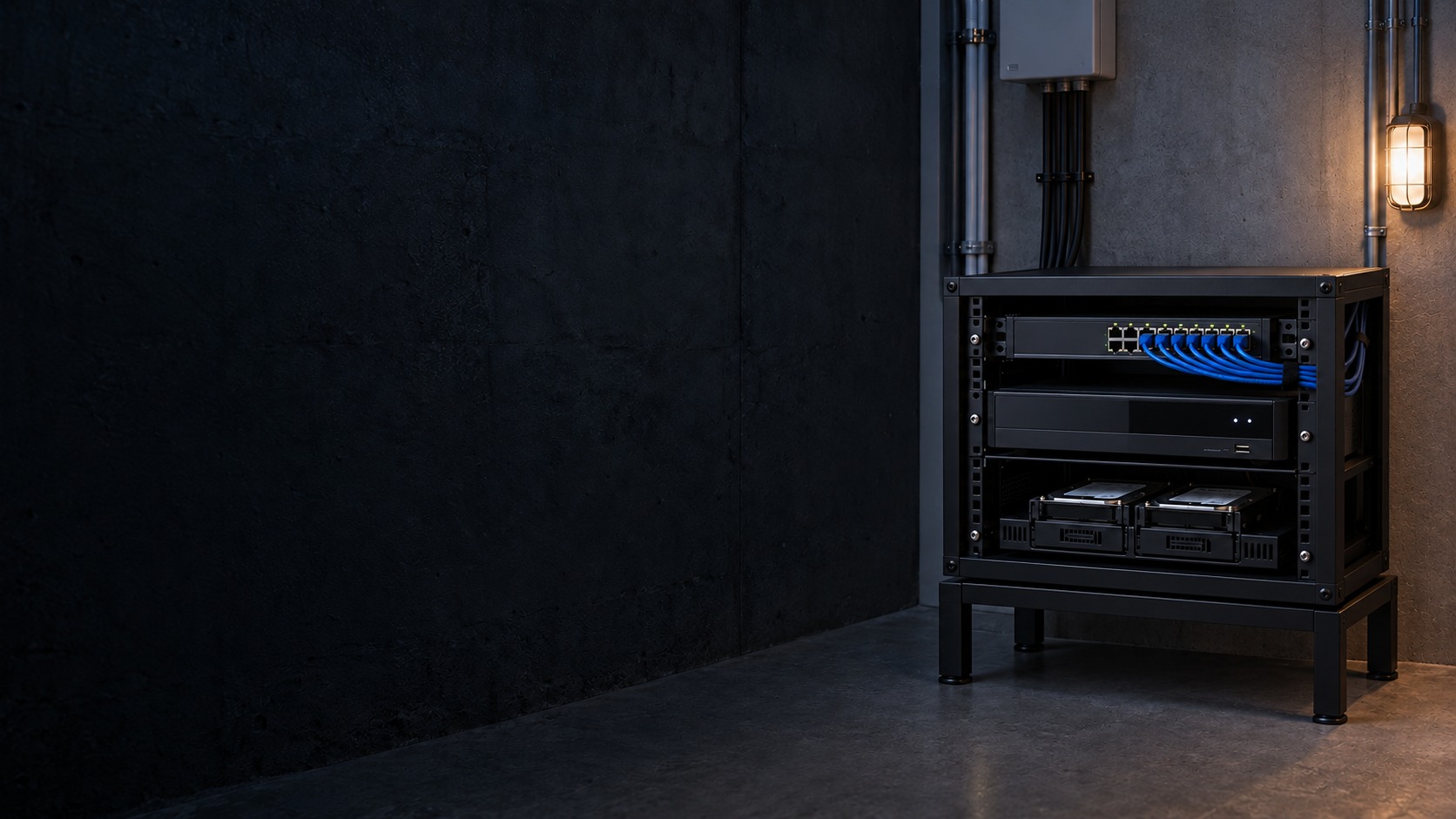
CCTV recorder, network switch and storage drives – Hikvision Hybrid CCTV System in Kuching & Sarawak (illustration)

Hikvision Hybrid CCTV System in Kuching & Sarawak

Upgrade a CCTV site in stages by retaining suitable analogue infrastructure and adding supported IP cameras. HJ documents signal formats, channel allocation, separate power and network paths, and recorder limits so the hybrid design has a clear recording and maintenance boundary.

System selection and integration guideCCTV / Video Surveillance
Hikvision Feature PagesHikvision Hybrid CCTV System
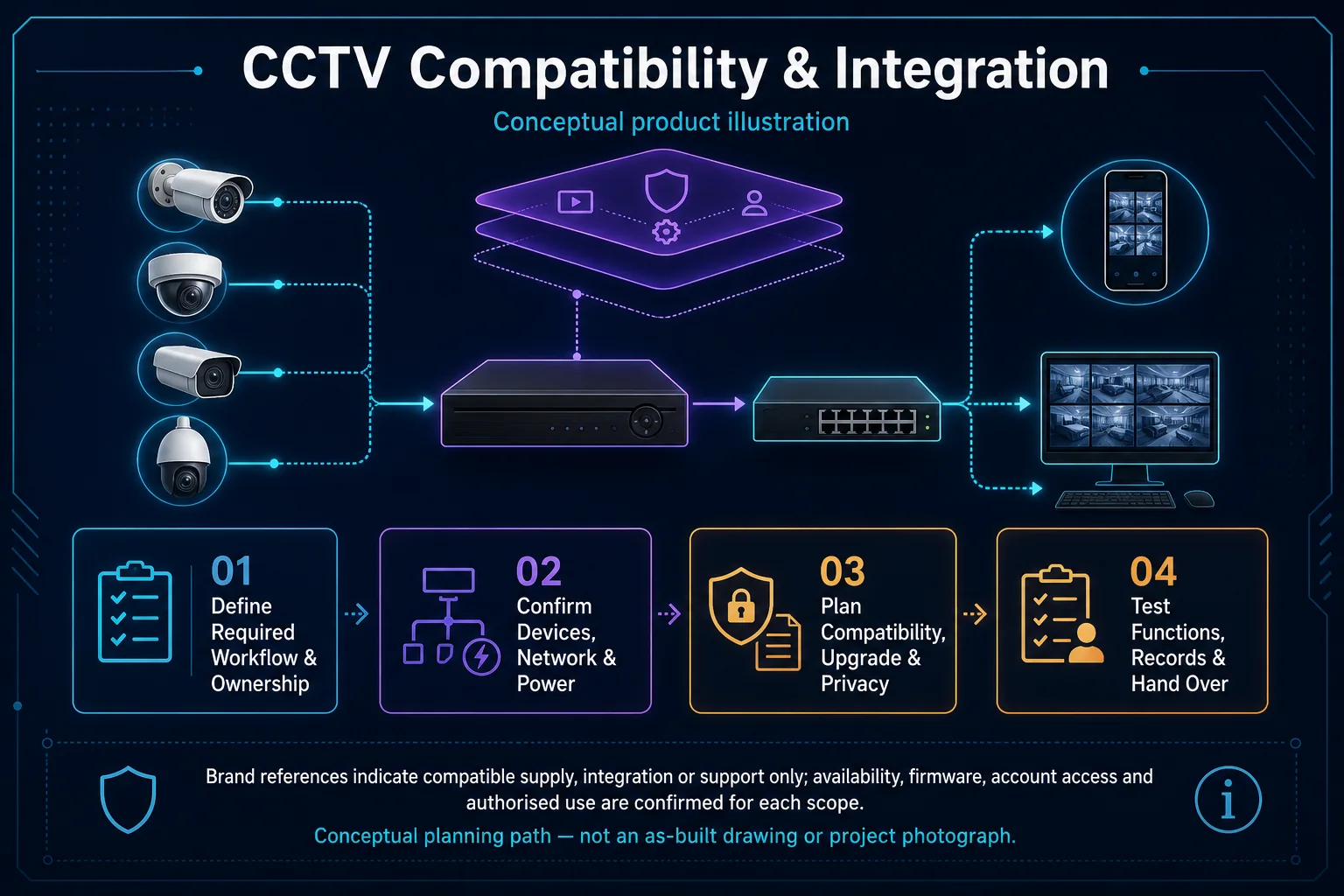
CCTV Compatibility and Integration system diagram
  1. 01Hikvision Hybrid CCTV System
  2. 02Site fit, interfaces and verification
  3. 03Transport & storage
  4. 04representative day and night clips
Conceptual Hikvision Hybrid CCTV System product and system illustration.
Illustration & scope boundary

Conceptual Hikvision Hybrid CCTV System product and system illustration for Hikvision Feature Pages. Final device form, model, interfaces and quantities are confirmed from the assessed scope and approved product data. Conceptual evidence and response path for Hikvision Hybrid CCTV System, derived from this page's scope, interfaces and acceptance record.

Conceptual planning path — not an as-built drawing or project photograph.

System design

Analog and IP Hybrid CCTV Upgrade

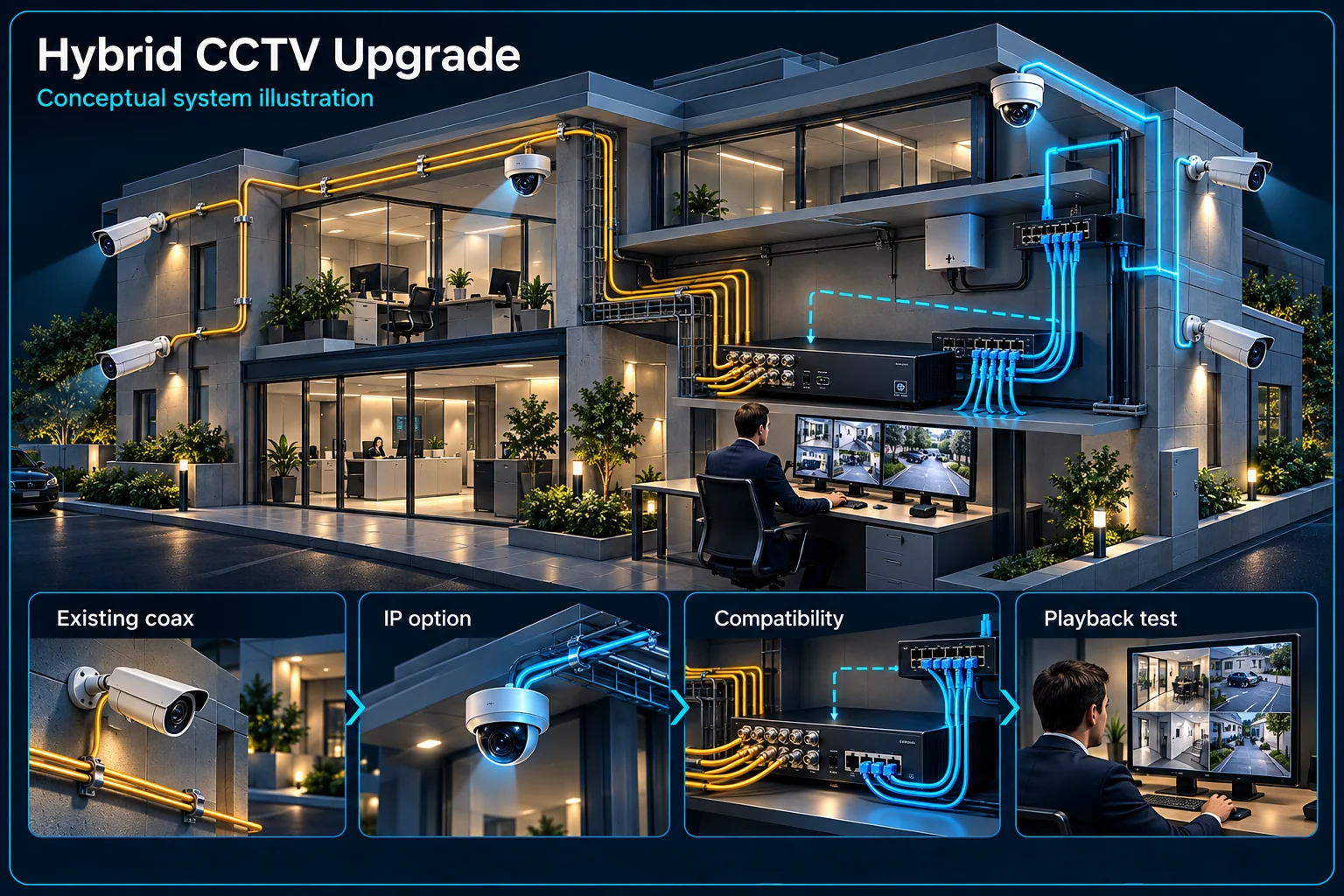
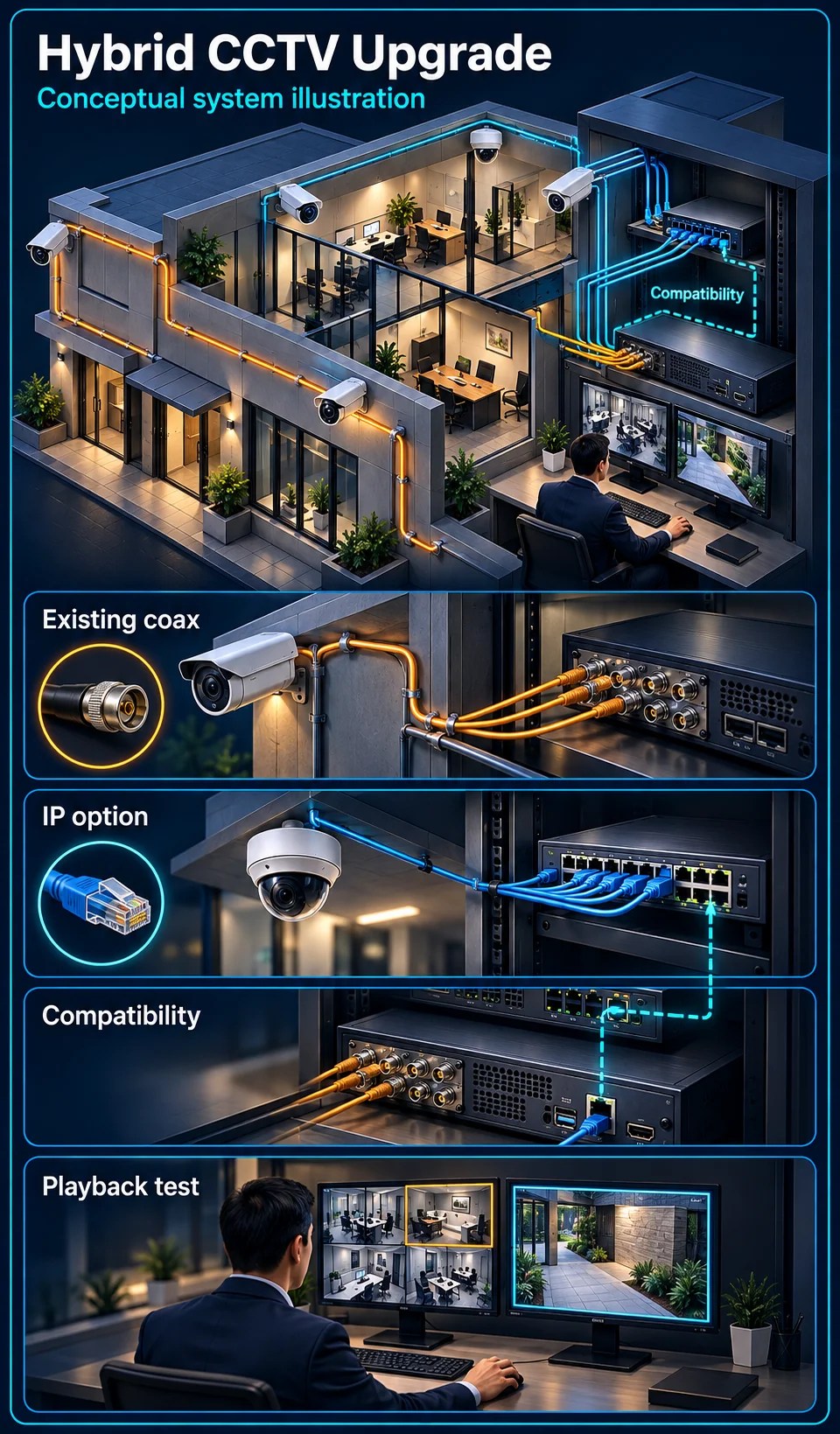
A hybrid upgrade considers how suitable existing analogue cameras and cabling can coexist with a planned IP branch. It is an architecture for staged change, not the name of a camera's night-light mode. The goal is to retain useful infrastructure while identifying exactly what the new requirement asks the recorder and network to do.

Hybrid CCTV Upgrade Canvas

Hikvision Hybrid CCTV System in Kuching & Sarawak – system diagram
Conceptual system illustration. Final configuration depends on the approved site scope.View full-size desktop imageView full-size mobile image
System planning notes

Retained analogue and planned IP branches meet at a compatible recorder

The two recording paths remain identifiable during a staged upgrade.

Retained analogue and planned IP branches meet at a compatible recorderThe two recording paths remain identifiable during a staged upgrade.E1E2E3E4E501Retained analogue views02Existing cable and supply03Selected new IP views04IP network and power05Compatible mixed recorder06Unified named playbackRetained analogue and planned IP branches meet at a compatible recorderThe two recording paths remain identifiable during a staged upgrade.E1E2E3E4E501Retained analogue views02Existing cable and supply03Selected new IP views04IP network and power05Compatible mixed recorder06Unified named playback
  • Solid line: illustrated functional path or agreed test route.
  • Dashed line: optional device or compatibility to confirm.
  • The dashed IP entry depends on the recorder's actual supported mixed mode.
  • Hybrid architecture is not a diagram of Smart Hybrid Light illumination.
Retained analogue views

Condition and purpose inspected

Existing cable and supply

Reuse only where suitable

Selected new IP views

Actual new coverage or function

IP network and power

Additional infrastructure assessed

Compatible mixed recorder

Exact supported mode to confirm

Unified named playback

Retained and new evidence checked

Read the connections
  1. E1: Retained analogue views → Existing cable and supplyRetained analogue video
  2. E2: Existing cable and supply → Compatible mixed recorderSupported analogue input
  3. E3: Selected new IP views → IP network and powerIP stream
  4. E4: IP network and power → Compatible mixed recorderCompatible IP input — optional / compatibility to confirm
  5. E5: Compatible mixed recorder → Unified named playbackRecord and retrieve
Conceptual system diagram. Final configuration depends on the approved site scope.

Establish what can be retained

Inspect the analogue path

List cameras, the recorder, cable routes and power arrangements, then check actual condition and picture quality. A working old view may remain useful, but damaged links or an unsuitable target view should not be preserved solely to avoid replacement.

Define the new IP requirement

Describe why an IP camera or function is needed at a particular position. It may address a new view or selected event capability. Do not treat an extra IP input as evidence that every desired camera event can be processed simultaneously.

Confirm where the branches meet

Use an actually compatible recording route

The selected recorder's supported analogue and IP configuration must match the intended streams and mode. Check limits and any effect of enabling additional IP inputs. Equipment labels alone do not establish an accepted mixed configuration.

Plan the network and supply for additions

New IP points need a suitable data path, ports and power arrangement. Existing coaxial cabling is not automatically a ready IP network. Any reuse method must be selected for the actual link rather than assumed in a generic hybrid illustration.

Migrate with an operating plan

Stage areas around business access

Agree which views are most important, when work can occur and how temporary loss of a view will be managed. Existing recordings, account ownership and required settings need attention before changing the recorder or storage arrangement.

Separate light modes from architecture

Smart Hybrid Light concerns supported illumination modes on a selected camera. Analogue-plus-IP hybrid concerns the system's connection and recording architecture. A camera can have an illumination feature without proving a mixed-input migration path.

Accept retained and new views together

Verify playback across both branches

Confirm camera names, timestamps, recording settings and retrieval for retained and added cameras. A migration should leave the operator able to find the relevant view rather than navigating unexplained old and new channel labels.

Test the event scope after migration

Check requested analysis, audio and warning functions individually under the final operating mode. Keep a record of retained components and any agreed limits. An improved new camera does not establish an improvement across every retained view.

Questions about Analog and IP Hybrid CCTV Upgrade

Is hybrid CCTV the same as Smart Hybrid Light?

No. This page concerns analogue and IP system architecture. Smart Hybrid Light is a separate illumination feature on supported camera models.

Must every old camera be replaced?

Not automatically. The actual condition, useful view, compatibility and customer requirement determine what can be retained and what needs replacement.

Can I add IP cameras to any DVR?

No universal compatibility is claimed. The recorder model, supported input mode, streams and available resources must establish the proposed arrangement.

Continue your planning

What Hikvision Hybrid CCTV System covers

Upgrade a CCTV site in stages by retaining suitable analogue infrastructure and adding supported IP cameras. HJ documents signal formats, channel allocation, separate power and network paths, and recorder limits so the hybrid design has a clear recording and maintenance boundary.

It sits in CCTV / Video Surveillance under Hikvision Feature Pages. The final deliverable is shaped by the intended outcome, the installed or proposed environment and the interfaces that must be owned, supplied, integrated and tested.

When to use this page

Retained analogue models, coax and power condition, new IP streams, hybrid recorder mode, total channel allocation, bandwidth and retention target.

Typical environments to assess

  • Home and SME camera recording systems
  • Retail and warehouse sites needing retrievable incident footage
  • Commercial recorder upgrades with authorised maintenance windows

Engineering SOP & Handover Checklist

From the initial brief to the handover record: what to prepare, check and confirm with HJ.

01

Operational Purpose & Workflow

Upgrade a CCTV site in stages by retaining suitable analogue infrastructure and adding supported IP cameras. HJ documents signal formats, channel allocation, separate power and network paths, and recorder limits so the hybrid design has a clear recording and maintenance boundary.

02

Pre-Attendance Evidence

Retained analogue models, coax and power condition, new IP streams, hybrid recorder mode, total channel allocation, bandwidth and retention target.

03

Diagnostic & Testing Path

Map camera signal or network streams to supported recorder inputs, storage and authorised playback. Separate capture, recording schedule, remote viewing and evidence backup responsibilities; preserve required footage before approved changes.

04

System & Responsibility Boundary

Full, unhealthy or uninitialised disks, wrong schedules, bad timestamps and excessive stream load can leave gaps despite a live image. Do not format, reset or overwrite needed evidence without the owner’s authority.

05

Acceptance & Handover Record

Document models, channels, firmware, storage health and recording schedules. Test the affected paths, timestamps, playback and authorised export, and record measured history or unresolved faults rather than a fixed retention promise.

Engineering Scope, Regulatory & Service Boundaries

Responsibility and evidence boundary

HJ coordinates assessment, engineering, installation, integration, testing and lifecycle support only for the scope recorded in the quotation. ISD handles catalogue, model, datasheet, supply and availability enquiries. Customer, consultant, builder and appointed-specialist responsibilities remain explicit.

Brand names identify compatibility or installed-platform enquiries only. They do not claim authorised distributor, service-centre, partner, warranty or parts status.

Identity, image, credential and movement data require an authorised controller, lawful access, proportionate collection, retention rules and recorded administrator responsibility.

This focused topic remains connected to its complete system owner. Final models, quantities, interfaces and included work are confirmed in the assessed quotation.
Questions before proceeding

Use the answers as a planning boundary; site conditions and written scope remain decisive.

Is a hybrid recorder the same as Smart Hybrid Light?

No. A hybrid system combines compatible analogue and IP video paths. Smart Hybrid Light is a camera illumination capability. Recorder support and night-lighting functions must be confirmed separately.

What should be protected before changing CCTV storage?

Identify required evidence and authorise its export before a disk change, format or reset. Record existing limitations; replacement storage cannot restore footage that was never recorded or has already been overwritten.

What should I send HJ for Hikvision Hybrid CCTV System?

Retained analogue models, coax and power condition, new IP streams, hybrid recorder mode, total channel allocation, bandwidth and retention target. Share authorised equipment and scene information; do not send passwords or personal footage through a public form.

Planning Hikvision Hybrid CCTV System? Tell HJ about your site

Tell us where it will be used, what it needs to do and what equipment you already have. HJ will recommend the right system, explain who is responsible for what, and agree the next step with you.