Wireless Alarm in Kuching & Sarawak

App-controlled and Hikvision alarm systems with wired, wireless and hybrid architecture. This page focuses on Technology within Alarm / Intrusion Detection, with site inputs, interfaces, verification and responsibility kept visible.

System selection and integration guideAlarm / Intrusion Detection
TechnologyWireless Alarm
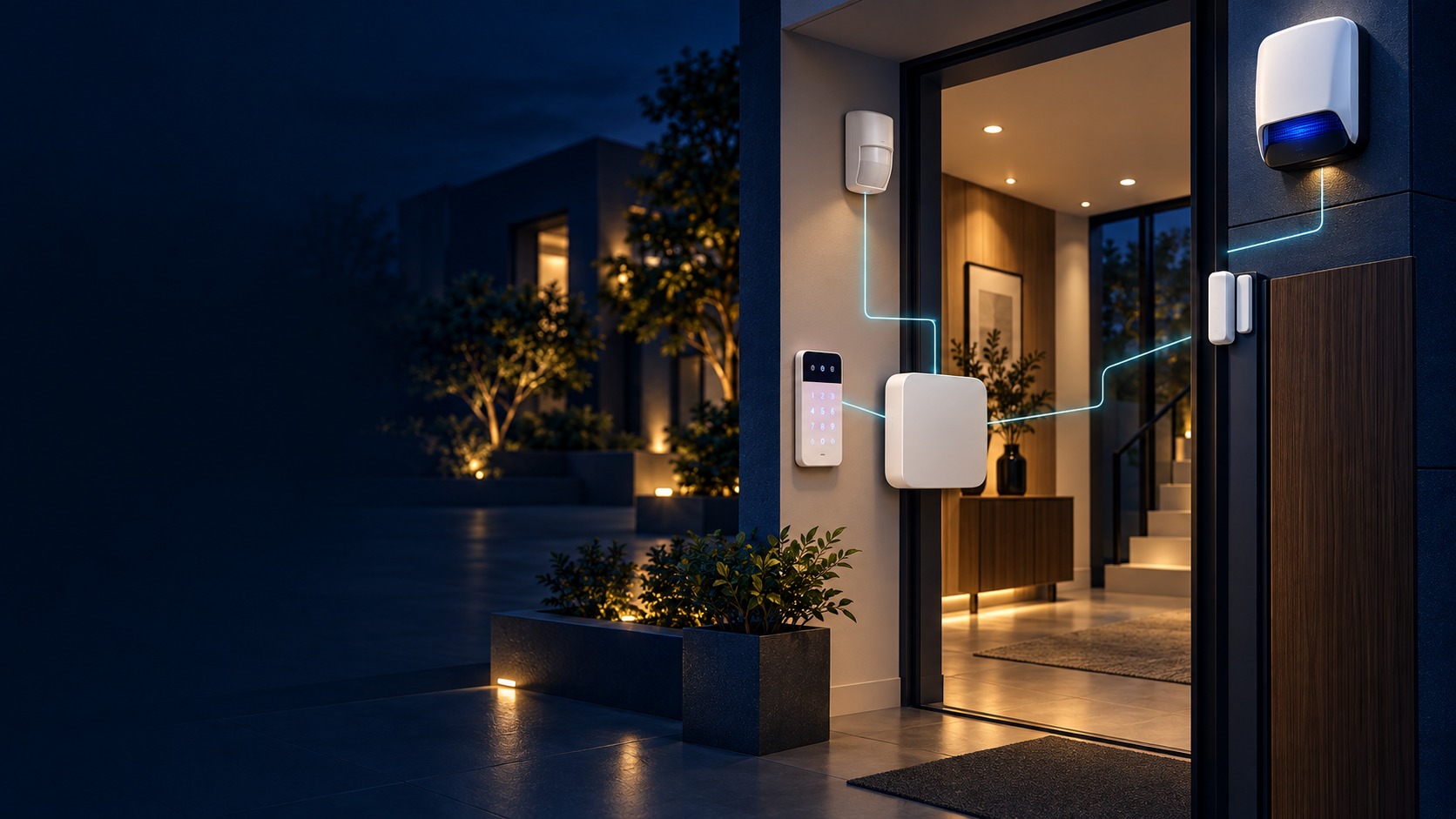
Conceptual Intrusion Alarm Architecture canvas showing generic protected zones, sensor paths, neutral control panel, power, notification and agreed response handover without site, brand, monitoring or outcome claims.
  1. 01Wireless Alarm
  2. 02Radio path, power and resilience
  3. 03Notification & response path
  4. 04alarm, tamper and restore per zone
Conceptual Wireless Alarm product and system illustration.
Illustration & scope boundary

Conceptual Wireless Alarm product and system illustration for Technology. Final device form, model, interfaces and quantities are confirmed from the assessed scope and approved product data. Conceptual evidence and response path for Wireless Alarm, derived from this page's scope, interfaces and acceptance record.

Conceptual planning path — not an as-built drawing or project photograph.

What Wireless Alarm covers

App-controlled and Hikvision alarm systems with wired, wireless and hybrid architecture.

It sits in Alarm / Intrusion Detection under Technology. The final deliverable is shaped by the intended outcome, the installed or proposed environment and the interfaces that must be owned, supplied, integrated and tested.

When to use this page

Use this page when Wireless Alarm is the specific system decision, not merely one line inside a wider Alarm / Intrusion Detection quotation. Its exact focus is Technology. Assessment records risk zones and arming modes, detector environment and likely nuisance movement, notification, standby and app ownership and closes with alarm, tamper and restore per zone, entry, exit, stay and away modes, notification, acknowledgement and battery standby. Adjacent Alarm / Intrusion Detection options may share infrastructure while requiring different capacity, interfaces, operating rules or evidence, so the selection and handover result remain independently reviewable.

Typical environments to assess

  • Commercial premises
  • Industrial or institutional sites
  • Residential or mixed-use sites
  • New build and retrofit projects
security surveillance

Field decision dossier

Use these four records to keep Wireless Alarm distinct from adjacent systems or service tasks.

01

Operational purpose

Wireless Alarm focuses on Technology. Converts intrusion, panic or perimeter events into supervised zone states, notifications and an agreed response path.

02

Site evidence to collect

For Wireless Alarm, record risk zones and arming modes, detector environment and likely nuisance movement, notification, standby and app ownership; add target detail, zone behaviour, day/night conditions, notification and authorised evidence access.

03

Primary failure boundary

Detector selection and placement reduce nuisance alarms but cannot eliminate environmental or user-triggered events; response is separate from detection. Blind zones, nuisance events, weak lighting, missing response ownership and untested recording can make an apparently online system operationally unusable.

04

Acceptance record

Accept Wireless Alarm with alarm, tamper and restore per zone, entry, exit, stay and away modes, notification, acknowledgement and battery standby; retain representative event samples, fault and restore behaviour, storage or event history, named response roles and recorded operating limits.

Engineering and service decisions

These checkpoints make this page specific to Wireless Alarm rather than a generic keyword page.

01

Wireless Alarm outcome

Define Technology as the operating result for Wireless Alarm, including the users, process and exceptions it must serve.

02

Site and design inputs

For Wireless Alarm, confirm risk zones and arming modes, detector environment and likely nuisance movement, notification, standby and app ownership.

03

Integration path

Map Detection or patrol point → Zone or route logic → Notification & response path → Incident record for Wireless Alarm and identify every interface owned by HJ, the customer, ISD supply or an appointed specialist.

04

Selection constraint

Detector selection and placement reduce nuisance alarms but cannot eliminate environmental or user-triggered events; response is separate from detection. Final models, capacities and quantities still follow survey, compatibility and availability.

05

Acceptance evidence

For Wireless Alarm, record alarm, tamper and restore per zone, entry, exit, stay and away modes, notification, acknowledgement and battery standby; also agree activation and restore, notification and acknowledgement, battery, standby or offline behaviour before handover.

Responsibility and evidence boundary

HJ coordinates assessment, engineering, installation, integration, testing and lifecycle support only for the scope recorded in the quotation. ISD handles catalogue, model, datasheet, supply and availability enquiries. Customer, consultant, builder and appointed-specialist responsibilities remain explicit.

Final scope, quantities, compatibility, access, programme, availability and responsibility are confirmed during assessment and quotation.

This focused topic remains connected to its complete system owner. Final models, quantities, interfaces and included work are confirmed in the assessed quotation.

Questions before proceeding

Use the answers as a planning boundary; site conditions and written scope remain decisive.

What should be decided about wired versus wireless zones for the Technology topic Wireless Alarm?

Wireless Alarm focuses on Technology within Technology. Converts intrusion, panic or perimeter events into supervised zone states, notifications and an agreed response path. The approved selection must respect this boundary: Detector selection and placement reduce nuisance alarms but cannot eliminate environmental or user-triggered events; response is separate from detection.

Which site inputs and handover evidence shape Wireless Alarm?

Confirm risk zones and arming modes, detector environment and likely nuisance movement, notification, standby and app ownership. Record alarm, tamper and restore per zone, entry, exit, stay and away modes, notification, acknowledgement and battery standby, then complete activation and restore, notification and acknowledgement, battery, standby or offline behaviour against the approved scope.

Does this page mean the listed hardware is in stock?

No. HJ handles engineering, installation and integration. ISD handles product-family, model, datasheet, supply and availability enquiries separately.

Turn this focused topic into an assessed scope

Share the site, intended outcome, existing equipment and timing. HJ will confirm the correct system route, responsibility boundary and next step.