Separate a missing reading from a dashboard, threshold or notification fault. HJ checks timestamps, point mapping, rule conditions, recipient settings and acknowledgements, then tests the agreed alert path with authorised users.
Installed-system service taskIoT / Monitoring Service
Installed system + service modeDashboard & Alert Troubleshooting in Kuching
01Dashboard & Alert Troubleshooting in Kuching
02Troubleshooting
03Sensor placement, thresholds and alerts
04reference comparison
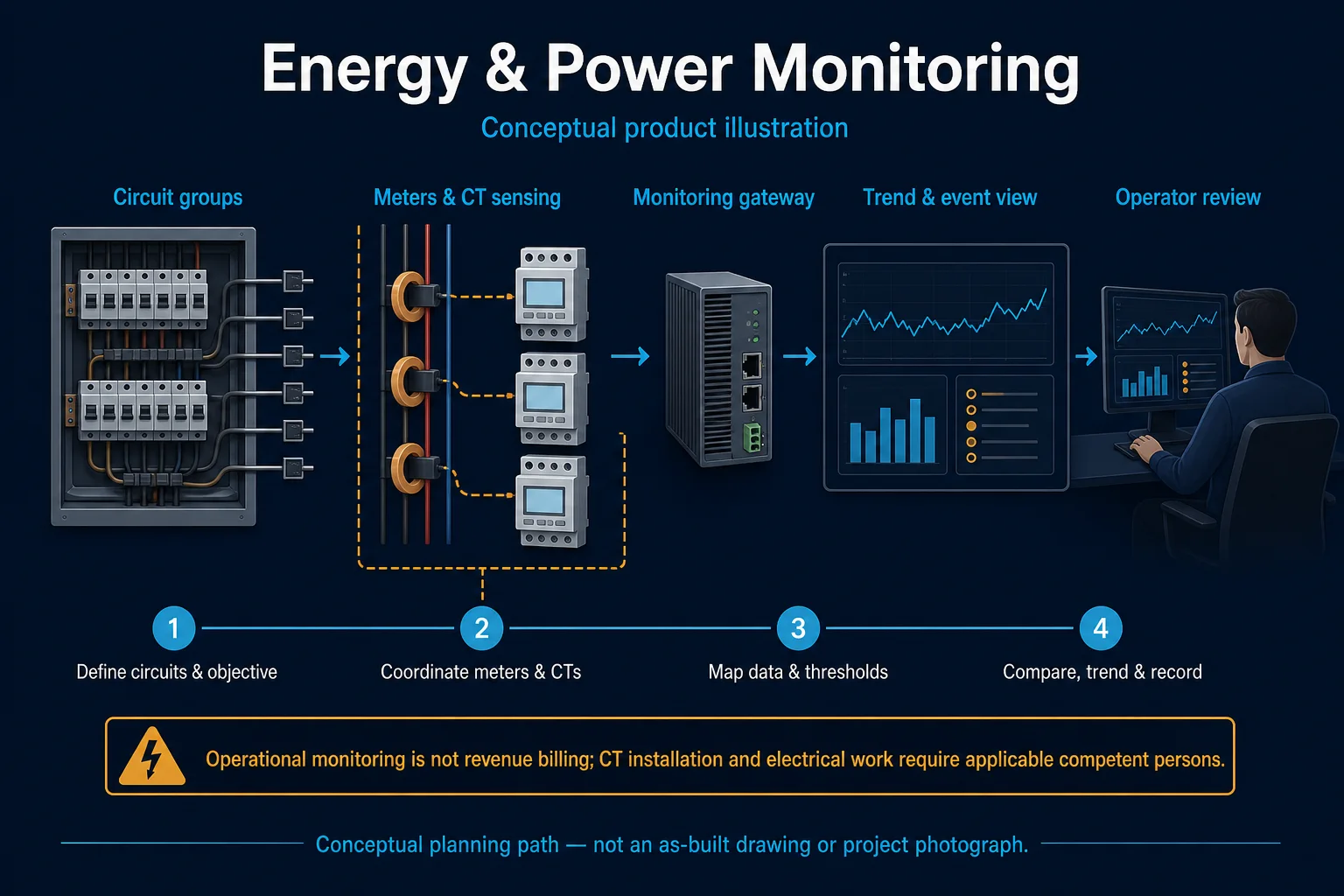
Conceptual Dashboard & Alert Troubleshooting system illustration. Dashboard & Alert Troubleshooting in Kuching combines the installed-system path with the stated service mode; diagnosis and corrective scope remain subject to inspection and approval. Conceptual measure, alert and respond loop for Dashboard & Alert Troubleshooting in Kuching, derived from this page's scope, interfaces and acceptance record.
Conceptual planning path — not an as-built drawing or project photograph.
Before booking a service visit
Tell us the fault and your location. Diagnostic attendance, repairs, parts and any travel charges are confirmed with you before work.
What Dashboard & Alert Troubleshooting in Kuching covers
Separate a missing reading from a dashboard, threshold or notification fault. HJ checks timestamps, point mapping, rule conditions, recipient settings and acknowledgements, then tests the agreed alert path with authorised users.
It sits in IoT / Monitoring Service under IoT. The final deliverable is shaped by the intended outcome, the installed or proposed environment and the interfaces that must be owned, supplied, integrated and tested.
When to use this page
Separate a missing reading from a dashboard, threshold or notification fault. HJ checks timestamps, point mapping, rule conditions, recipient settings and acknowledgements, then tests the agreed alert path with authorised users. Provide affected points, last good timestamp, gateway status, platform access, rule conditions and recipient details. Agree a safe test event and a time window with the authorised recipient before changing alert rules.
Typical environments to assess
Offices and teaching spaces
Server and equipment rooms
Facilities with indoor environmental sensors
Factories within the selected sensor ratings
Engineering SOP & Handover Checklist
From the initial brief to the handover record: what to prepare, check and confirm with HJ.
01
Operational Purpose & Workflow
Dashboard & Alert Troubleshooting in Kuching focuses on dashboard and alert-workflow diagnosis and follows reported symptom and occurrence pattern → power, cabling, network, field-device and configuration isolation → root-cause evidence → corrective action and re-test. Reproduces, isolates and measures a reported symptom until the most defensible root-cause boundary is established.
Separate a missing reading from a dashboard, threshold or notification fault. HJ checks timestamps, point mapping, rule conditions, recipient settings and acknowledgements, then tests the agreed alert path with authorised users.
02
Pre-Attendance Evidence
For Dashboard & Alert Troubleshooting in Kuching, provide the reported symptom or objective, site contact, recent changes and sensor, range and location, bad value, data gap or alert example, gateway, network, thresholds, recipients and dashboard owner, rules, recipients, history and API.
Provide affected points, last good timestamp, gateway status, platform access, rule conditions and recipient details. Agree a safe test event and a time window with the authorised recipient before changing alert rules.
03
Diagnostic & Testing Path
Trace Sensor, meter or command → Control & integration logic → Field interface → Dashboard, trend & handover for Dashboard & Alert Troubleshooting in Kuching without assuming the visible symptom identifies the root cause.
04
System & Responsibility Boundary
Sensor replacement does not correct bad placement, calibration expectation or response workflow; operational alerts are not statutory instruments. Repair, replacement, firmware, programming and parts remain subject to authority, compatibility, warranty, access and serviceability.
Environmental trends depend on sensor capability, siting and upkeep. Monitoring does not itself improve air quality, control ventilation, establish regulatory compliance or guarantee immediate human response.
05
Acceptance & Handover Record
Close Dashboard & Alert Troubleshooting in Kuching with reference comparison, threshold, notification and acknowledgement, offline, trend, export and replaced-sensor record, threshold, notification, acknowledgement and audit; record point-to-point function test, scene, schedule, trend or alarm test, backup, export and operator handover and list every restored, deferred and excluded item.
Verify point identity, units, timestamps and representative readings using the agreed reference method. Test configured thresholds and notifications safely, record data gaps and hand over dashboard and response ownership.
Engineering Scope, Regulatory & Service Boundaries
Responsibility and evidence boundary
HJ coordinates assessment, engineering, installation, integration, testing and lifecycle support only for the scope recorded in the quotation. ISD handles catalogue, model, datasheet, supply and availability enquiries. Customer, consultant, builder and appointed-specialist responsibilities remain explicit.
Final scope, quantities, compatibility, access, programme, availability and responsibility are confirmed during assessment and quotation.
Installed platform, authorised ownership, parts compatibility and serviceability are checked before any repair or restoration outcome is proposed.
Related Systems, Installation & Support
See related systems, how HJ installs them, and support for equipment you already have.
Use the answers as a planning boundary; site conditions and written scope remain decisive.
What should be confirmed for Dashboard & Alert Troubleshooting?
Provide affected points, last good timestamp, gateway status, platform access, rule conditions and recipient details. Agree a safe test event and a time window with the authorised recipient before changing alert rules.
What are the limits of this scope?
Environmental trends depend on sensor capability, siting and upkeep. Monitoring does not itself improve air quality, control ventilation, establish regulatory compliance or guarantee immediate human response.
What should be checked before handover?
Verify point identity, units, timestamps and representative readings using the agreed reference method. Test configured thresholds and notifications safely, record data gaps and hand over dashboard and response ownership.
Need Dashboard & Alert Troubleshooting? Tell HJ about your system
Tell us what the system is, what is going wrong or what you want checked. HJ will confirm the work needed, explain who is responsible for what, and agree the next step with you before any work starts.