Operational purpose
Queue / Counter Display focuses on Queue. Orders customer arrivals into service categories and directs each ticket or appointment to an available counter.
Digital queue, ticket, counter, appointment and voice-calling systems. This page focuses on Queue within Queue Management, with site inputs, interfaces, verification and responsibility kept visible.
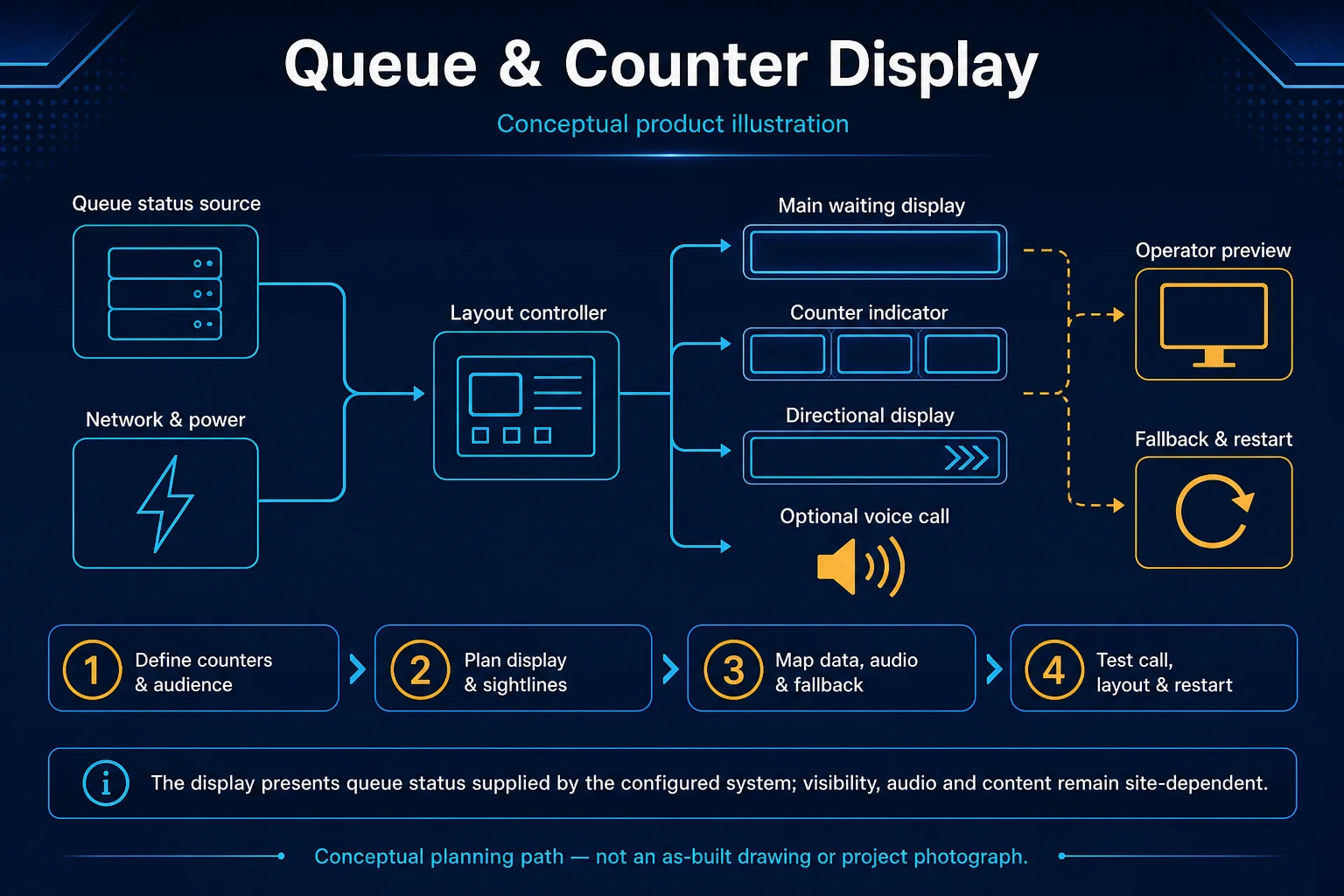
Conceptual Queue / Counter Display product and system illustration for Queue. Final device form, model, interfaces and quantities are confirmed from the assessed scope and approved product data. Conceptual source-to-audience signal path for Queue / Counter Display, derived from this page's scope, interfaces and acceptance record.
Conceptual planning path — not an as-built drawing or project photograph.
Digital queue, ticket, counter, appointment and voice-calling systems.
It sits in Queue Management under Queue. The final deliverable is shaped by the intended outcome, the installed or proposed environment and the interfaces that must be owned, supplied, integrated and tested.
Use this page when Queue / Counter Display is the specific system decision, not merely one line inside a wider Queue Management quotation. Its exact focus is Queue. Assessment records services, priorities and eligibility, ticket, kiosk and appointment channels, counter rules, displays, voice and reporting and closes with issue, recall, transfer and complete, priority and no-show cases, counter, display, voice and report synchronisation. Adjacent Queue Management options may share infrastructure while requiring different capacity, interfaces, operating rules or evidence, so the selection and handover result remain independently reviewable.
Use these four records to keep Queue / Counter Display distinct from adjacent systems or service tasks.
Queue / Counter Display focuses on Queue. Orders customer arrivals into service categories and directs each ticket or appointment to an available counter.
For Queue / Counter Display, record services, priorities and eligibility, ticket, kiosk and appointment channels, counter rules, displays, voice and reporting; add sources, rooms or zones, audience conditions, signal routes, licences, network dependencies, priorities and content ownership.
Queue software displays and measures the configured workflow; it cannot solve insufficient staffing or unowned priority policy. More hardware cannot correct poor acoustics, sightlines, content, subscriptions or an unowned user workflow; ordinary PA is not regulated voice alarm.
Accept Queue / Counter Display with issue, recall, transfer and complete, priority and no-show cases, counter, display, voice and report synchronisation; retain source-to-output routes, zones or scenes, speech/picture/call quality, restart behaviour and an operator-ready control guide.
These checkpoints make this page specific to Queue / Counter Display rather than a generic keyword page.
Define Queue as the operating result for Queue / Counter Display, including the users, process and exceptions it must serve.
For Queue / Counter Display, confirm services, priorities and eligibility, ticket, kiosk and appointment channels, counter rules, displays, voice and reporting.
Map Site requirement → System interface → Configuration or work package → Verification & handover for Queue / Counter Display and identify every interface owned by HJ, the customer, ISD supply or an appointed specialist.
Queue software displays and measures the configured workflow; it cannot solve insufficient staffing or unowned priority policy. Final models, capacities and quantities still follow survey, compatibility and availability.
For Queue / Counter Display, record issue, recall, transfer and complete, priority and no-show cases, counter, display, voice and report synchronisation; also agree functional acceptance test, configuration and labelling record, operator handover before handover.
HJ coordinates assessment, engineering, installation, integration, testing and lifecycle support only for the scope recorded in the quotation. ISD handles catalogue, model, datasheet, supply and availability enquiries. Customer, consultant, builder and appointed-specialist responsibilities remain explicit.
Final scope, quantities, compatibility, access, programme, availability and responsibility are confirmed during assessment and quotation.
This focused topic remains connected to its complete system owner. Final models, quantities, interfaces and included work are confirmed in the assessed quotation.
Use these routes to move from this focused record into the complete system, site, capability and aftercare journey.
Use the answers as a planning boundary; site conditions and written scope remain decisive.
Queue / Counter Display focuses on Queue within Queue. Orders customer arrivals into service categories and directs each ticket or appointment to an available counter. The approved selection must respect this boundary: Queue software displays and measures the configured workflow; it cannot solve insufficient staffing or unowned priority policy.
Confirm services, priorities and eligibility, ticket, kiosk and appointment channels, counter rules, displays, voice and reporting. Record issue, recall, transfer and complete, priority and no-show cases, counter, display, voice and report synchronisation, then complete functional acceptance test, configuration and labelling record, operator handover against the approved scope.
No. HJ handles engineering, installation and integration. ISD handles product-family, model, datasheet, supply and availability enquiries separately.
Tell us where it will be used, what it needs to do and what equipment you already have. HJ will recommend the right system, explain who is responsible for what, and agree the next step with you.