Installation package
Essential CCTV Recording Systems in Kuching
Essential is HJ's starting point for everyday viewing, recording and later review. It suits a home or small premises where understanding what happened matters more than an automatic warning response. The coverage, recorder, storage and authorised viewing arrangement are selected around the site rather than a fixed camera count.
How this package fits together
Essential CCTV Canvas
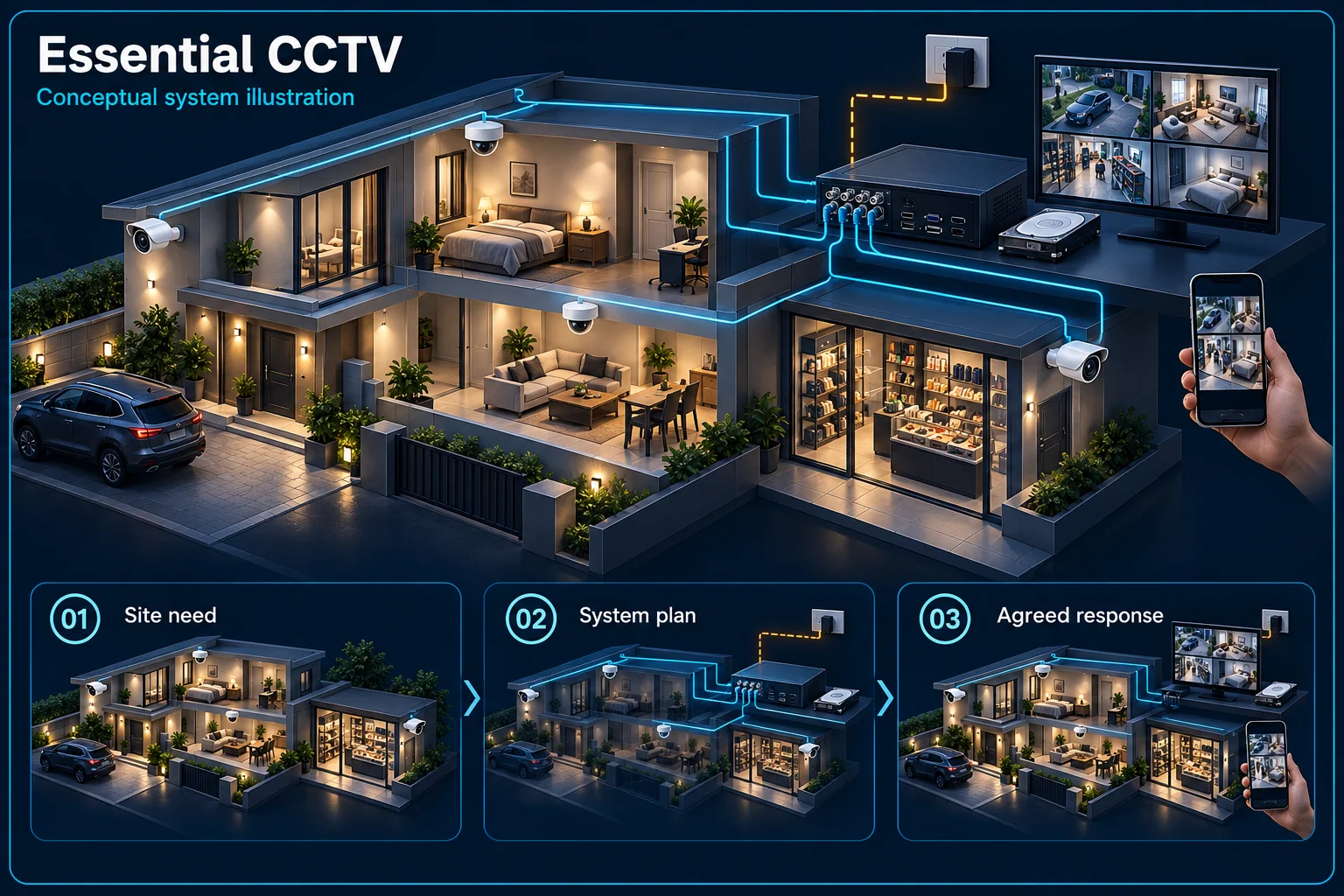
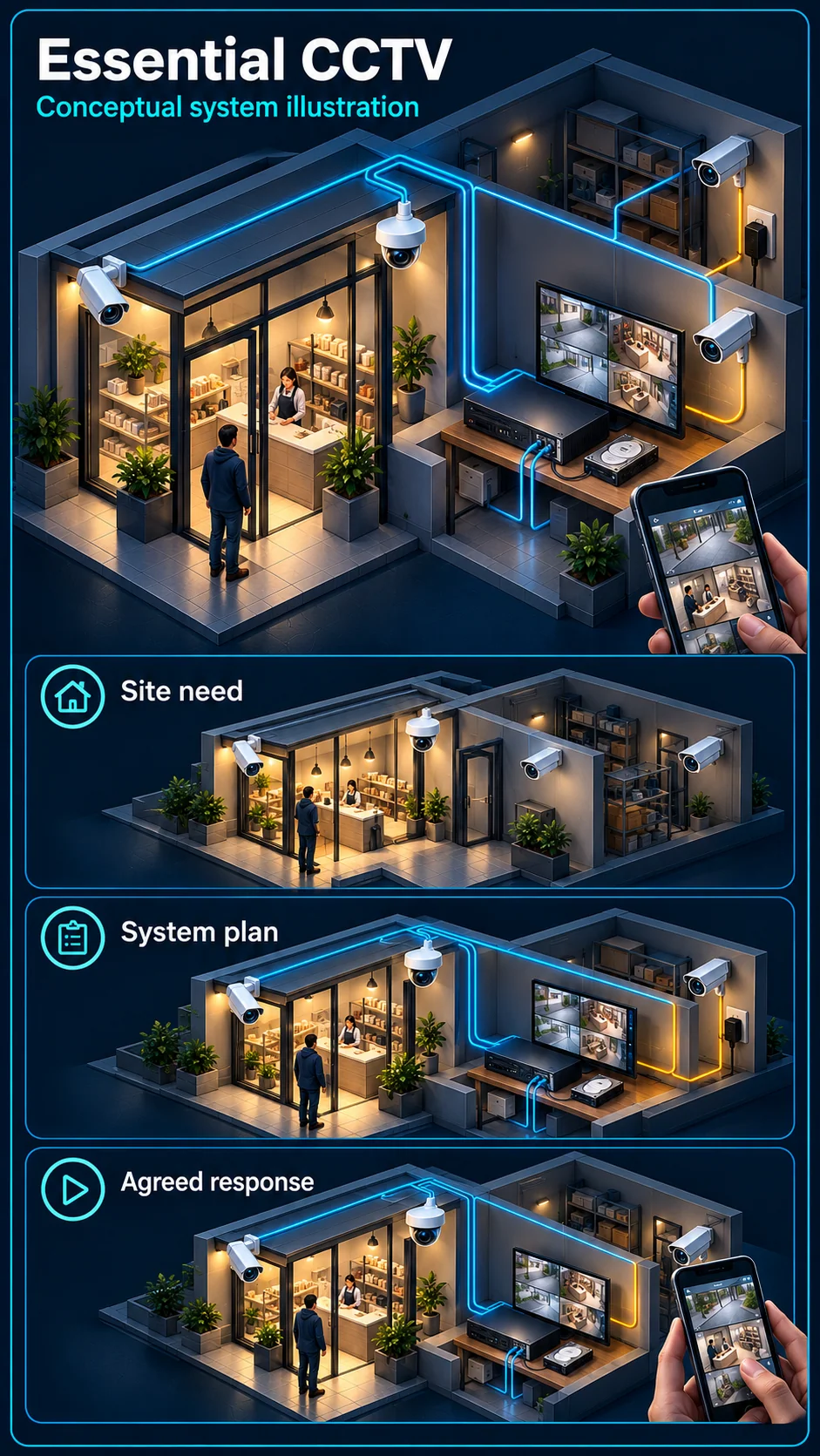
System planning notes
From an agreed view to a retrievable clip
The Essential illustration follows recording and review; it does not add warning devices to the reference plan.
- Solid line: illustrated functional path or agreed test route.
- Dashed line: optional device or compatibility to confirm.
- Solid video paths explain recording and retrieval, not guaranteed image detail or retention.
- The power path is separate. No camera siren or alarm panel is depicted as included.
Entrance or other observation area
Selected channels and recording settings
Retention designed for the streams
Find, review and export a clip
Power provision assessed separately
- E1: Agreed camera view → Compatible recorderVideo path
- E2: Compatible recorder → Local storageRecording
- E3: Local storage → Authorised playbackPlayback
- E4: Camera power → Agreed camera viewPower path
What the Essential plan is designed to do
Keep useful views of agreed areas
Start with the entrance, driveway, counter or other agreed observation point. A useful view depends on camera position, lighting and the distance to the subject. A broad overview and a close identification view can require different positions.
Record an event for later review
The recorder and storage form the evidence path. Decide which cameras record, when they record and how authorised users find and export a clip. Camera quantity alone does not establish a useful retention period.
What is separate from basic recording
Audio is not assumed
The listed Essential reference cameras do not establish microphone recording or two-way talk. If a conversation or remote talk-back is important, discuss an appropriate Interactive or other supported configuration instead of assuming it is part of Essential.
Warning equipment is a different scope
A camera siren, warning light, alarm panel and independent siren are not part of the Essential reference scope. Human classification and other event functions depend on the selected camera, recorder and operating mode.
Plan recording around daily use
Choose a realistic evidence requirement
Tell HJ the areas of concern, working hours and how far back an incident may need review. Storage design can then consider the selected streams and recording schedule rather than promising an unexplained number of days.
Separate local and remote access
Local recording and phone access use different paths. Remote viewing also needs a working network, internet service and appropriate permissions. Agree who should have access and who will control the administrator account after handover.
What to check at handover
Review the view by day and night
Check the actual agreed target areas under both conditions, including backlighting and any change of night-light mode. Confirm camera names and timestamps so an operator can locate the correct scene quickly.
Retrieve a sample recording
Practise finding and exporting a sample clip with the nominated user. Record the agreed storage settings and access roles. This is more useful than accepting a system solely because a live picture appears during installation.
Questions about Essential CCTV
Is Essential a fixed four-camera kit?
No. Essential describes the recording-focused reference scope. Camera quantity, equipment and storage are selected after the coverage requirement and existing infrastructure are understood.
Can an Essential system still have human detection?
Some camera and recorder combinations provide target classification. HJ must confirm the exact equipment and mode; the Essential name alone does not establish or exclude every analysis function.
Will the cameras sound a siren automatically?
Not in the Essential reference plan. Automatic camera warning or an independent alarm response needs its own compatible equipment, rules and commissioning scope.