Installation package
Wired Interactive CCTV and Two-Way Talk in Kuching
Wired Interactive adds a supported conversation path to a recording-focused CCTV system. It is useful when an authorised person wants to hear and speak to someone near a camera. This is the wired Interactive reference, not Interactive Pro, whose approved audio boundary is microphone listen-in rather than assumed talk-back.
How this package fits together
Wired Interactive CCTV Canvas
System planning notes
Listen and speak are two distinct paths
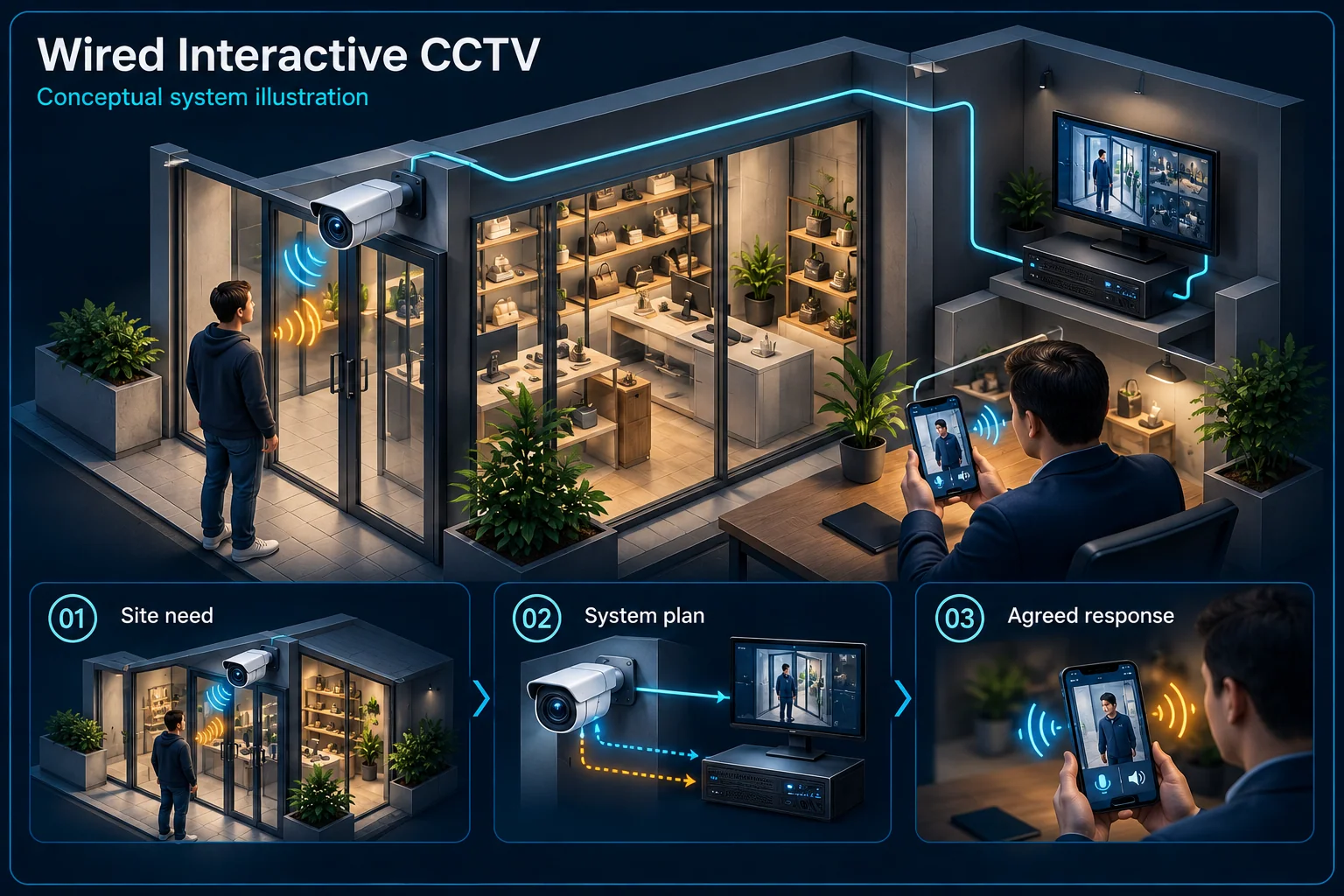
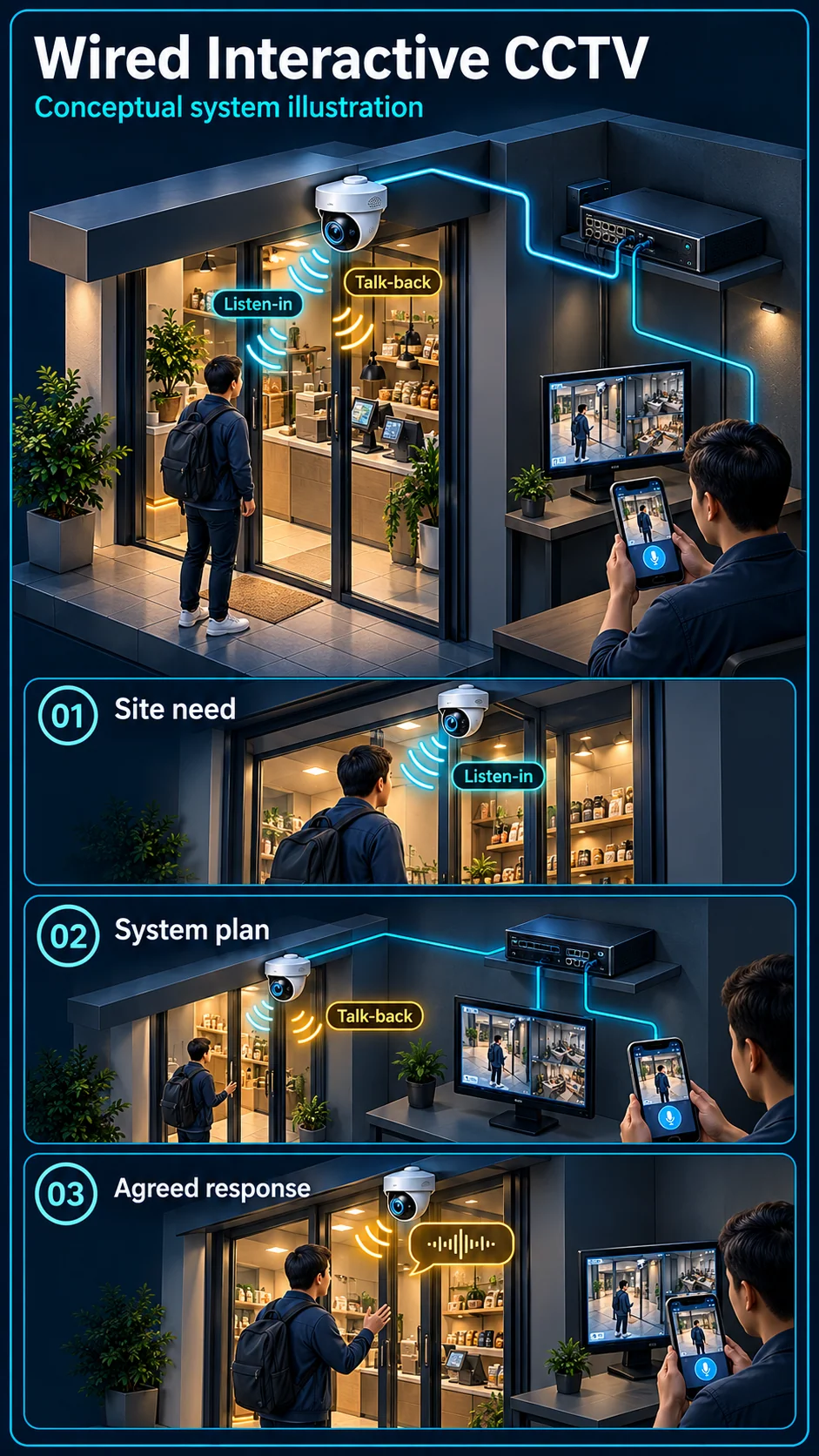
The diagram separates camera-side sound capture, authorised talk-back and video recording.
- Solid line: illustrated functional path or agreed test route.
- Dashed line: optional device or compatibility to confirm.
- Listen and talk arrows represent different required capabilities.
- A dashed recording branch needs the selected audio setting; no automatic siren is implied.
Captures sound near the agreed view
Uses a supported account and app
Camera plays the operator's voice
View chosen for the scene
Recording and supported audio route
- E1: Camera microphone → Authorised operatorListen
- E2: Authorised operator → Compatible speakerManual talk
- E3: Camera video → Wired recorderVideo recording
- E4: Camera microphone → Wired recorderAudio recording if configured — optional / compatibility to confirm
A conversation path, not just an audio icon
Hear the camera-side microphone
The microphone sends sound from the camera location into the supported system. Discuss whether audio is needed for live listening, recording or both, and whether the location is appropriate for sound capture and notice requirements.
Speak through a compatible camera
Two-way talk also needs a supported camera speaker and an end-to-end talk-back path. Confirm the camera, recorder, app and user role together. A microphone specification on its own is not evidence of a speaker.
Where Interactive fits
Respond to an entrance or service area
A driveway, small shop entrance or delivery point can benefit from live communication. Check the expected speaking distance, background noise and who will answer. CCTV talk-back is not automatically a dedicated door-release intercom.
Keep recording available during use
Conversation should be considered alongside the evidence path. Agree the recording settings and verify how a user returns to playback after a live call. Do not choose a position for sound while overlooking the required camera view.
How it differs from Proactive
Manual talk versus automatic warning
An operator pressing talk is a manual action. A configured event sounding a camera warning is an automatic response on suitable equipment. Wired Interactive does not acquire a siren or strobe simply because it supports conversation.
Illumination versus warning light
Night illumination helps the camera see a scene. A warning strobe is intended to attract attention. The selected model and configuration must establish which function exists; a bright picture is not proof of active deterrence.
Commission the complete audio route
Check both speech directions
Use the nominated phone and user account to test listening and speaking separately. Check the real camera-side position and normal background noise, then confirm volume settings without treating a quiet demonstration room as the installed environment.
Hand over permissions and expectations
Show the user how to start and end talk, review relevant recordings and manage account access. Agree when staff should answer and what to do if connectivity fails; the feature does not mean someone is permanently monitoring it.
Questions about Wired Interactive CCTV
Does Wired Interactive mean the same thing as Interactive Pro?
No. They are separate reference configurations. Wired Interactive uses selected talk-back equipment. Interactive Pro here provides microphone listen-in rather than talk-back.
Does two-way talk unlock the gate?
Not by itself. Gate release needs an appropriate access-control or intercom design, compatible interfaces and a separately agreed safety and permission workflow.
Can speech work without the internet?
The answer depends on whether the user is local or remote and on the selected system. Local recording, local audio use and internet-based phone talk need separate checks.